 In collab with .co/howtotint
Overdecorated and hard to read? click  (top left) for an easier access!
light mode recommended
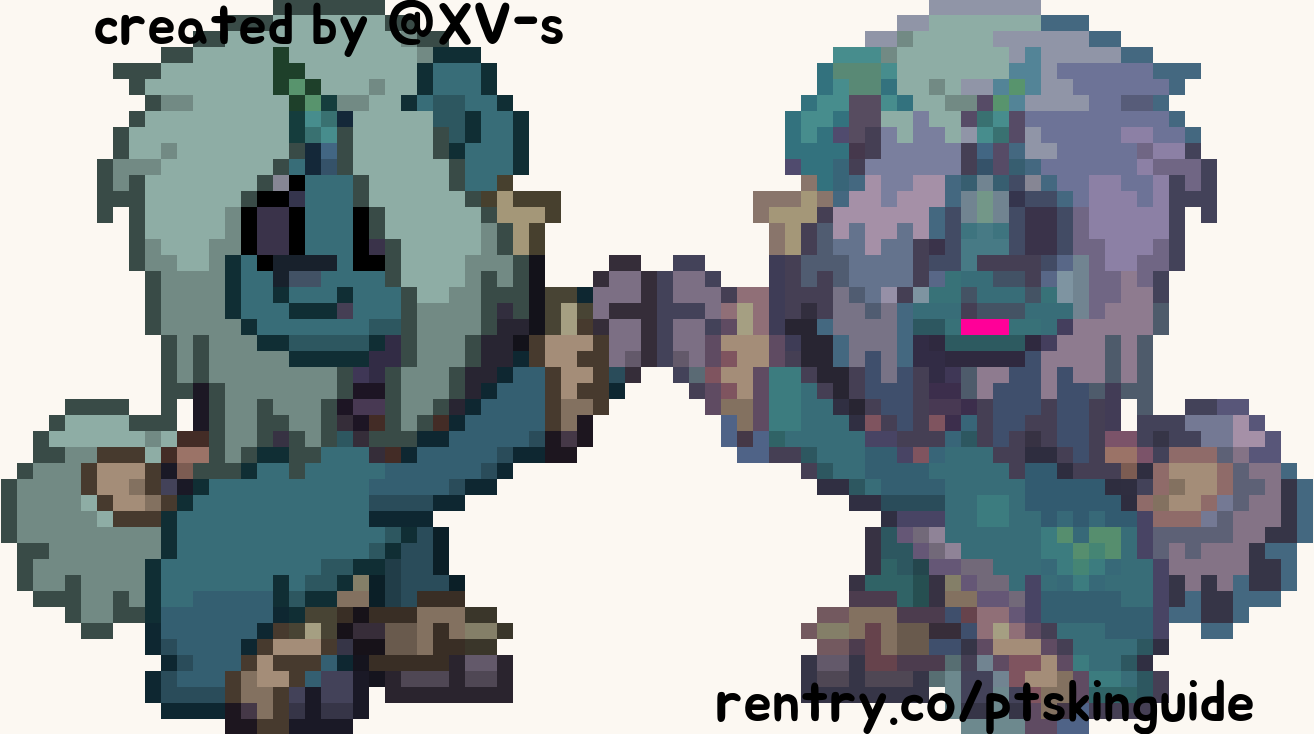
This guide is suitable for anyone who may be struggling to make ponytown skins. By no means it should be used as a strict rulebook, but rather a tool to help on occasions. All advice here is given purely based on the way i make my own skins, please, do not be afraid to experiment.
navigation : orange=clickable link , highlighted=emphasis , italics=note
Rentry contains a bunch of advice, that has personally helped me a lot!
Created by Xen; Xv-s. Redecorated by Shig; deepaffection. Avoid stealing and reuploading the rentry, I am open toward changes for this page.
⋯
If u ever see my skin posted on any website, I have not consented to it. RENTRY.CO/PTSKINGUIDE has been created to help prevent people from copying/referencing skins off pinterest. Please always try to avoid getting inspired off skins u see online, many skins are stolen and/or posted without original creator's consent.
Need any further advice? Got questions? Feel free to contact via atabook.

hue shifting 


One of the main pieces of advice i give to people is to use hue shifting in skins! Whilst not obligatory, it's a good and simple way to add interest.
A) hue shifting is changing a colour to slightly warmer or colder colours on the colour wheel. Here's a great video explaining it in more depth!
example
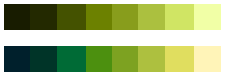 simple gradient without (top) hue shifting, and with (bottom) hue shifting!

⋯
B) Hue shifting is a great technique, but can be overdone if the gradient is too harsh (as in, changes hue/shade too quickly). You can use hue shifting in tandem with tone adjustments + saturation.
example
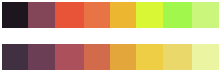 harsh gradient (top) + careful hue shift (bottom) with better tone and saturation adjustment
color palettes 

Premade colour palettes are a great way to easily and quickly find cute colours without getting frustrated over minor inconsistencies. Essentially, best looking colours are complimentary colours or those that have aspects of colour theory included; which is explained well in this video.
A) You can use following websites for easy help in search for cute colours! coolors.co , colourhunt.co and mycolor.space.
If you feel a little bit more creative, those two links can help u generate gradients using two or three colours.
⋯
B) You can always create your own colour palette and tint it! Tinting your palettes could balance any harsh colours, which is really helpful in many cases. (scroll down to read what is tinting and how to do it).
example
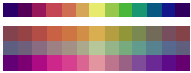 one rainbow colour palette tinted in 3 different ways to create new; balanced ones
outlines 

I see many people have issues with outlines, or simply do not utilise the feature at all. While it is alright to have specific design choices, or choose not to use them, it's always nice to adjust them a little to fit your pony better! A few people dislike when you overdo an outline, or colour random ones neon (which is more than fine , do what you please with ur own ponies).
Outlines can expand your characters look plenty. Keep in mind to also reference help i've adviced u for hue shifting earlier.
example a
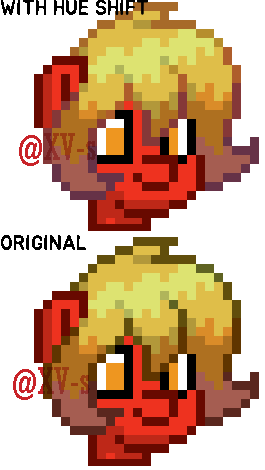 edited outlines; with hue shifting in comparison to unedited outlines; outlines locked in on 50
example b
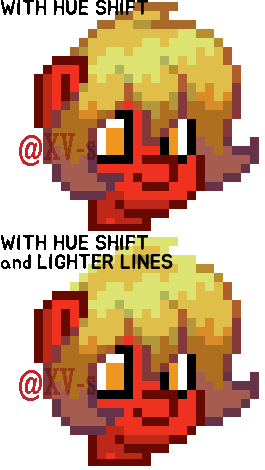 you can also add lighter lines in to add shape/further highlight!
example c
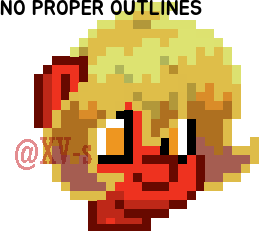 at times I see people using all lighter shades for their skins, by turning the set brightness down to 0 and such. Doing so can often lose clarity of shapes/different shades within your pony, so makes it difficult to figure out what you're looking at.
⋯
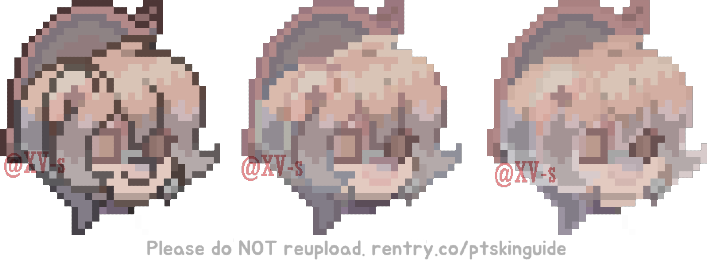
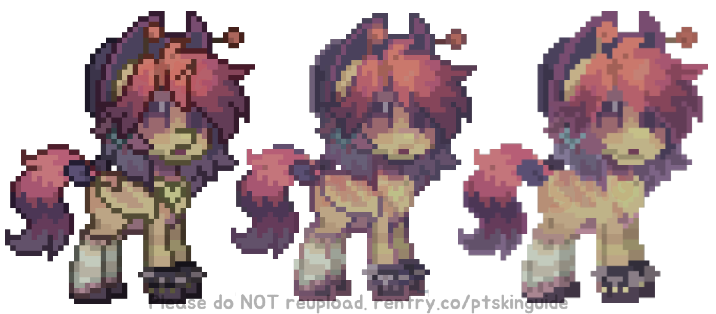
All above combined, in form of an example on one of my (very old) skins:
details 

"Why arent my skins as detailed as yours?" There could be a multitude of reasons for this, however one trick people do is use accessories such as: sideburns, saddle/wings, head accessories and horns to add more shape or detail to their skin.
People also use the grasscode to enhance/change the shape of hair or other parts of the body, but it will look strange when you are not stood on the appropriate grass/path, and many people try to avoid it at all costs.
A) Use colouring ear items, sideburns, side horns and front horns to detail the head.
example
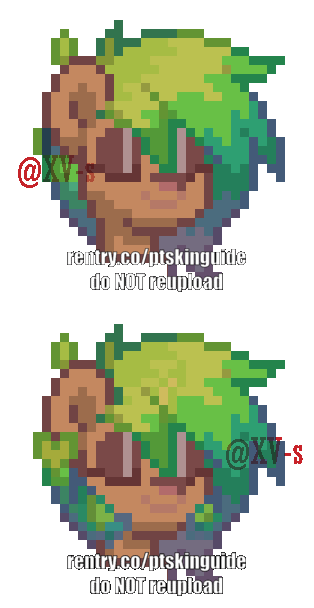 if you prefer a simpler style, you do not need to include any of those and that's totally okay!
⋯
B) Use items like wings, tails, tail bows, waist accessories to detail any outfits,
example
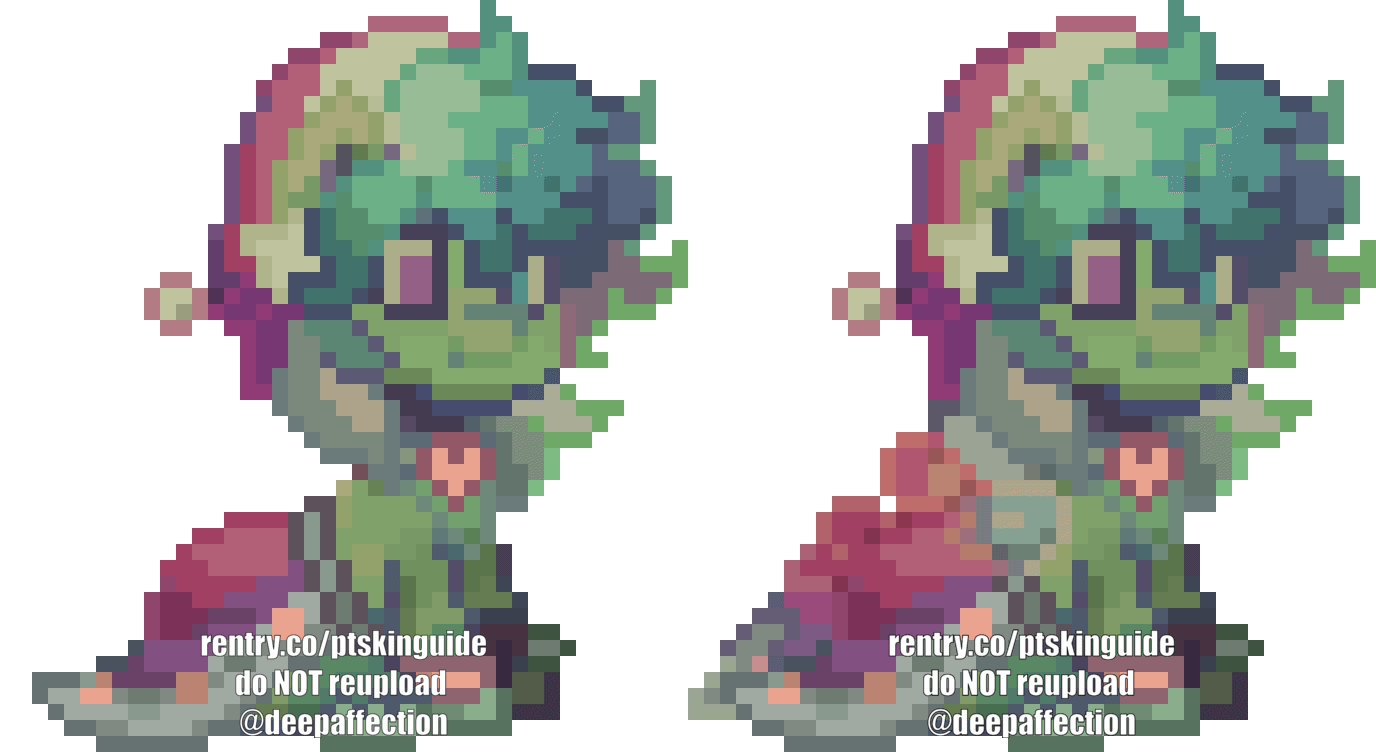 if you prefer a simpler style, you do not need to include any of those and that's totally okay!
⋯
C) Take extra time to define shapes via using grasscode, add a plush to create unique accessories!
example
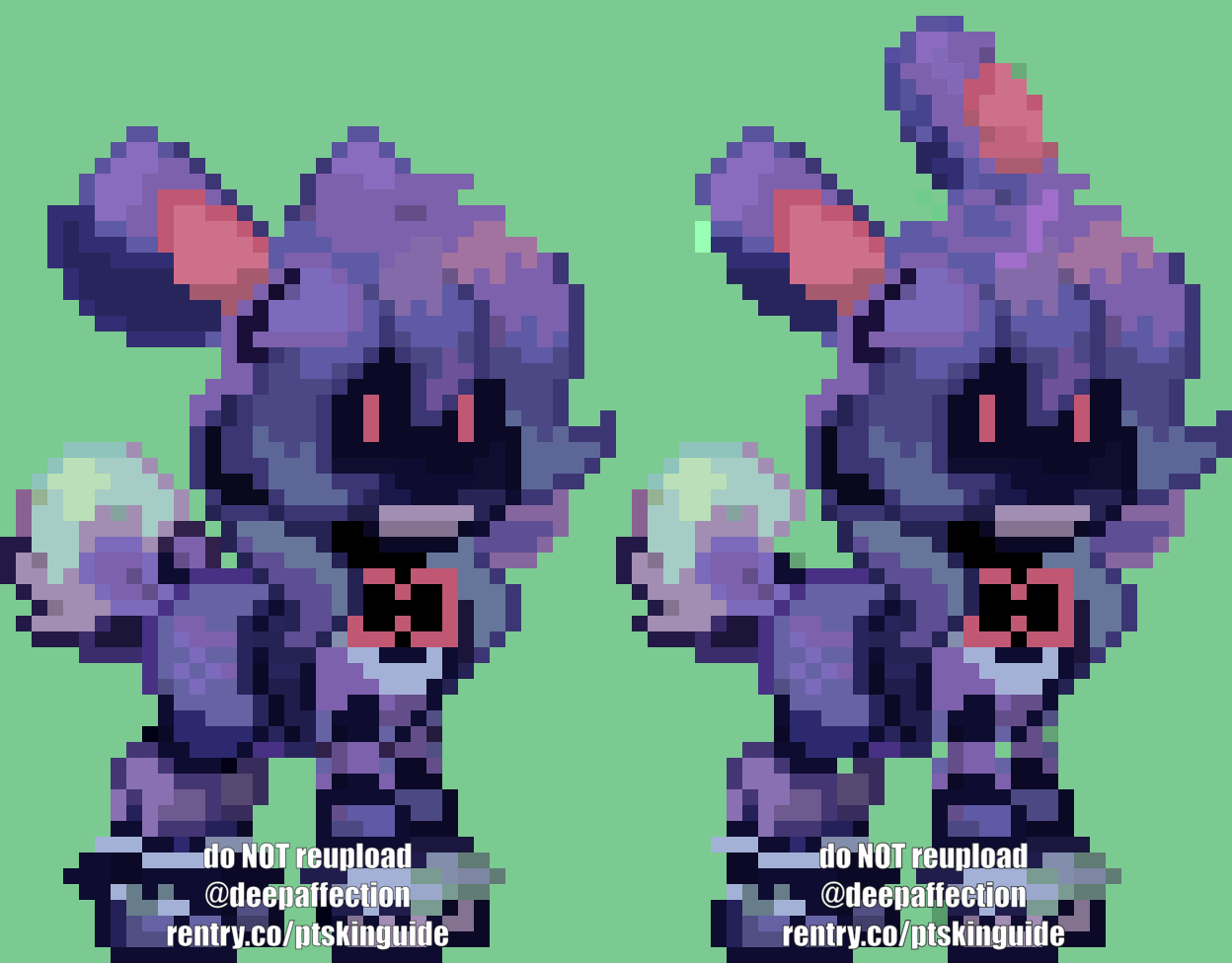 if you prefer a simpler style, you do not need to include any of those and that's totally okay!
click to view a very great image with a bunch of hex codes u can use for this!
tinting 

Tinting is where you add a colour filter/overlay over a skin you have already completed/are in the process of making. Later, you transfer the colours over to ponytown via colourpicking the image. Tinting can be done in any editing/art program (such as ibispaint, procreate, clip studio paint, etc.) that has a layer function!
Websites u can freely use for this step: colourpicker, SVG gradient map filter. This rentry offers an exact PC tutorial on how to tint via pixlr.
example
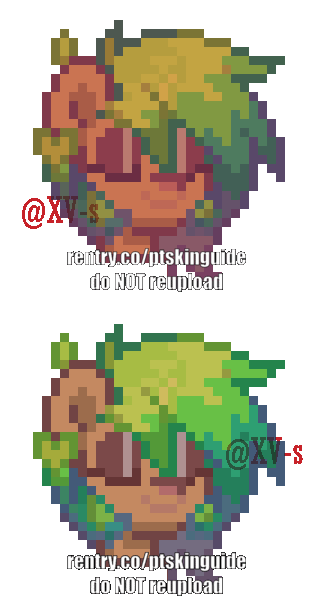 a rushed example of how tinting can very easily change your colours.
gradient maps 

Essentially, another way to tint is to use gradient maps. The process of using gradient maps usually includes applying the gradient map and reducing the opacity using the "colour"/"overlay" layer blending modes to the original skin. I believe ibis paint, procreate, photoshop and clip studio paint all share these aspects.
Using gradient maps on a skin with no hue shifting can often do the work for you, so it is a helpful tool to learn. Additionally, you can use gradient maps without adjusting the opacity if you like a bolder colour look, and feel free to reference the skin examples here:
example a
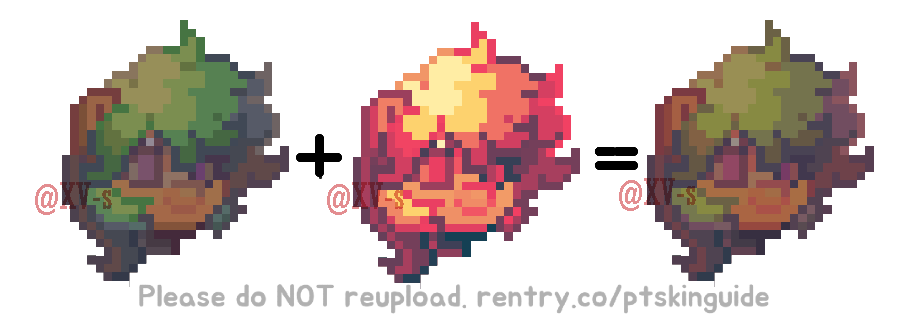
applied gradient map: 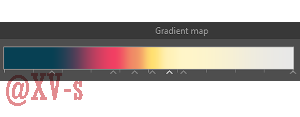
⋯
example b
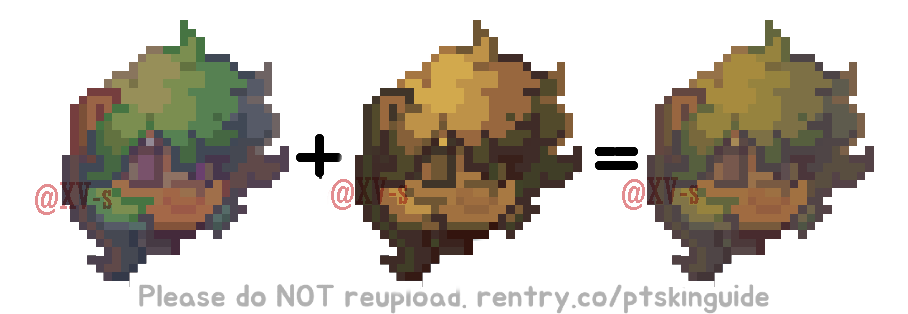
applied gradient map: 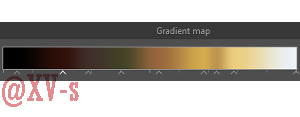
experiment 

There's no rulebook to ponytown skins, and this guide should not be treat as such my greatest advice is just to experiment, test new styles, recreate your favourite characters, etc. Improvement comes with learning more, and no-one gets anywhere without trying new things! Reminder, my entire guide is made on the basis that you do not need to copy off of pinterest, stay creative!
Please do not rip my code/claim my guide as your own. It is unfair to me and the hard work I put into this rentry if you do that. By no means am I an "expert", I just have a lot of people asking for advice from me, and find this the easiest way to give consistent notes. Please credit me if you want to use it anywhere.
⋯
If you find none of this helpful, I apologise! Check out my main rentry and my main github.
Need any further advice? Got questions? Feel free to contact via atabook.
Page redecorated by deepaffection
In collab with .co/howtotint 