Fate Font - Unused Characters
By Onibushi
Since the Fate font is an image file, an idea came to my mind: what if we add special symbols or colored characters to an item's name? It is possible now...
There are 86 safe symbols we can work with. There are more actually, but some of them may crash the game or vanish the item from your inventory after save&exit.
How to do it
You need to modify 4 things:
- font.png file - the appearance of your custom text (colored characters, small icons, etc).
- fonta.png file - alpha map of your new characters.
- font.ini file - character size... this is required to make the character/symbol look properly.
- item name - add the special characters to an item in items.dat
To know which character correspond to which number in the font.ini file, follow this mapped font:

It goes from 0 to 255 (a total of 256 characters). Number 32 is the blankspace (Thanks Spock!). It would be better if you edit special symbols only and not the regular alphabet, numbers and some special characters used by the game (%, !, +, etc).
Then, add the special characters to the item's name in the items.dat file.
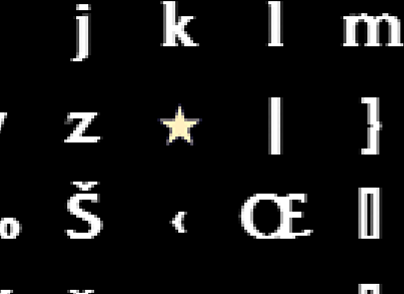
As an example, I replaced the "{" symbol for a star icon, so I added the star to the "{" character (square 123) in the font.png file;
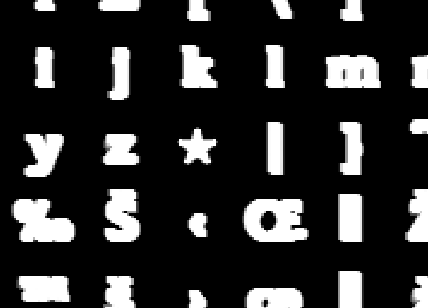
an alpha map of the star in fonta.png;
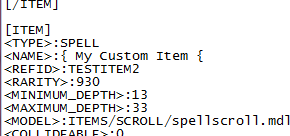
and the "{" symbol to the item's name:
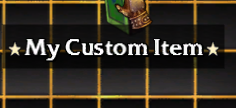
In-game:
There's plenty of stuff you can do with this: badges/medals, rarity/frequency symbols, enchantment names, faction/race icon, etc.
NOTE: this only works in the english version of the game. In other languages, some special characters are used. Try to avoid them in such case.
Remember to clear cache before running the game! -> Browse to C:\ProgramData\WildTangent\FateCursedKing\ or a similar directory and delete the Cache folder. If you can't find the folder, set "show hidden files and folders" on and search again.
ADDED:
I've just found a site with a complete list of the 256 font characters used by the Fate games.
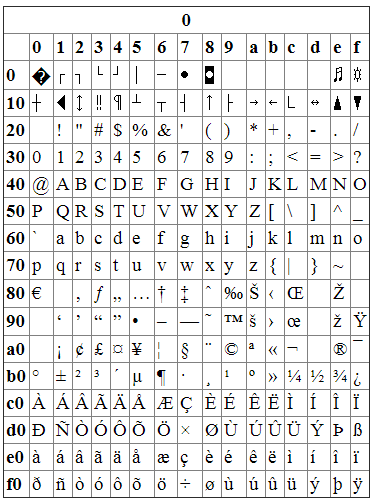
It's basically the same table used by the game:

So, when I copied some special characters and pasted them in a modded test item, the symbols where perfectly displayed in-game without any crash!
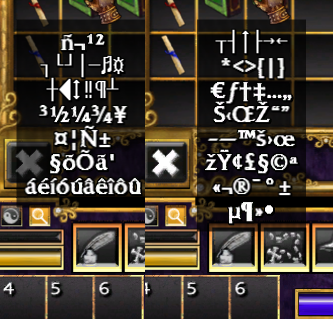
There are still some troubled symbols that crashed the game but I've identified 86 safe symbols! This way we can give a completely new colored alphabet, special characters/symbols or whatever you can think of to an item or monster's name!
Why are they working now and not before? because I previously tested ASCII characters generated by windows (ALT key + number) which are somehow different to these 86 symbols.
Check all symbols here: http://www.addressmunger.com/hex_ascii_tables/