Does Gallio PRO Store Logs with Detection Data or Personal Data?
When managing CCTV systems in busy clinics, it's critical to balance security needs with safeguarding patient and staff privacy. With growing concerns around video recording and data privacy, clinic managers often ask:
Does Gallio PRO keep detection logs? Does it store personal data when anonymizing images? How can clinics minimize data collection while meeting safety goals?
In this post, we'll unpack Gallio PRO’s handling of logs and personal data, emphasize the principles of data minimization for clinical CCTV, and highlight best practices for camera usage—especially focusing on vendor transparency and role-based access controls.
Understanding Gallio PRO and its Role
Gallio PRO is an on-premises visual redaction and anonymization software purpose-built for sensitive environments like clinics. Here's a story that illustrates this perfectly: learned this lesson the hard way.. Unlike cloud-based systems, Gallio PRO runs locally on your servers, giving you complete control over your video data.
Its primary function is to apply on-the-fly anonymization techniques such as blurring or pixelation to faces and other identifying elements before footage is accessed or archived, ensuring compliance with privacy regulations and institutional policies.
What Does Gallio PRO Store? A Clear Vendor Statement
A key threshold question for many clinics is whether Gallio PRO keeps logs that contain detection data (like identified faces or objects) or any personal data itself.
The short answer: Gallio PRO does not store any detection logs or personal data beyond transient processing on the local device.
This means:
No separate log of detected faces, names, or personal characteristics is created or saved. The software processes video frames in real-time and applies anonymization but does not extract or retain metadata linking to individuals. All anonymization occurs on-premises, preventing transfer or storage of sensitive data offsite.
This “ no detection logs claim” is crucial for compliance teams who want to avoid over-collection or inadvertent secondary uses of video data.
Why Does This Matter?
In many clinic CCTV systems, secondary data like detection logs or biometric identifiers can be a privacy landmine if stored improperly or accessed by unauthorized users. Gallio PRO’s design minimizes this risk by simply blurring data in-stream without creating extra records that would need additional security safeguards.
Data Minimization Principles for Clinic CCTV
Data minimization is a pillar of privacy best practices—collect only what you need, and no more.
In clinical settings, CCTV mainly helps for security, safety incidents, or workflow monitoring. To honor patient and staff privacy, follow these core principles:
Purpose-First Camera Justification: Ensure every camera has a clear, documented reason aligned with clinic safety, not convenience or “just in case” scenarios. Data Minimization: Limit video collection to only what’s necessary. Use anonymization tools like Gallio PRO to reduce exposure of personal details. Camera Placement: Position cameras to avoid capturing sensitive documents, computer screens, or private conversations. Access Controls and Role-Based User Accounts: Use named, role-based CCTV user accounts—never shared passwords—to restrict who can view sensitive video or unblurred footage. Regular Field-of-View Reviews and Documentation: Schedule routine checks of camera angles to confirm minimal over-collection and update logs accordingly.
Camera Placement: Avoiding Over-Collection Before It Happens
What’s the point of anonymization afterward if your cameras are pointed at paperwork on front-desk desks, reception computer monitors, or staff badges? This kind of setup inadvertently captures personal data unnecessary for security purposes.
Best practice:
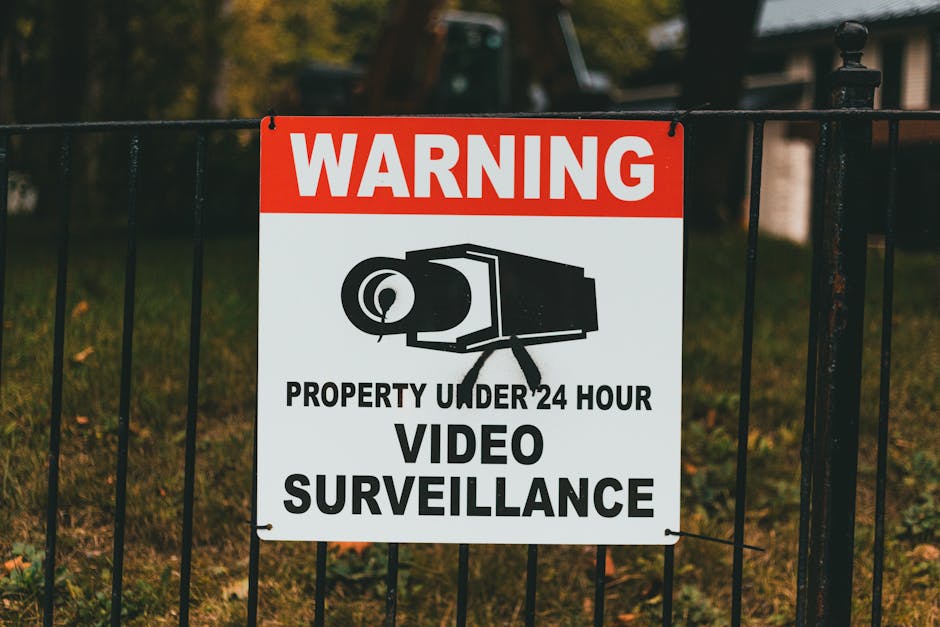
Angle cameras away from patient intake desks and sensitive information. Focus on public or semi-public areas where safety incidents are more likely, like waiting rooms, corridors, or entryways. Use signage to inform patients and staff of cameras and the purpose of recording.
By thoughtful placement, you reduce the raw data volume requiring anonymization or review, making the workflow easier for staff to follow during busy shifts.
Role-Based CCTV User Accounts: Named Users, Not Shared Passwords
One pet peeve when consulting clinics: shared passwords for CCTV systems. Shared access muddy accountability and increase risk of unauthorized viewing.
Instead, use role-based user accounts where:
Each user has a unique login tied to their role (security staff, clinic managers, compliance officers). Access is limited by job function, e.g., only certain users can see unblurred footage or export video. Audit logs track who accessed video and when, enhancing accountability.
Gallio PRO supports integration with such user account systems, reinforcing a layered privacy protection approach.

Field-of-View Reviews and Documentation: Keep Your Camera System Lean and Compliant
Technology and clinic layouts evolve, so don’t set and forget your CCTV system. Establish a routine—ideally quarterly—to:
Review each camera’s field of view and assess for any inadvertent collection of personal data or sensitive info. Document findings and remedial actions taken, such as reorienting a camera or updating signage. Check Gallio PRO anonymization efficacy and verify no personal data is being exposed. Re-confirm role-based access permissions and audit logs.
This practice boosts compliance documentation, informs training, and ensures your privacy-safe workflow adapts to clinic needs.
Summary Table: Gallio PRO Privacy-Safe Workflow Checklist
Focus Area Recommended Best Practices Gallio PRO Support Detection Logs Avoid storage of detection or biometric logs to reduce privacy risks. Processes footage in real-time without storing detection logs or personal data. Camera Justification Document clear purposes for each camera focused on safety/security. Works seamlessly with existing clinic cameras without adding surveillance beyond purpose. Camera Placement Place cameras away from monitors, paperwork, and private conversations. Enables anonymization of captured video to protect remaining sensitive details. Access Controls Maintain named, role-based user accounts, no shared passwords. Integrates with role-based authentication, preventing unauthorized access. Field-of-View Reviews Conduct regular reviews and document any adjustments needed. Supports real-time anonymization to maintain compliance as cameras are adjusted.
Final Thoughts: Keep It Purposeful, Minimal, and Transparent
Privacy-safe CCTV in clinics is not about installing as many cameras as possible or saving every second of video “just in case.” It’s about deploying technology thoughtfully—aligned with clear safety goals, minimizing data collection, anonymizing personally identifiable information, and enforcing strict access controls.
Gallio PRO’s design philosophy aligns perfectly with this approach. Its no detection logs claim ensures that clinics aren’t creating unseen privacy liabilities, while its medical office video retention rules on-premises anonymization respects patient and staff confidentiality.
Pairing Gallio PRO with disciplined policies—purpose-first camera justification, strategic placement, role-based user access, and documented field-of-view reviews—creates a sustainable and privacy-respectful CCTV system that clinical staff can confidently operate during hectic days.
Remember: always ask “What incident are we trying to solve?” before adding cameras or tech. That mindset protects privacy before the first recording ever happens.
For clinics seeking a practical, privacy-safe CCTV anonymization solution, Gallio PRO sets the standard for balancing security and confidentiality in fast-moving medical environments.