aria2 + Browser Integration
 By
By inko.jp on Discord in https://discord.gg/reversedrooms
1. Install aria2
Open your PowerShell and enter in:
2. Create config and shortcut for aria2
Open your PowerShell and enter in:
3. Install aria2 browser extension
4. Extension settings
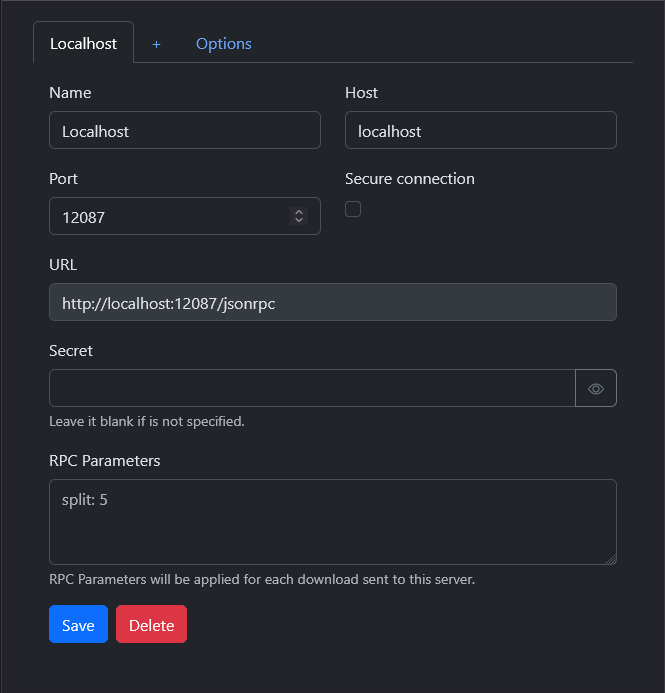
Go to the extension setting
- Localhost:
Port - 12087
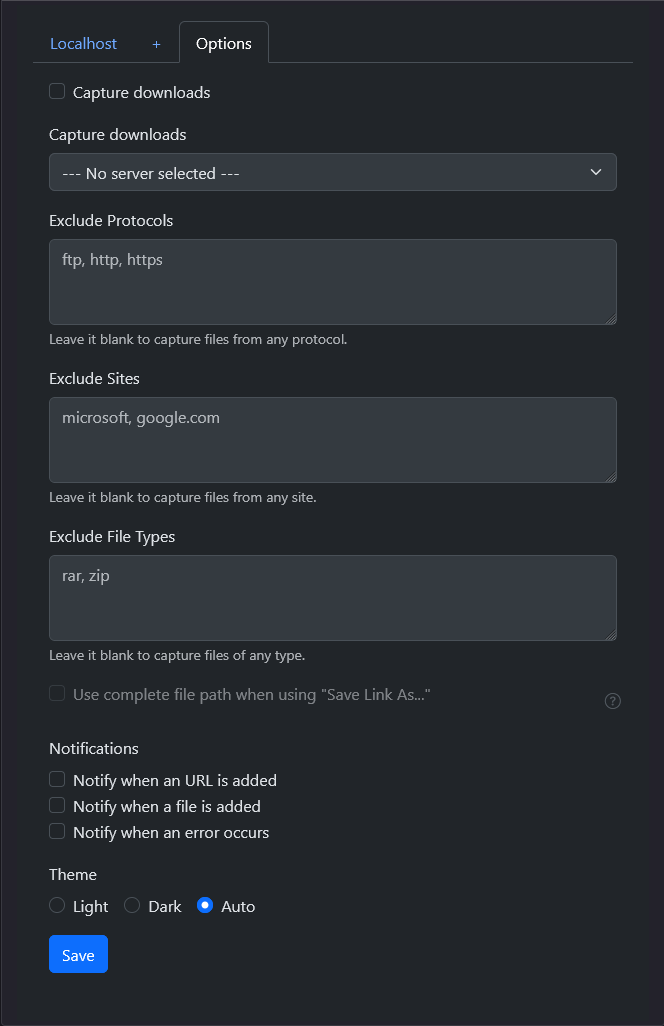
- Options:
Notify when an URL is added - OFF
Notify when a file is added - OFF
Notify when an error occurs - OFF
 |
 |
|---|---|
5. Download
-
- Open
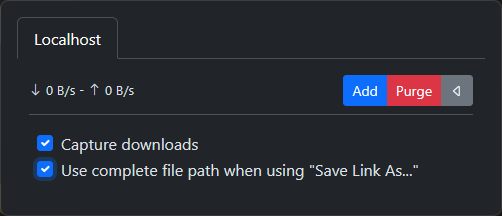
aria2as it's a shortcut now - On your browser, toggle Capture downloads ON by pressing the extension icon > setting icon
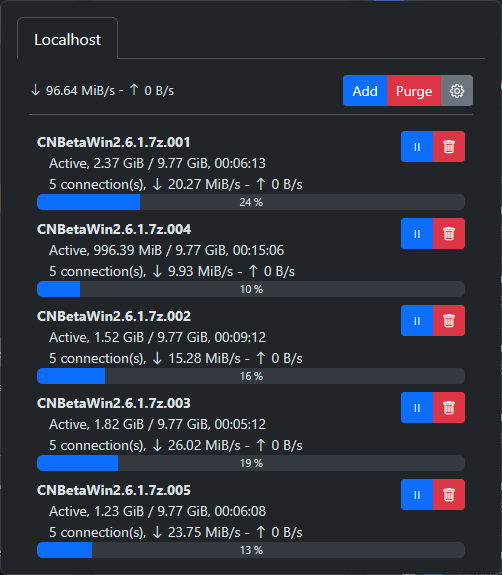
2.1. Toggle Use complete file path when using "Save Link As..." ON to choose your own folder to save instead of default Downloads folder - Download normally on browser, links are sent to
aria2 - Toggle OFF after the links are sent to
aria2to avoid capturing everything - Use Purge to clear finished downloads
 |
 |
|---|---|
-
In summary whenever you want to download anything with aria2:
- Open
aria2 - Toggle Capture downloads on browser to send the links over to
aria2
6. Linux
-
This would vary from distro to distro, but it follows this flow:
- Install
aria2with your favorite method - Create
aria2.confwith the config above in mind andaria2.sessionfiles at its default config folder, with symlink if you want to back up easier - Make
aria2easily run, either with systemd, or a shortcut, your choice, get creative - Install extension on your browser, and it should be working