How To Setup AudioRelay on Fedora 43
This is a guide on how to setup AudioRelay on Fedora 43. This won't work for iOS users, sorry.
Install AudioRelay
Download AudioRelay from the Discover store and on your Android phone, from the Play store.
Start a Server on Your Phone
Navigate to the "Server" tab, and select the "Microphone" option. Then, press the record button (if it doesn't automatically do so).
Navigate to "Player"
On your computer on the AudioRelay app, navigate to the "Player" tab.
Select Your Phone
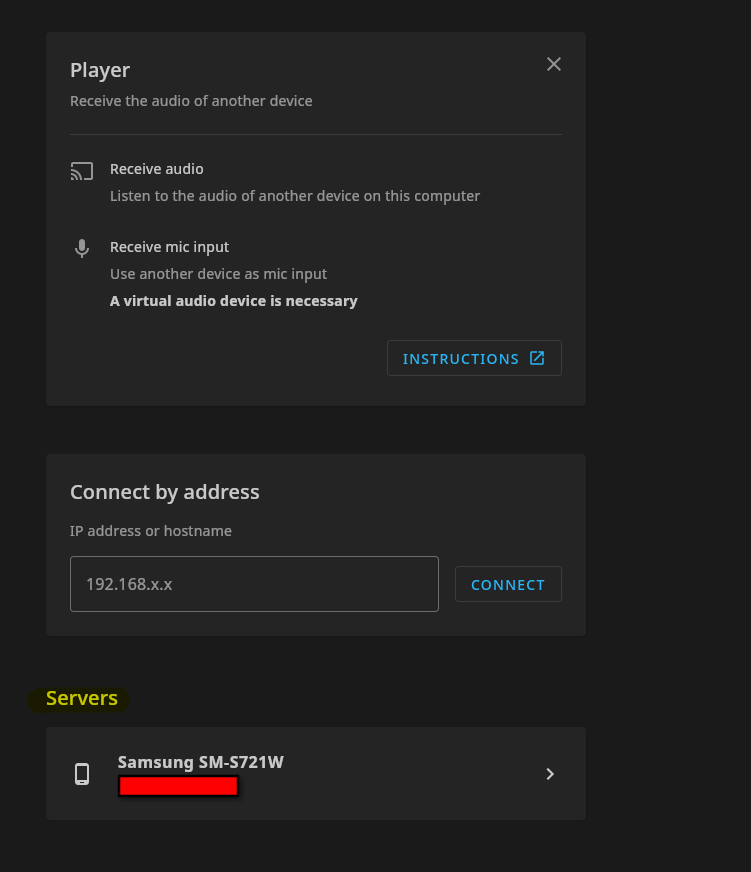
Your phone should be below "Connect by address". Left click it.
It should now automatically start a connection, and you should be connected to your phone.
Selecting Audio Device
In the same tab you were in when selecting your phone, click the dropdown menu under "Audio Device" on the right of your screen.
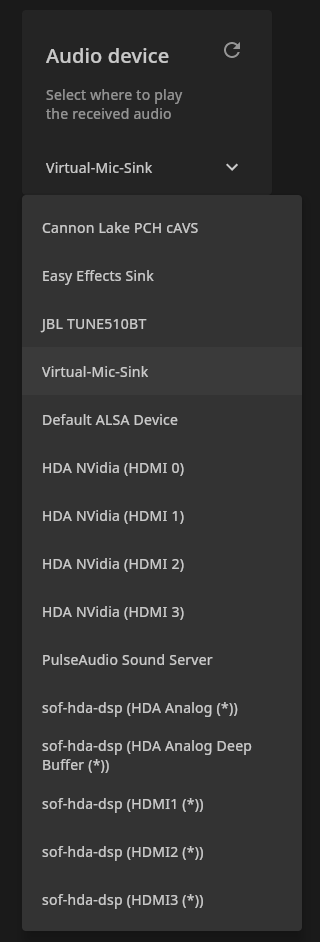
Select "Virtual-Mic-Sink".
(If Applicable) Reboot Your Apps
If you have an app open that detects microphones (Discord, Microsoft Teams, Zoom), restart it (it can't detect your microphone otherwise), and select your microphone.