Quick & Simple Guide to Using DeepSeek API
Picture guide for dummies by Sailor Chaos
Steps on Deepseek
- Create an account on DeepSeek Platform
- Go to the API Keys page
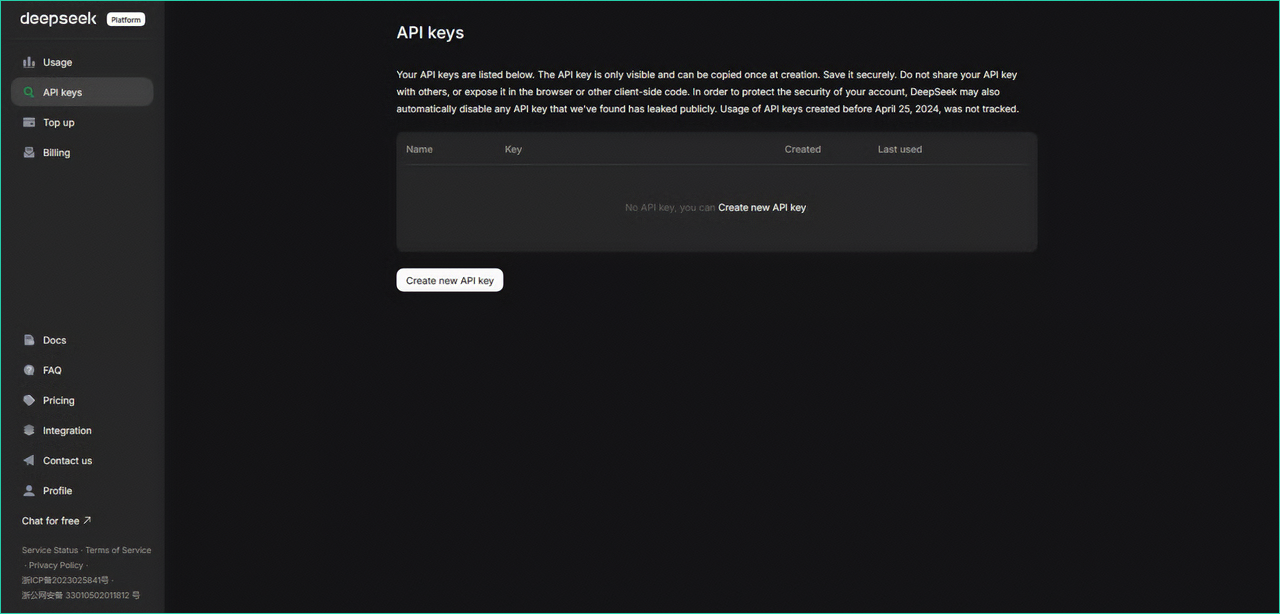
- Click Create New API Key
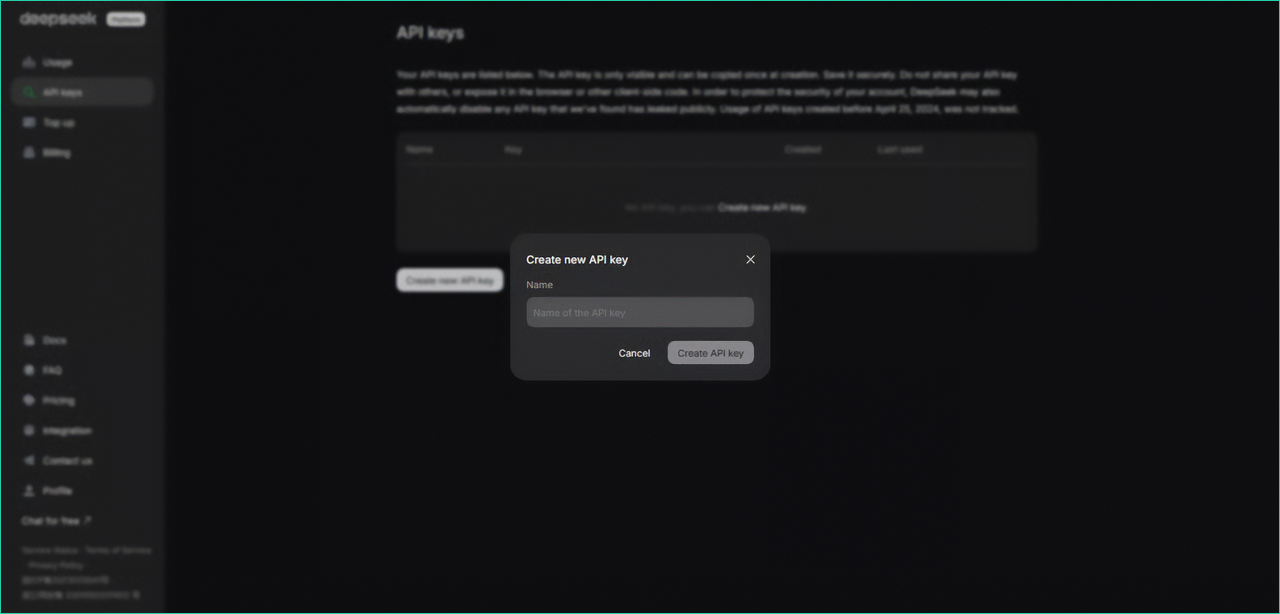
- Enter a name for your key, for example
sp
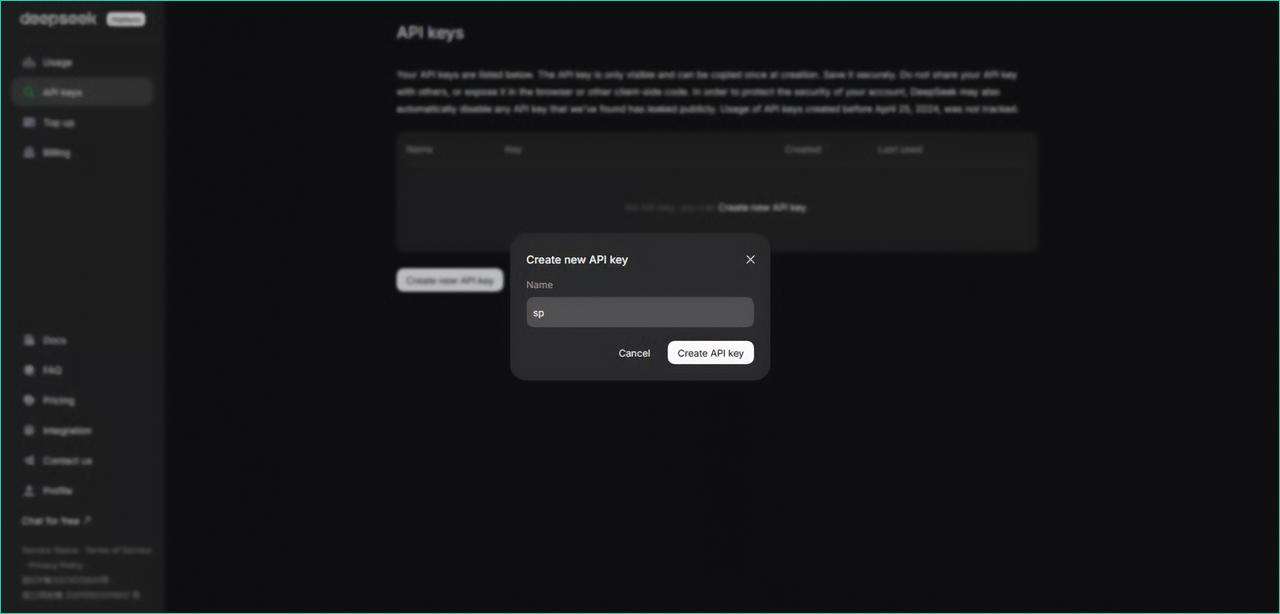
- Click Create API Key
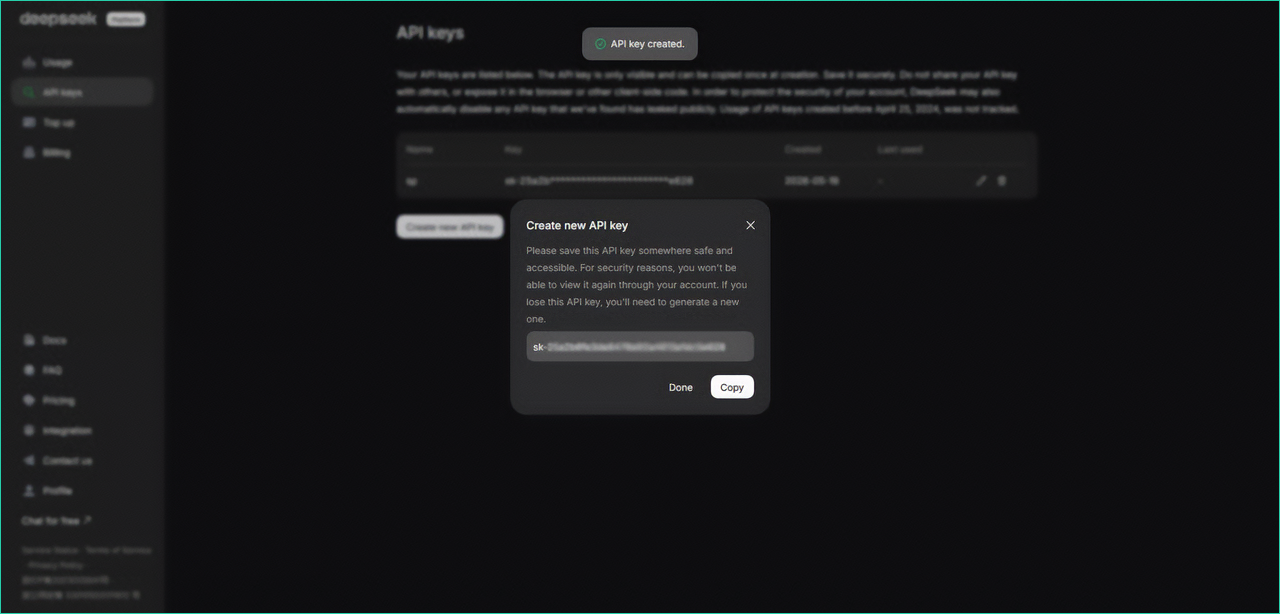
Copy the generated key and save it somewhere safe
Steps on SaucepanAI
- Go back to SaucepanAI
- Open Settings > Providers
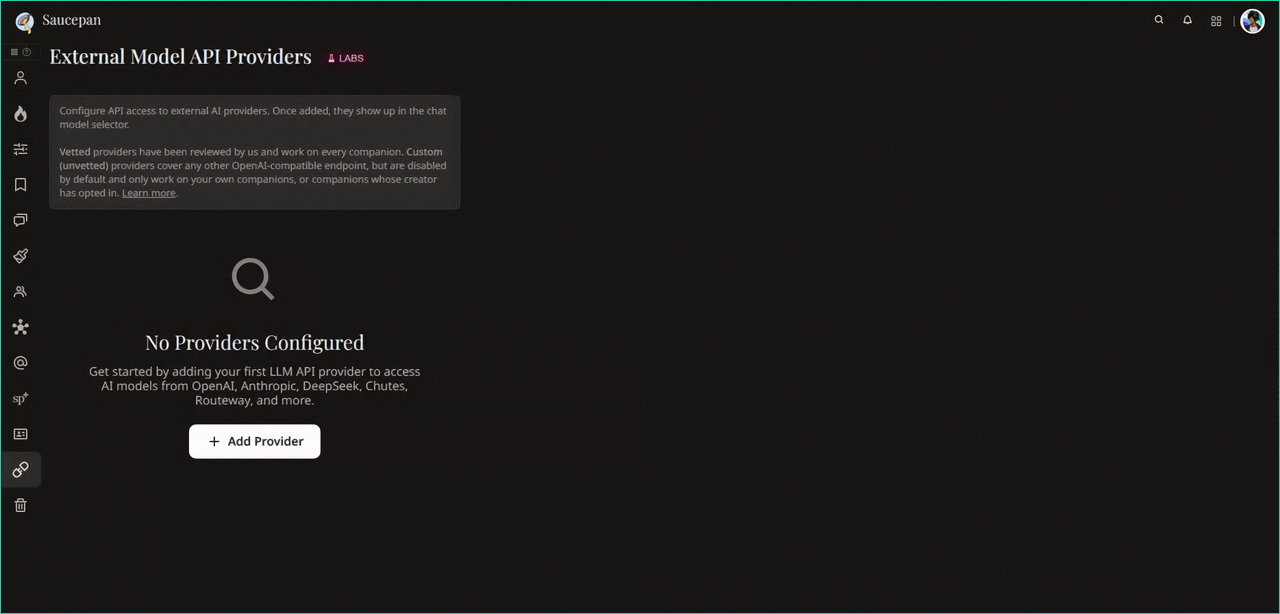
- Click Add Provider
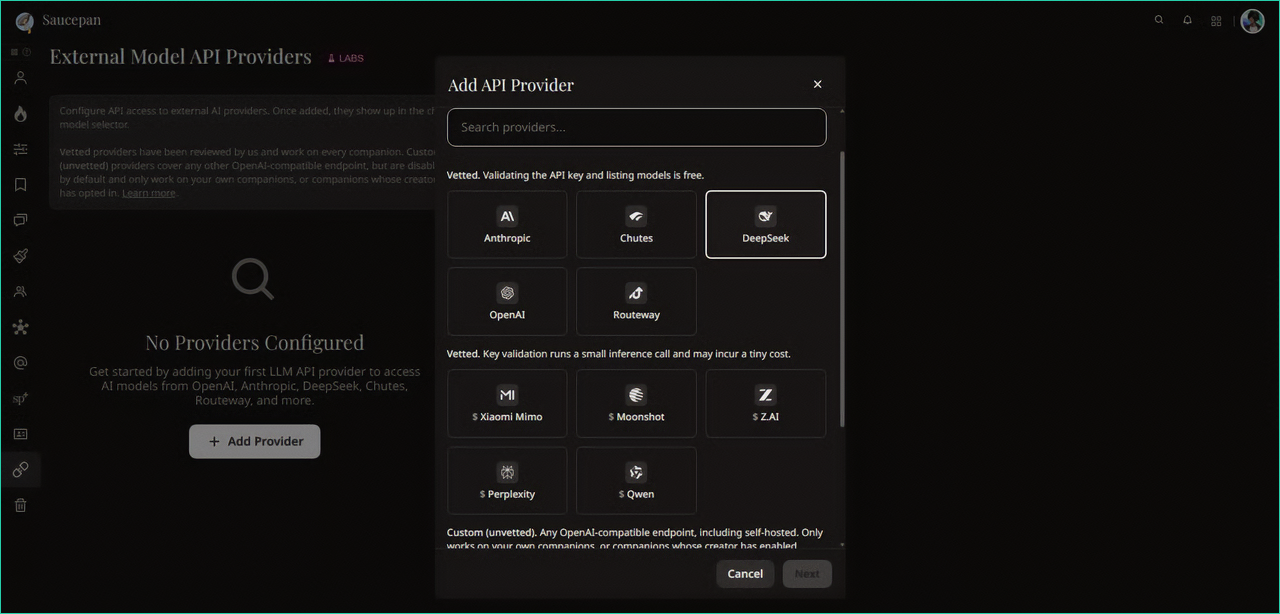
- Select DeepSeek from the list
- Paste your key into the API Key field
- In Model ID, enter either: deepseek-v4-flash or deepseek-v4-pro
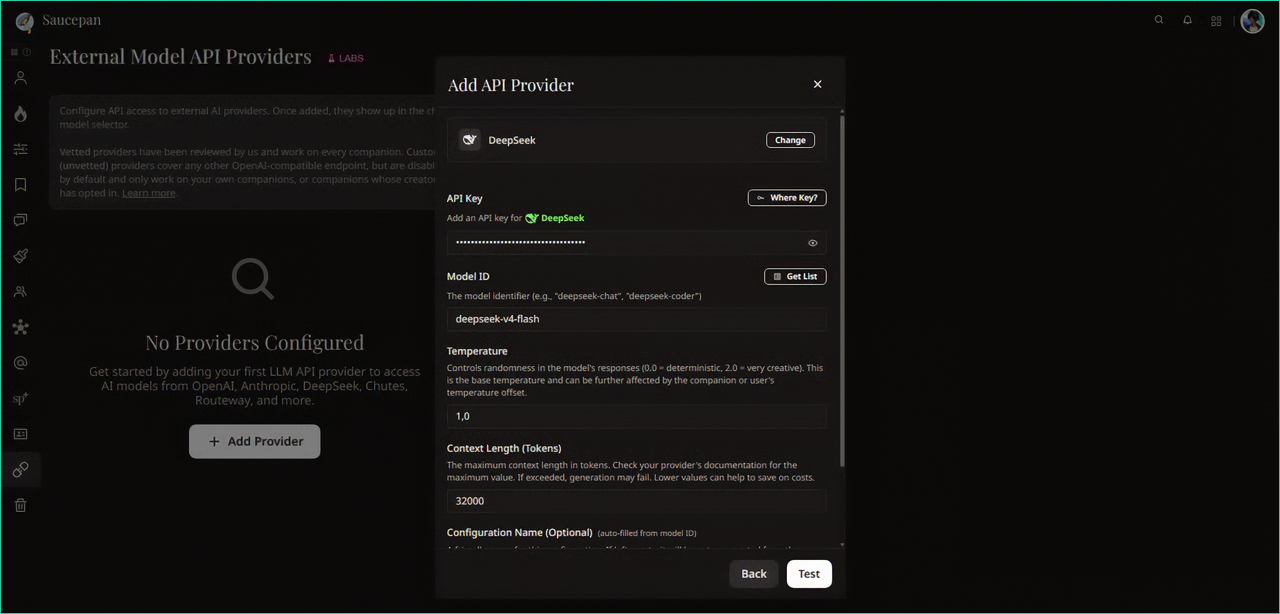
- Click Test
- If everything works correctly, click Add Provider
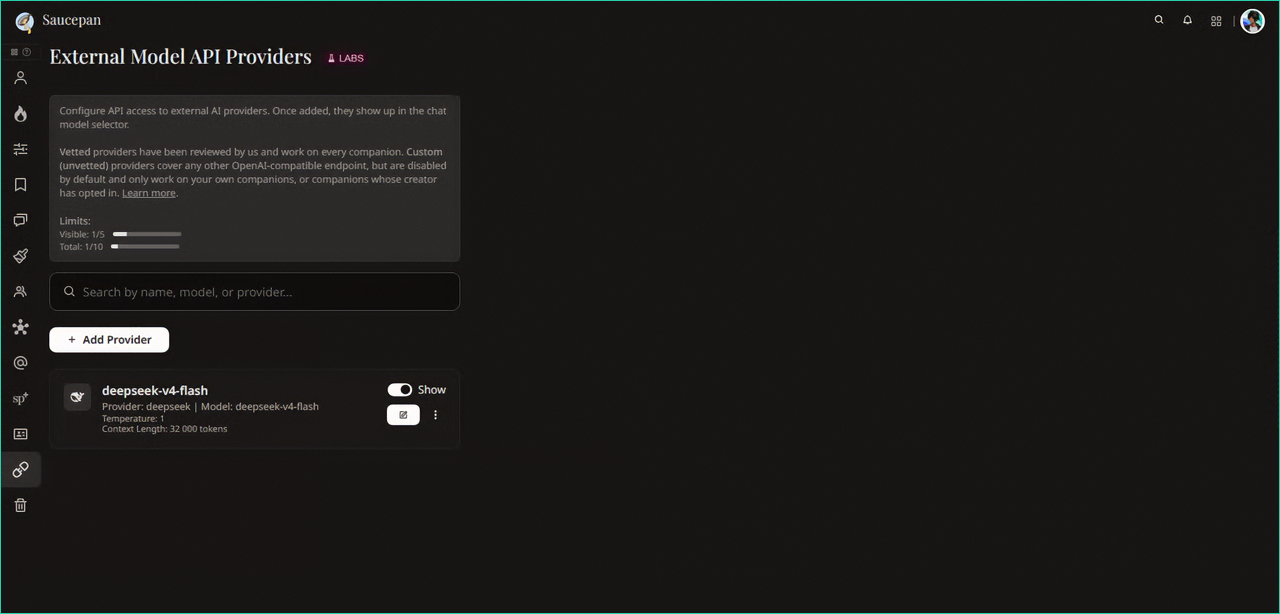
This is the absolute minimum required to start using the DeepSeek API, and that’s exactly what this guide is for.
Model Differences
deepseek-v4-flash - faster and fully sufficient for RP
deepseek-v4-pro - better response quality, but slower and more expensive