CLion and Alpine WSL
Install Alpine in WSL
Duh.
Install required packages in Alpine
Run apk add clang llvm lld musl-dev cmake in a root shell, or using su -c, or using sudo if you have it.
Create proxy scripts
Inside /usr/local/bin/musl-clang create script with following contents:
In the same directory create musl-cmake with:
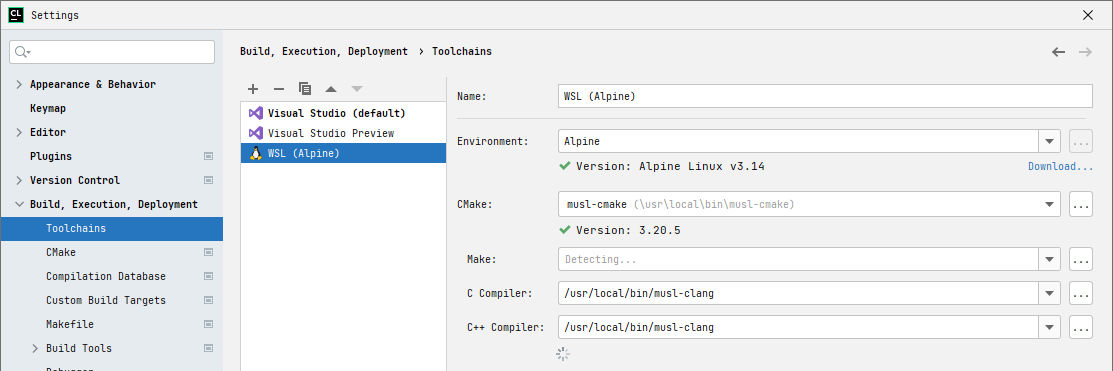
Configure CLion toolchains
Add new toolchain in Build, Execution, Deployment | Toolchains with
- Environment — Alpine,
- CMake —
/usr/local/bin/musl-cmake, and - C/C++ Compiler —
/usr/local/bin/musl-clang.
Add CMake profile
Add new CMake profile in Build, Execution, Deployment | CMake, with toolchain set to "WSL (Alpine)".
Done!