How To Run Sober Through Roblox Website on Firefox & Firefox-based Browsers
If you're using Firefox or a Firefox-based browser like Zen or Floorp, you might notice that pressing play on any Roblox game through the website does not open Sober. Here's how to fix that.
Fix #1
1. Run these commands:
xdg-mime default org.vinegarhq.Sober.desktop x-scheme-handler/roblox
update-desktop-database ~/.local/share/applications
2. Launch Roblox
Go to the Roblox website, press play on any game, and Sober should launch now.
If this does not work, move onto fix #2.
Fix #2
1. Download xdg-desktop-portal-gtk from your distro's repositories.
- Your distro already may have this pre-installed, but run the command to install it just in case.
2. Flatpak Configuration
- If you installed your browser via Flatpak, you need to install Flatseal to configure it:
https://flathub.org/en/apps/com.github.tchx84.Flatseal
- Otherwise, you can safely ignore this step entirely.
- Next, navigate to your browser in Flatseal, and scroll down to "Filesystem".
- Below "Other Files", click the Folder icon with a plus, creating a new directory for it to access, and add this directory:
/usr/bin

This automatically saves. Exit out of Flatseal and open your Firefox/Firefox-based browser.
3. Open Browser Settings
- Navigate to your "Applications" area, or search it up in your browser's settings
- Search up "Roblox" in the search bar for Applications,
- Select the dropdown menu of Roblox under "action"
- Select "Use other..."
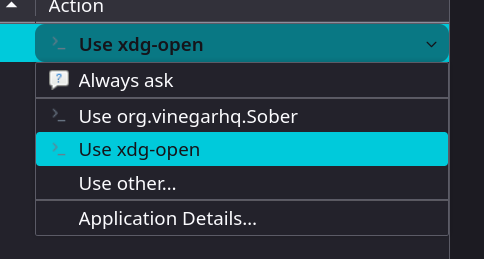
4. Navigate to this directory
/usr/bin
5. Search up "xdg-open" and select it
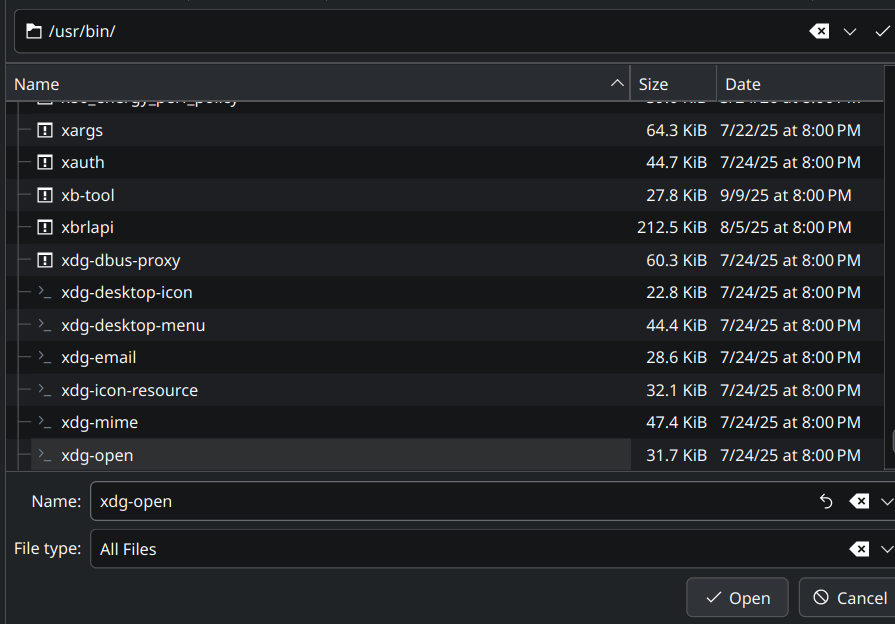
6. Restart Your Browser
- Simply close and reopen it.
7. Press Play
- Press play on any Roblox game through the site
8. Select Sober As Default
Note
This menu may look different depending on your desktop environment. This popup comes up if you are on the KDE Plasma desktop environment. To check what environment you are on, run this command:
echo $XDG_CURRENT_DESKTOP
If you see something that does not involve anything saying "Plasma" or "KDE", then you are not using a KDE desktop environment. Do not worry, as something similar to KDE's application menu selection will pop up.
If you are on KDE Plasma, disregard this note.
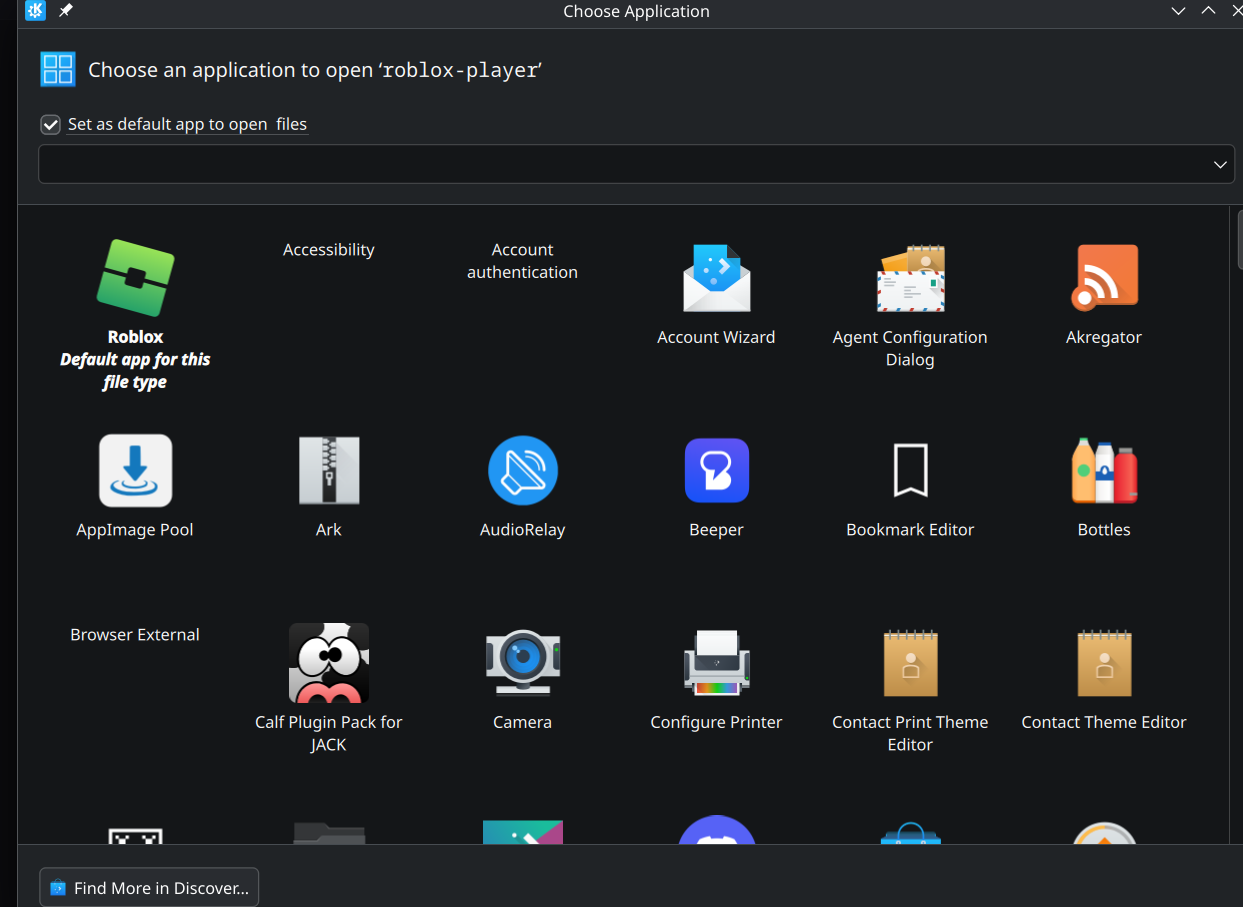
- Select Sober (titled "Roblox" in my screenshot, due to my custom shortcut name), and toggle "Set as default app to open files".
Sober will now run when you press play on Roblox game!!