FLORIOGRAPHY (PINK VER, PURPLE VER): flower bot cards template by Mauve07
Hello darlings! Here is the guide to my Floriography bot cards css template!
Because it would ruin the aesthetic, these bot cards don't have built in credits attached. Gentle reminder that you will need to add it yourself (anywhere on your profile), preferrably with a link to my page. For example, you can take this code and paste it somewhere in your html (if you have a credits section, you could put it there):
Since this is html code, it does not need to be within your <style></style> tags!
Please remember to do this. It's very rude not to and I'm pretty sure it's against the janitor ai rules 😔.
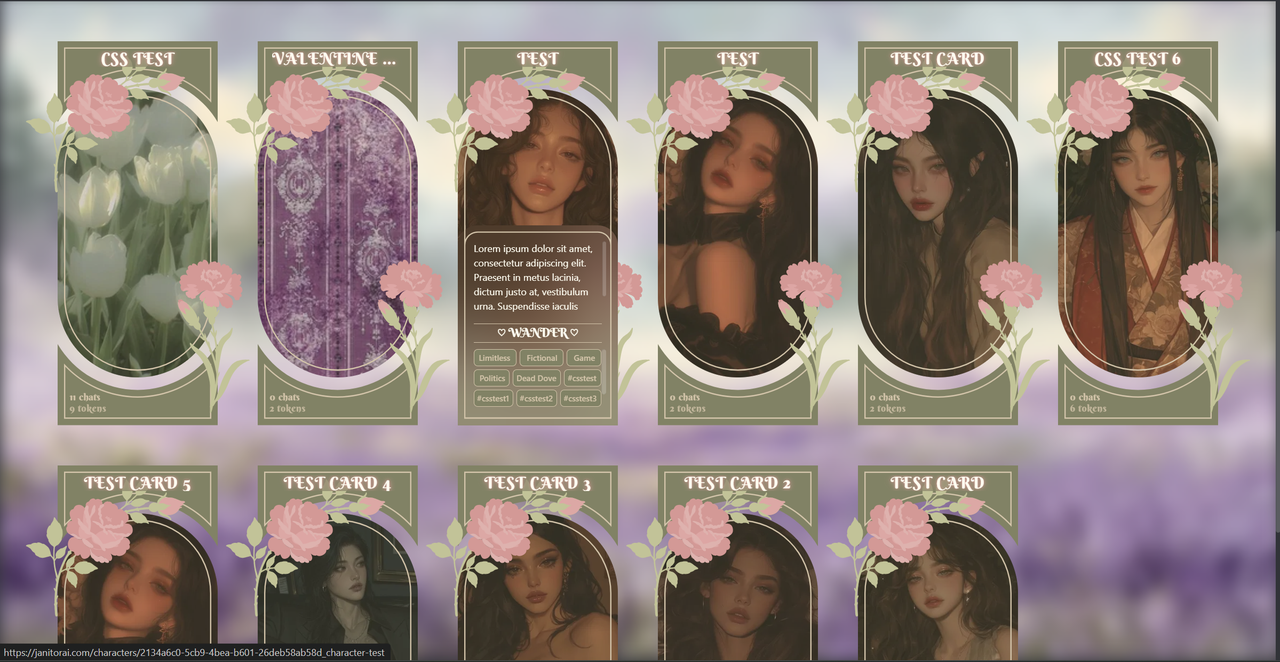
🌸🩷🌺💮 PINK VER PREVIEW 💮🌺🩷🌸
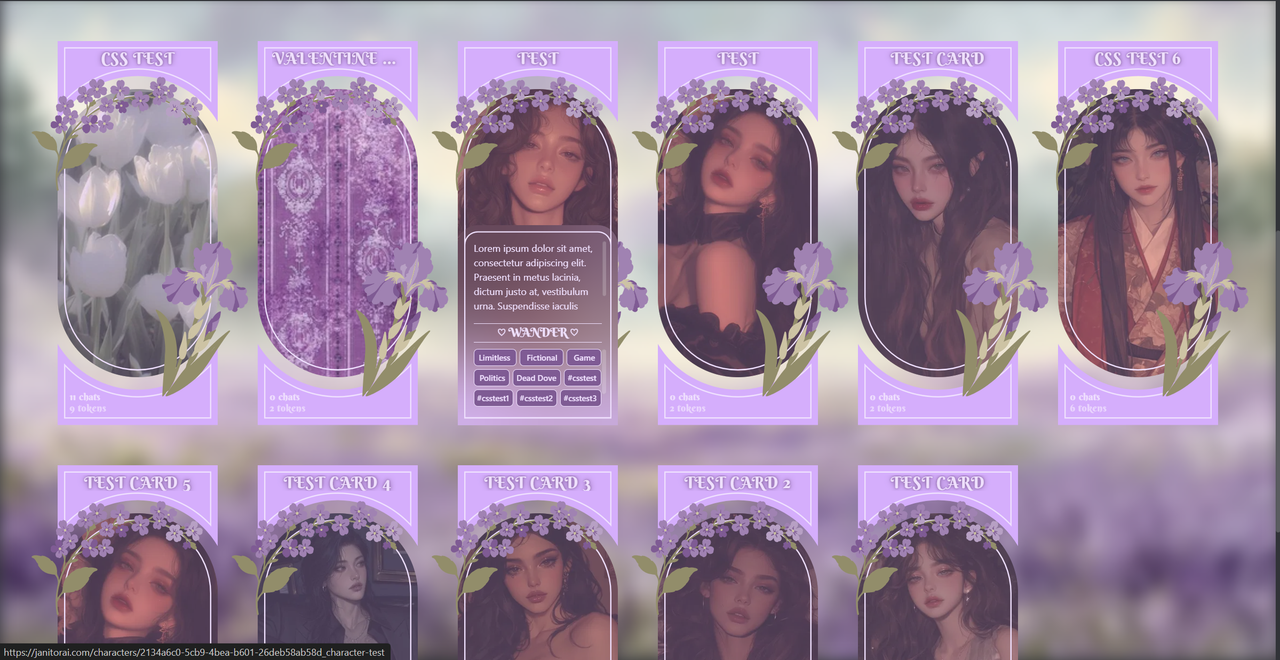
🌿💜🪻💮 PURPLE VER PREVIEW 💮🪻💜🌿
CREDITS WHERE THEY ARE DUE
BACKGROUND IMAGE (PINK VER): from pinterest
BACKGROUND IMAGE (PURPLE VER): from pinterest
Not much else to say this time; all svgs and code is drawn and written by me.
Table of Contents:
LINK TO BOT ANNOUNCEMENT
GENERAL RESOURCES
Since these are only the bot cards, here are the colours and fonts I used (so you can make the rest of your profile fit better easier!)
Colour theme:
| PINK VER | PURPLE VER |
|---|---|
| #818263 | #d8adff |
| #C2C395 | #f0e0ff |
| #D69895 | #928D67 |
| #dfa7a4 | #A281B4 |
| #e0a5a3 | #B99FC6 |
| #e1b1ad | #815a96 |
| #D4C4A8 | #CEC3A2 |
Fonts:
Berkshire Swash (headings)
Default font (body)
DM Serif text (extended description box)
Alright, now onto the template.
As always, you are very welcome to modify this code however you like! Feel free to leave a comment under the announcement bot so I can check it out (I'm super curious to see what you do! Just don't remove the credit box.)
STEP 1: Set up
- Press your profile picture on the top right and press 'Settings'
- In the 'Account' section (default), scroll down past your pfp and username to your 'About Me' section.
- Press the 'show editor' button (doesn't matter if it's empty or not, just make sure there's no code about bot cards or else it might not work).
STEP 2: Copy the CSS
Next, copy the code below (everything) and go to your editor. Scroll to the very bottom of your code (if you have any, otherwise just click open) and make sure your caret (the little white stick) is not within any code tags (such as <style> | </style> or <div> | </div>).
Paste the code at the very bottom.
This document was getting too long. Here are the links to the code:
STEP 3: Save
Scroll to the very bottom of the page, then scroll up a little bit. There should be a purple 'save changes' button above the 'enable NSFW on Mobile' toggle. Hit that save button! If it worked, there should be a green popup saying 'profile updated'.
That's all, darlings! Hopefully this template is easier to work with than my other profile templates. I hope you like it, and as always. if you have any questions, feel free to ask directly in the janitor announcement bot right here.
Love,
Mo