(back to main page: rentry.co/phy206_19)
Lab Equipment Tips & Tricks
[1] Simulations
If a circuit is confusing you (you don't know how to start building it, why/where there's a short, or if your measured voltage/current is correct), use this online tool to simulate it under ideal conditions and clearly see what should be happening:
[2] Short Circuits (common mistake)
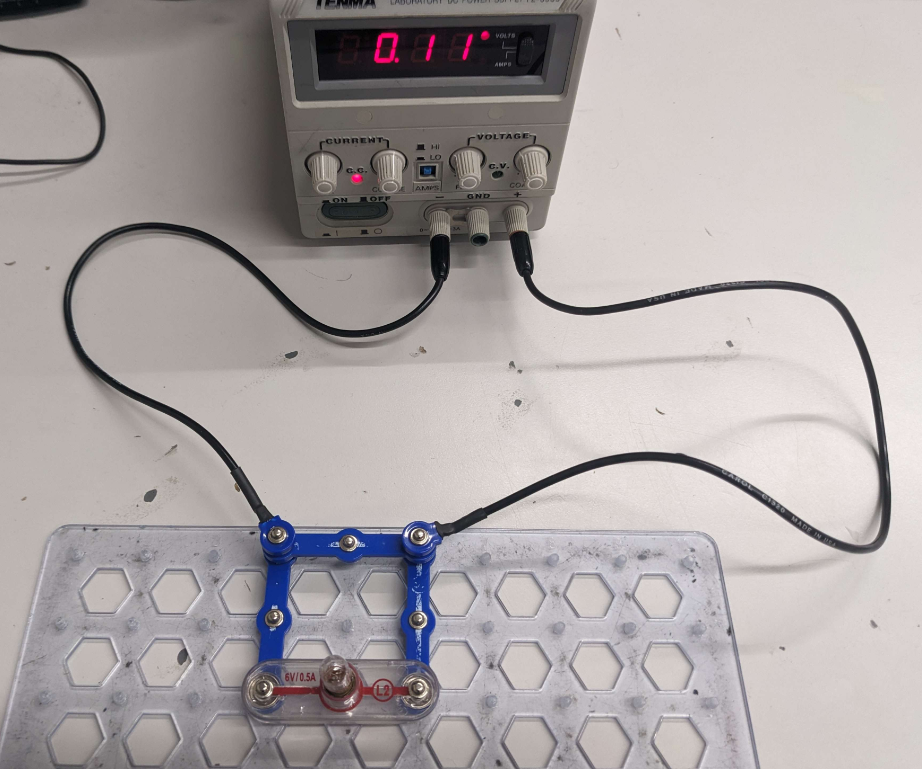
A short circuit occurs when electricity takes an unintended path with very low (or no) resistance, causing a large current to flow suddenly. This can generate excessive heat, damage components, or trigger safety devices like fuses or circuit breakers. Thankfully our power supplies can detect this and stop all current — when this happens, you will see a red light (labelled "C.C." between the current knob) and hear a slight "click" sound. Can you understand why the circuit below is shorting?
[3] Using the Multimeter to Measure...
Cheatsheet for connections (but read below, or you'll make mistakes!):

[3.1] Resistance ("ohmmeter")
| Image | Step |
|---|---|
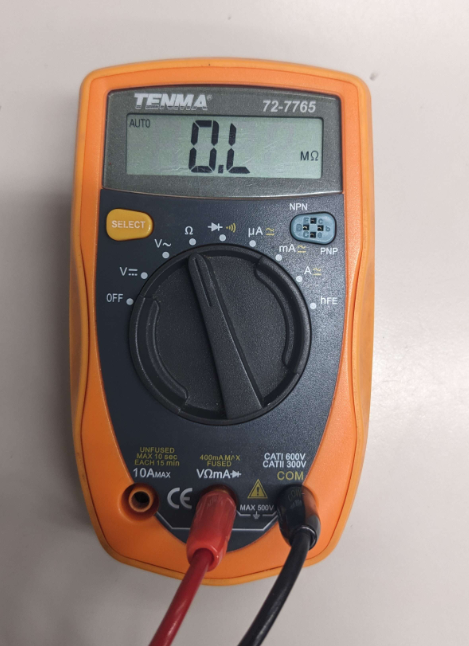 |
1. Switch dial to ohm symbol, and plug into "V" and "COM": |
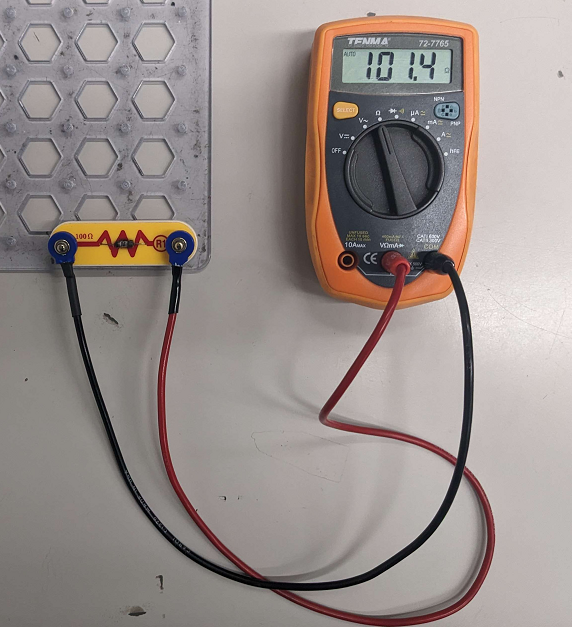 |
2. Take the element you want to measure (make sure it's disconnected from a circuit / no current is flowing through it). Connect the wires across and read the output: |
[3.2] Voltage ("voltmeter")
| Image | Step |
|---|---|
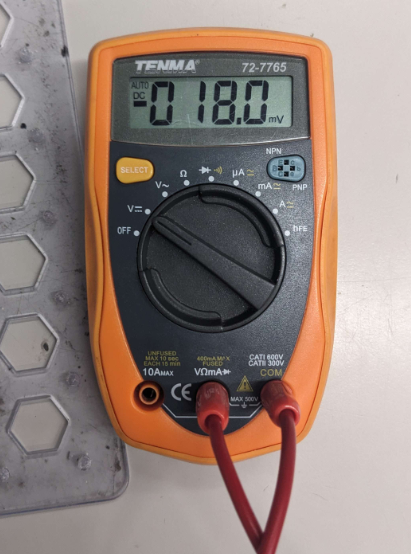 |
1. Switch dial to V symbol (with lines, NOT the squiggly), and plug into "V" and "COM": |
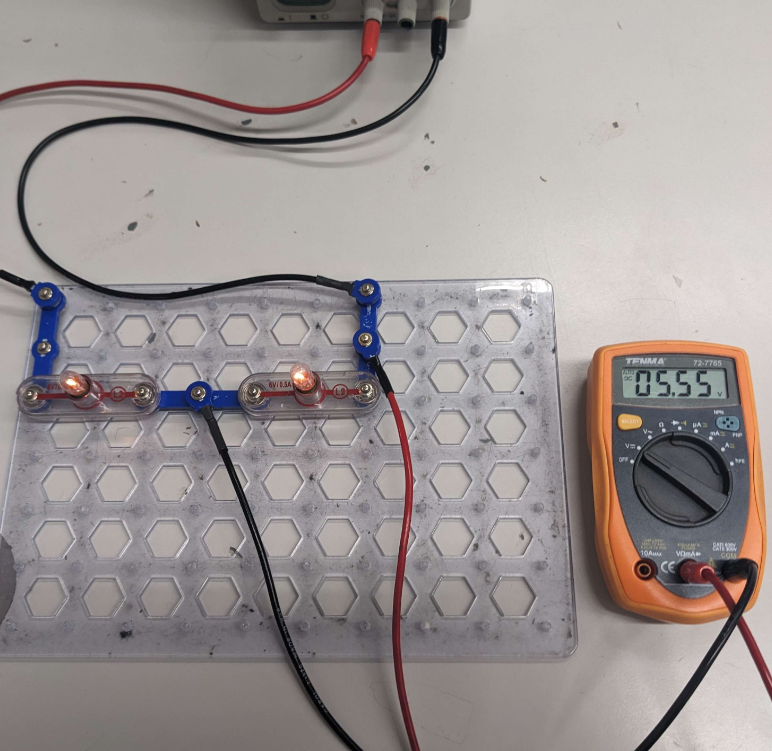 |
2. Take the circuit you want to analyze (make sure it's working / current is actively flowing). Connect the multimeter IN PARALLEL and read the output: |
[3.3] Current ("ammeter")
| Image | Step |
|---|---|
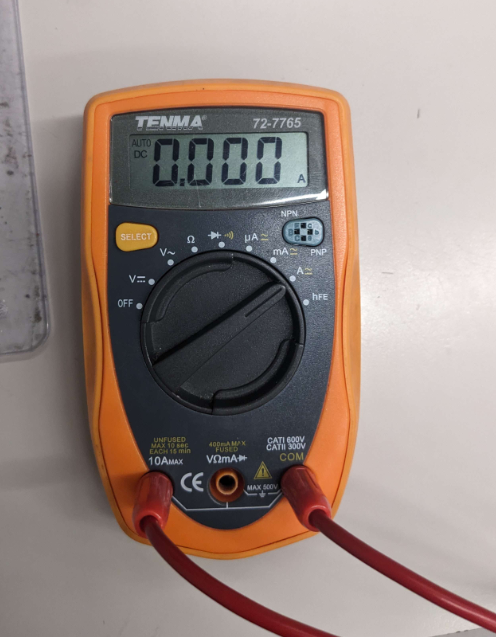 |
1. Switch dial to A symbol (not mA or $\mu$ A), and plug into "A" and "COM": |
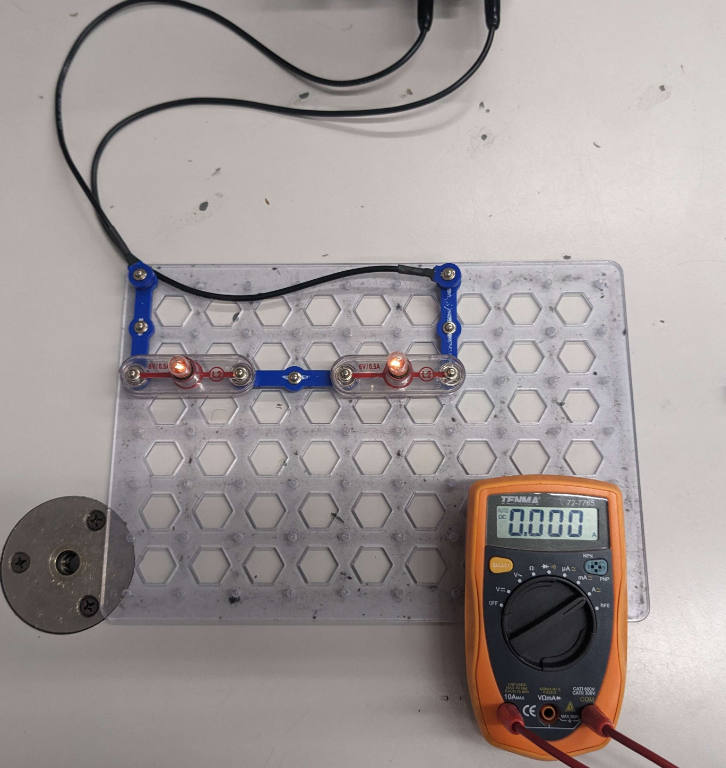 |
2. Take the circuit you want to analyze (make sure it's working / current is actively flowing): |
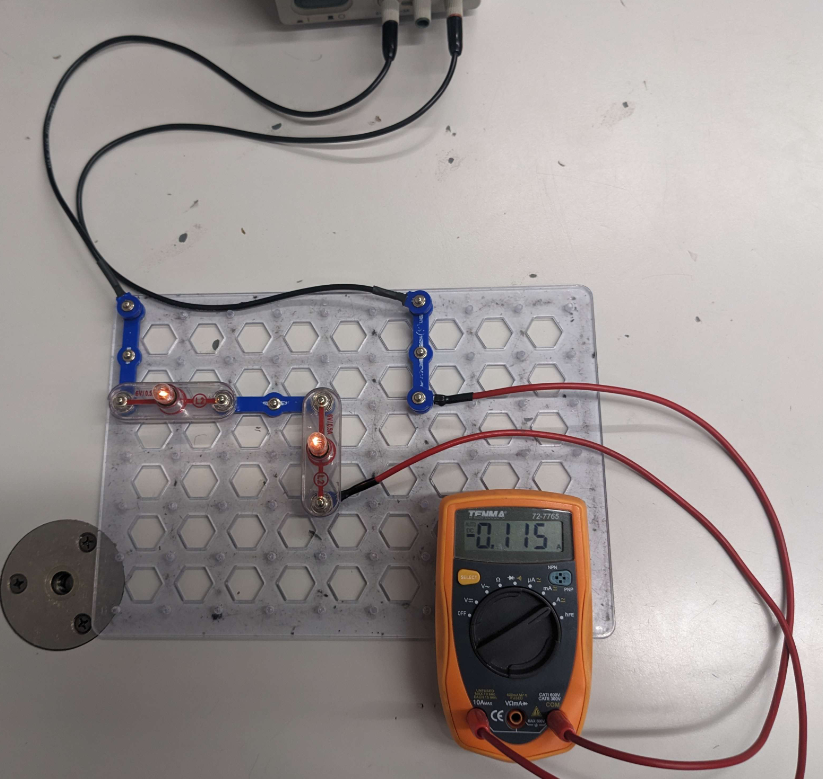 |
3. Now DISCONNECT the circuit ONE POINT so it's NOT working. Then connect the multimeter IN SERIES so the circuit is working again, and read the output: |
[4] Common Issues
- Q: My multimeter is beeping / turned off
- A: Turn it off for a bit, it's warning you that you've left it on for too long.
- Q: My circuit isn't working :(
- A: If the power supply has a red light between the current knobs, there is a short (see section [2] for an example/explanation). Re-evaluate your circuit design.
- A: Make sure the voltage and current knobs aren't turned ALL THE WAY left — in other words, nudge them right a little bit.
- A: Try the simulation tool in section [1].
(back to main page: rentry.co/phy206_19)