Colouring tutorial ➯ go back ?
Before we start , credits are mandatory so please credit me if you use this tutorial .
Now , there are two possible outcomes you can A. Colour it but keep og colours or B. Recolour it completely . On this I'll be doing option B , if you wish to colour it with og colours please see ➯ here
Okay so get the image you wish to colour and upload it to ibispaintx for the tutorial ill use this
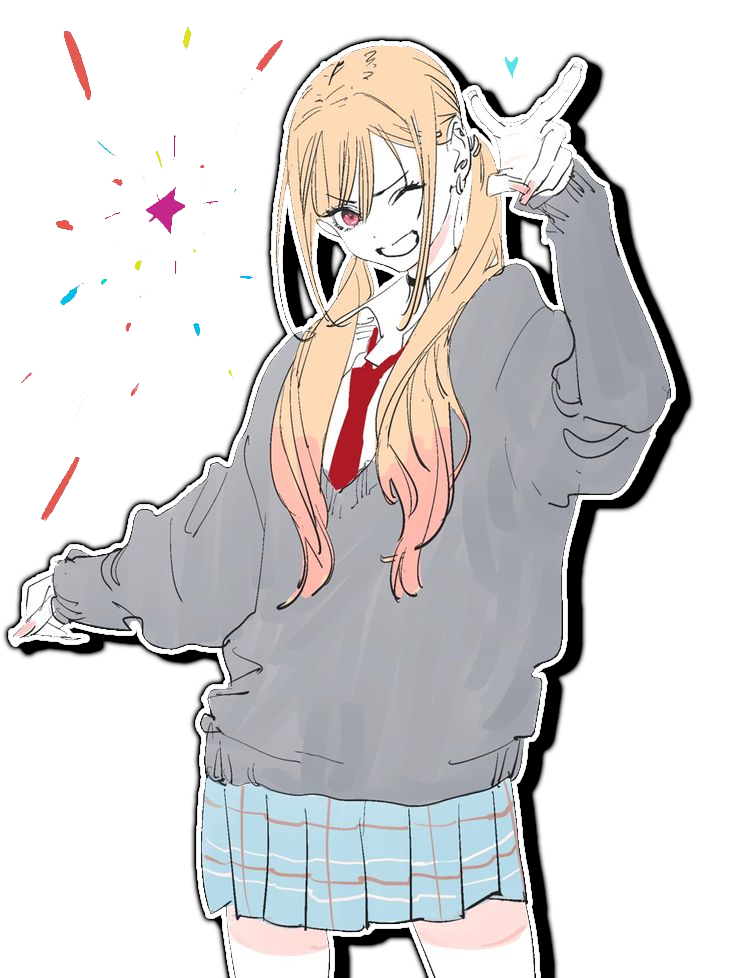
Okayy get into it !! (๑ᵔ⤙ᵔ๑)
The first overlay we are going to add is this:

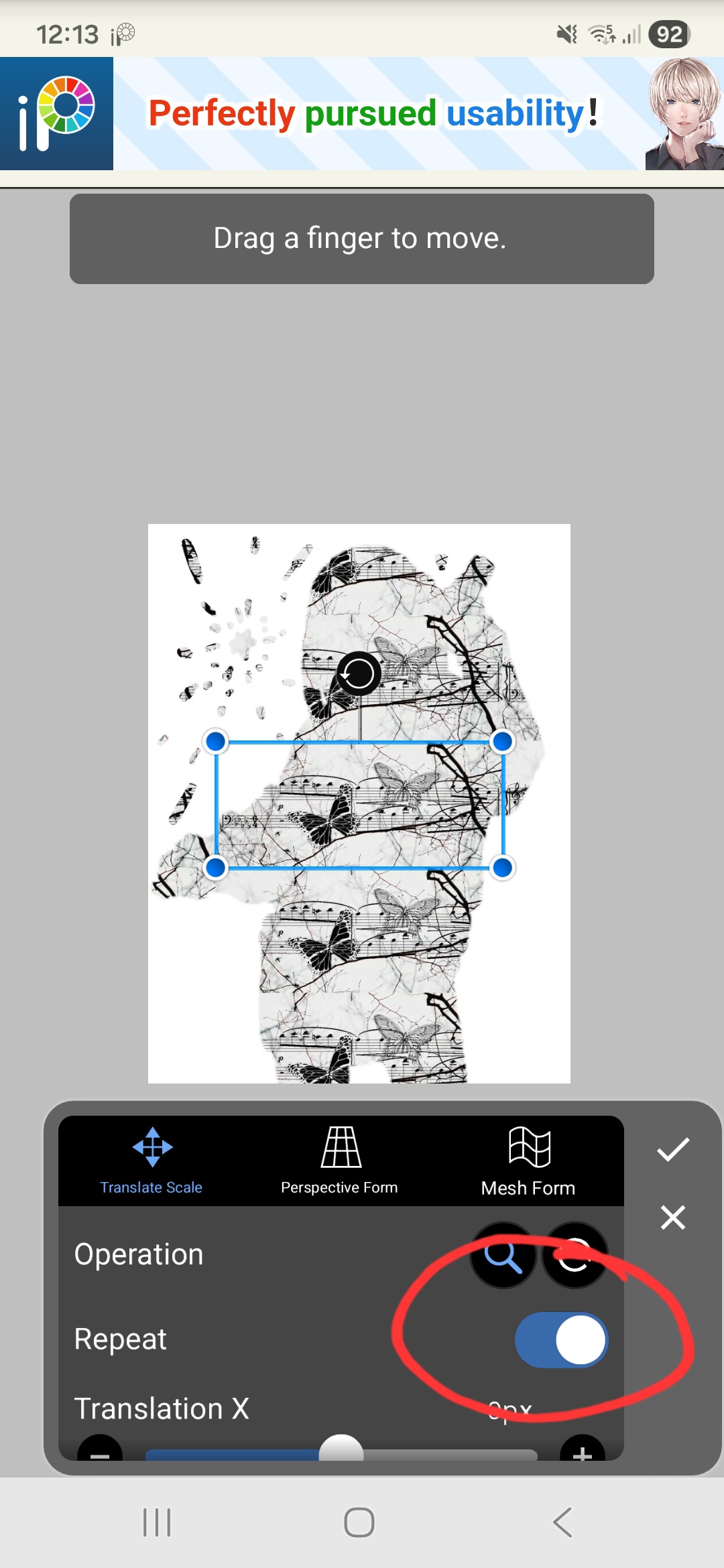
Now DONT FIT IT TO CANVAS !! I REPEAT DON'T FIT IT TO CANVAS !!
Instead enable repeat like so:
Now we set this to ' overlay '
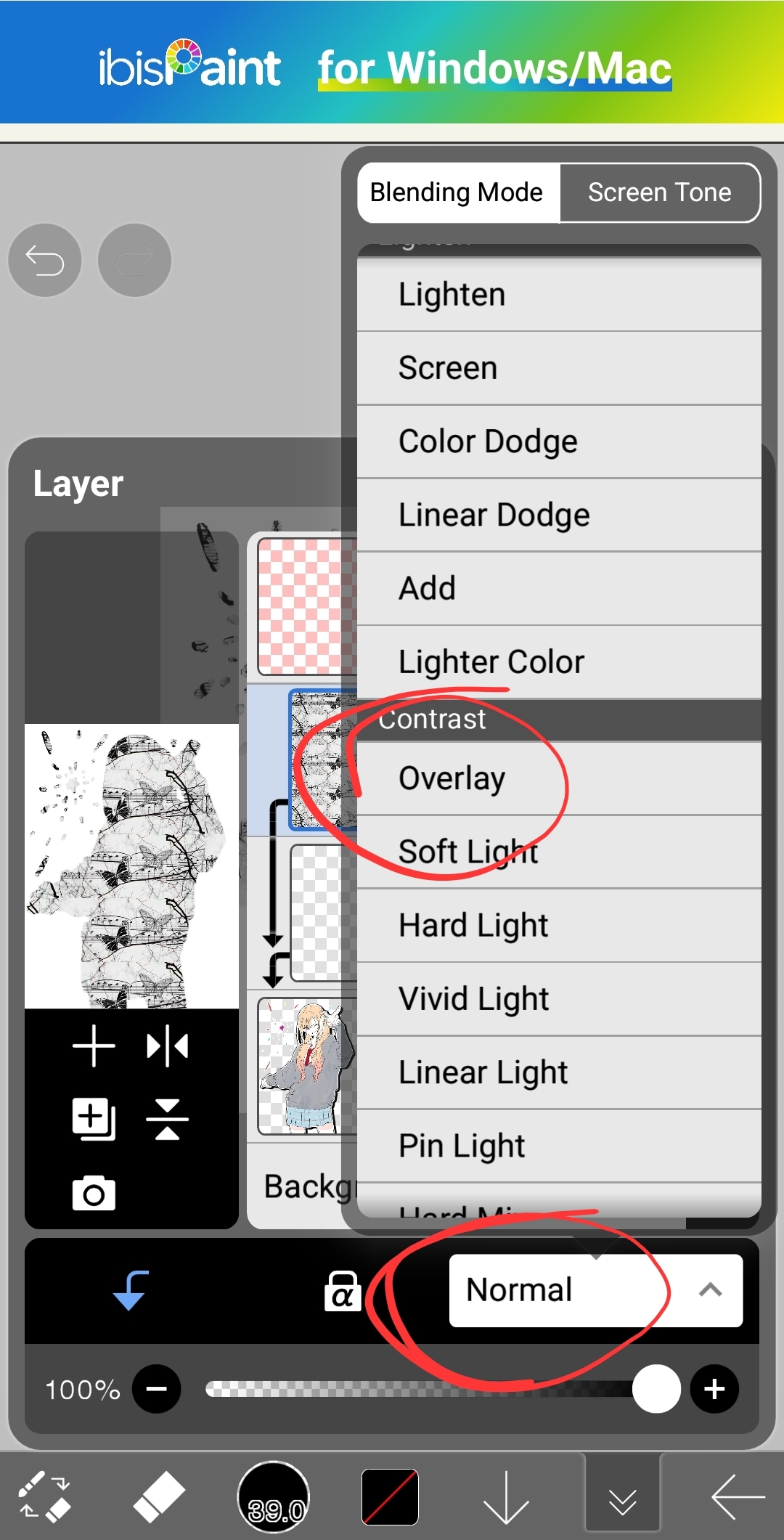
Dont worry about adjusting opacity yet we'll do that later , for now lets add our 2nd overlay here:
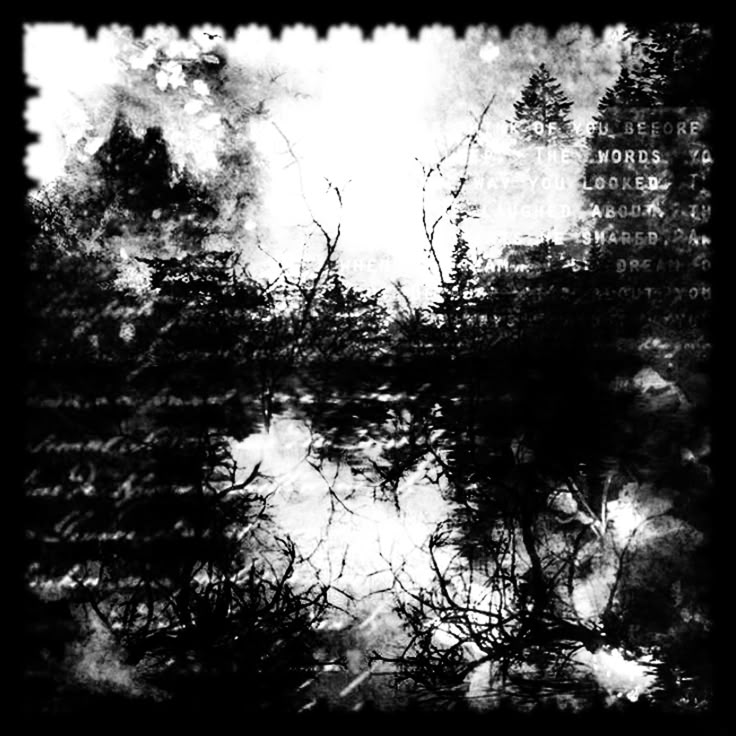
Make sure you do ' repeat ' again !! And set it to ' overlay ' like so:
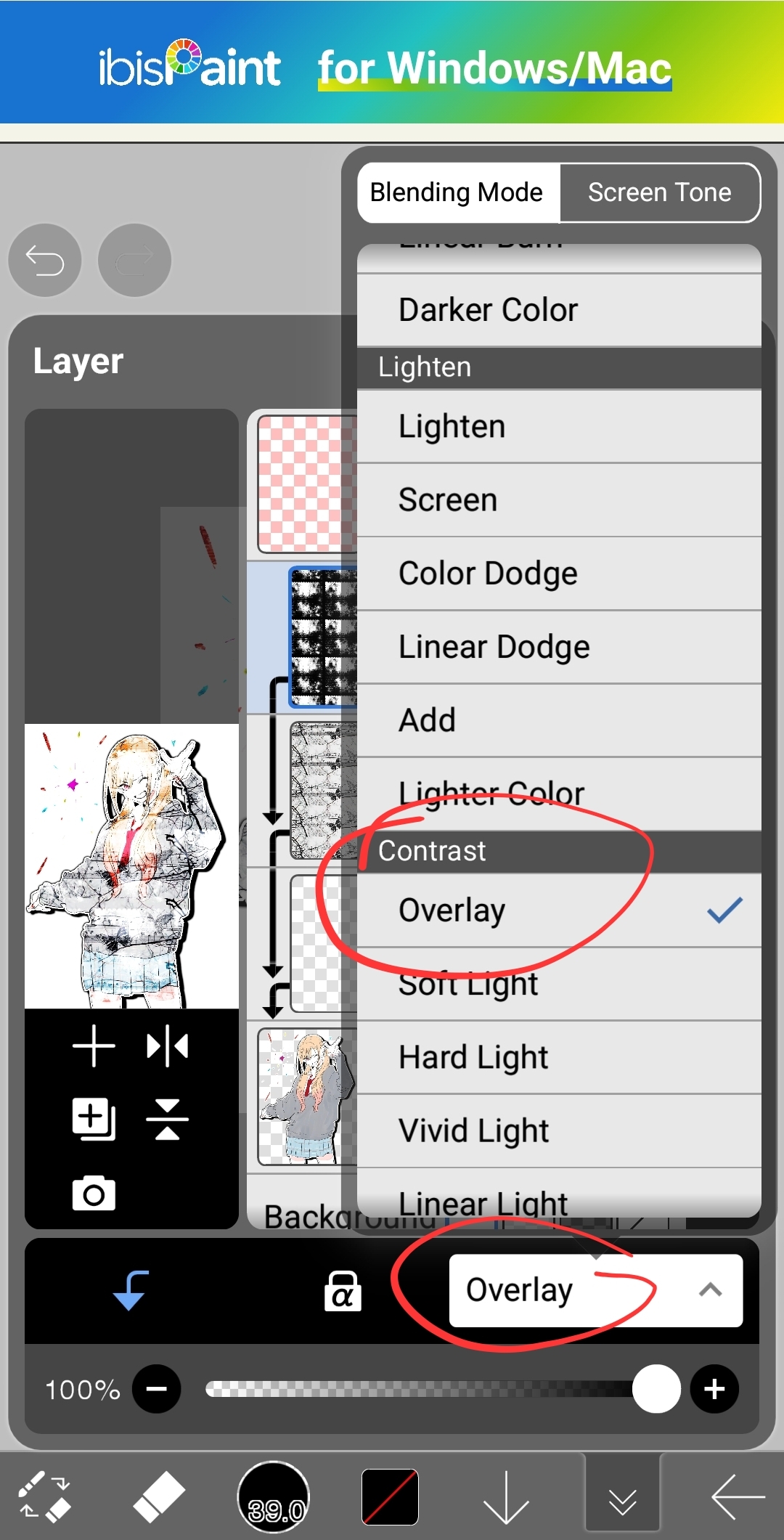
Now go to the og image and greyscale it in filters !
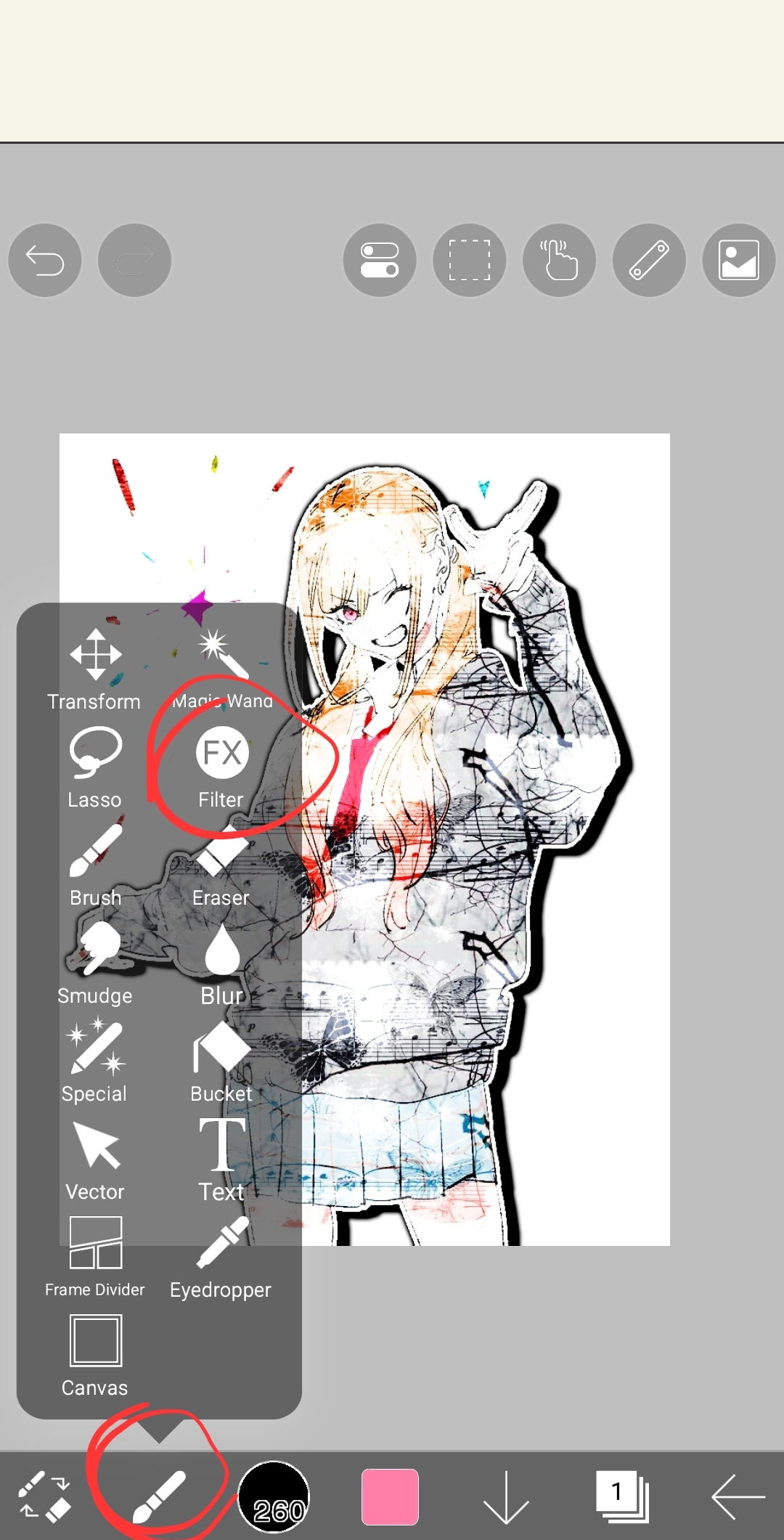
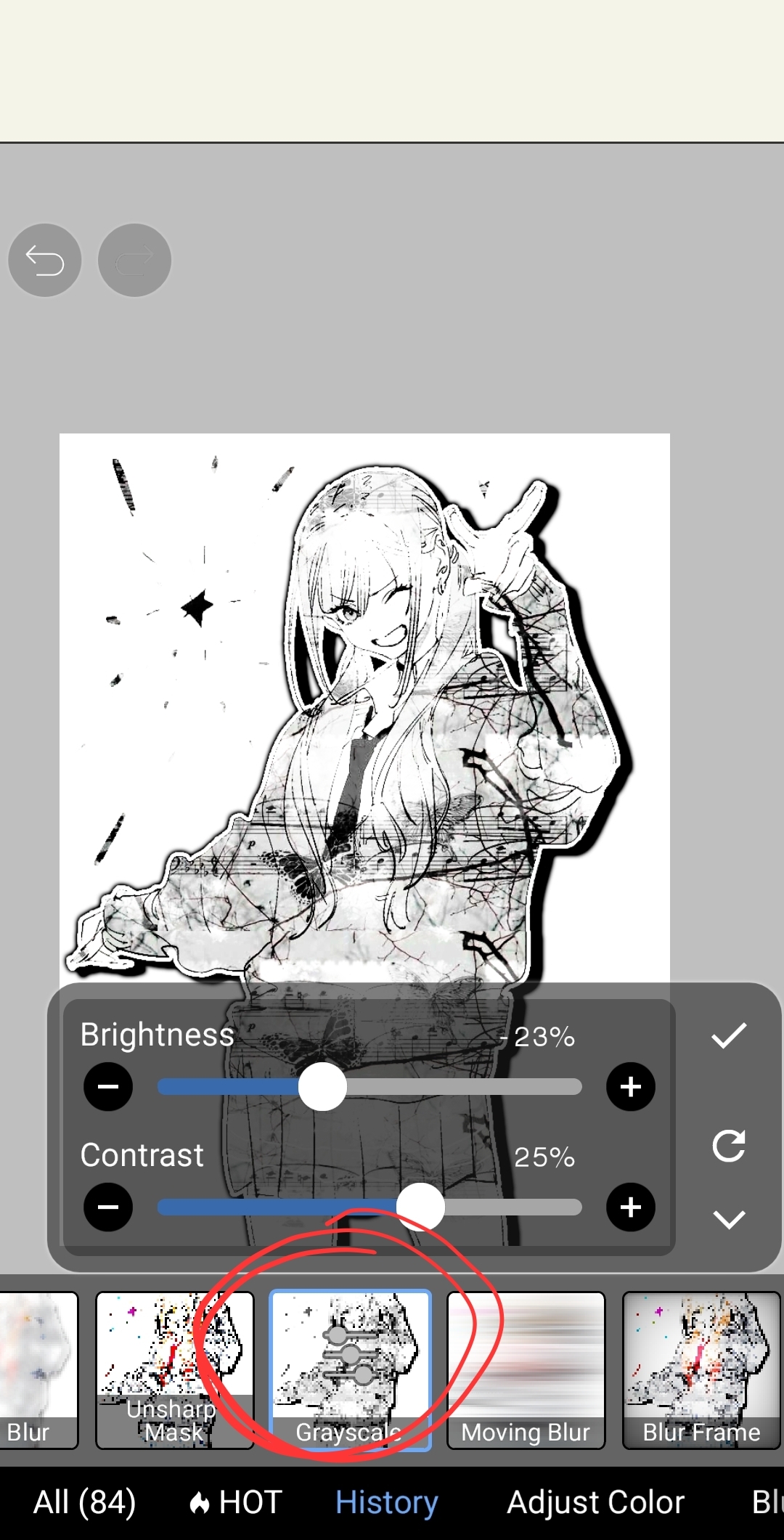
Now i like to choose 2 colours however it isn't really necessary , so feel free to only pick one !
Lets add a new layer and fill the canvas with the colour of our choice !! Now we set the layer to ' overlay '
- If you chose two colours do two separate layers and adjust the opacities until you're happy !!
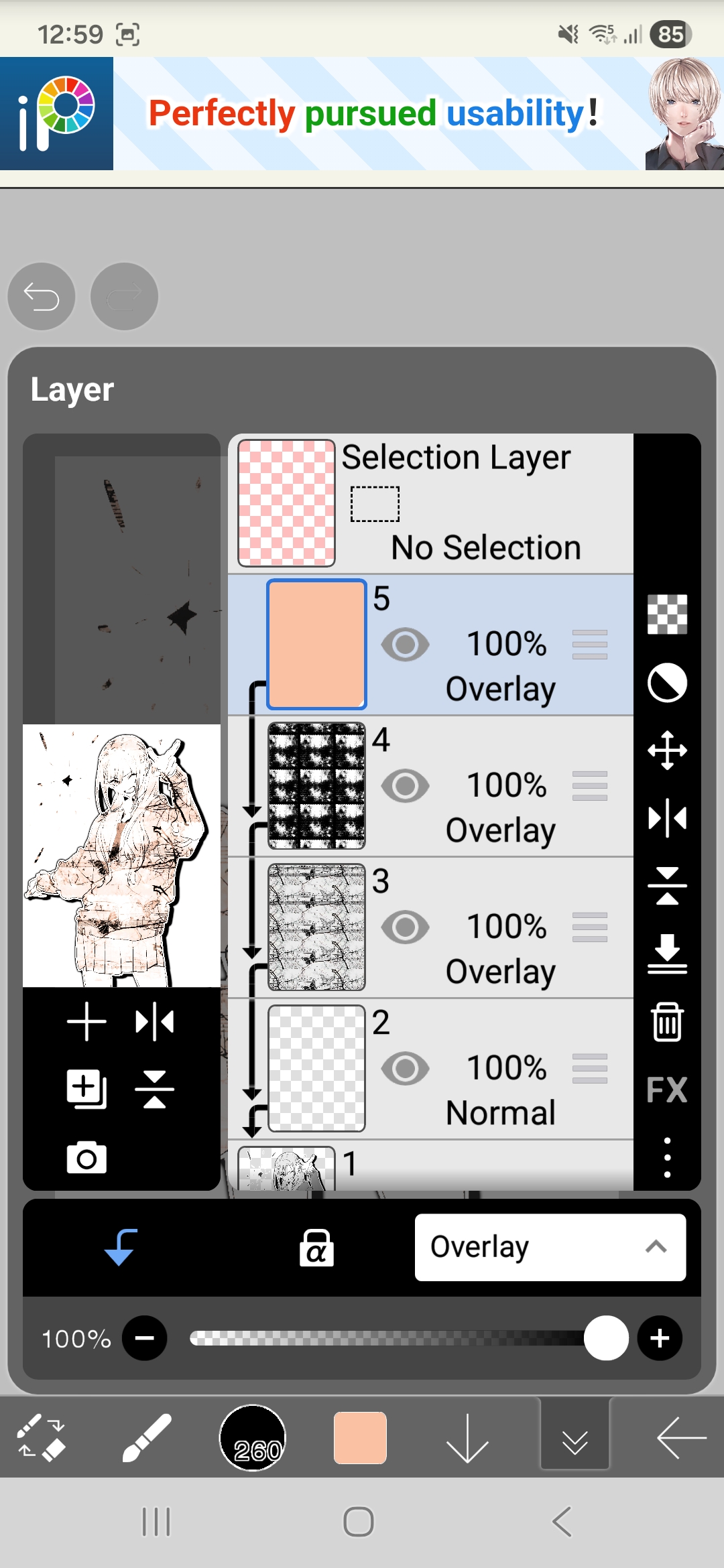
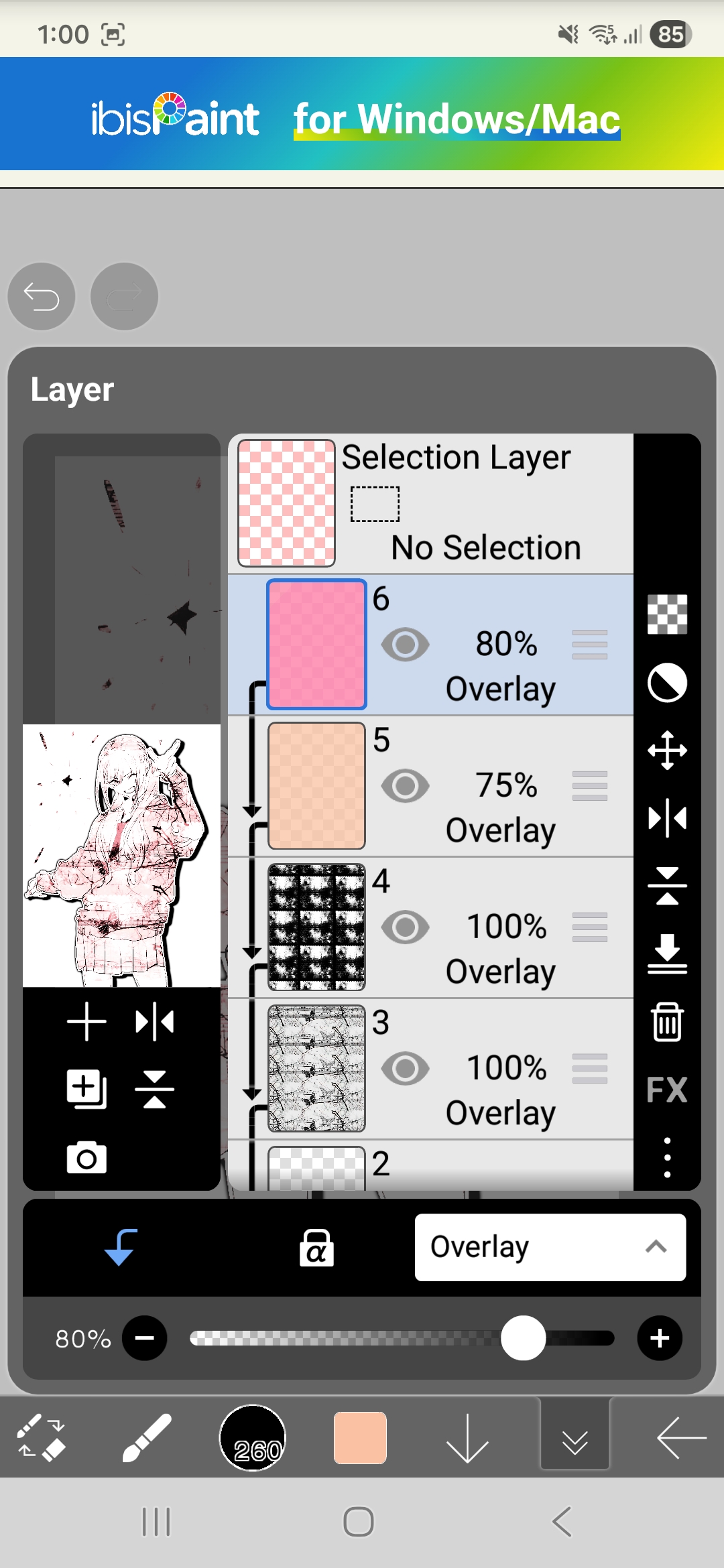
Now i go back to the overlays and adjust the opacities like so:
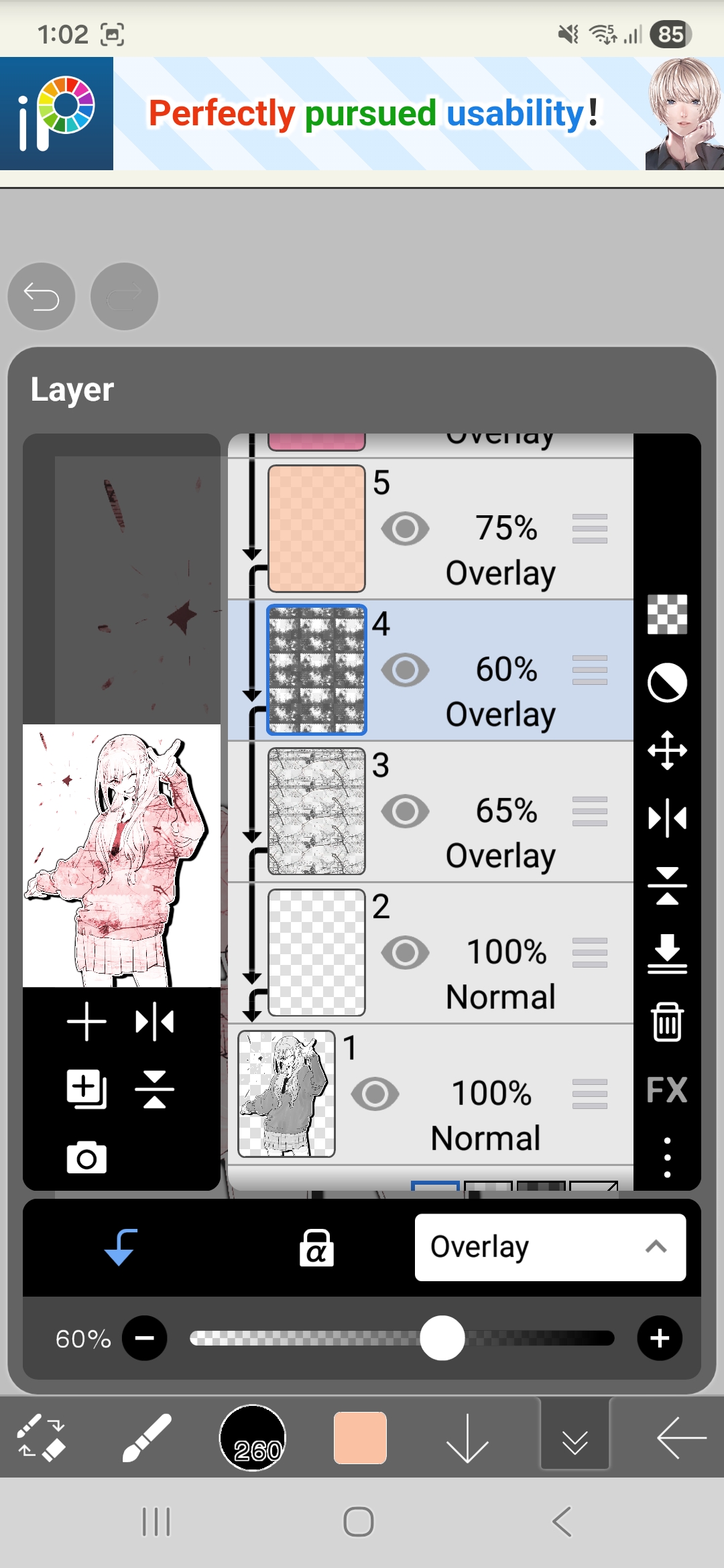
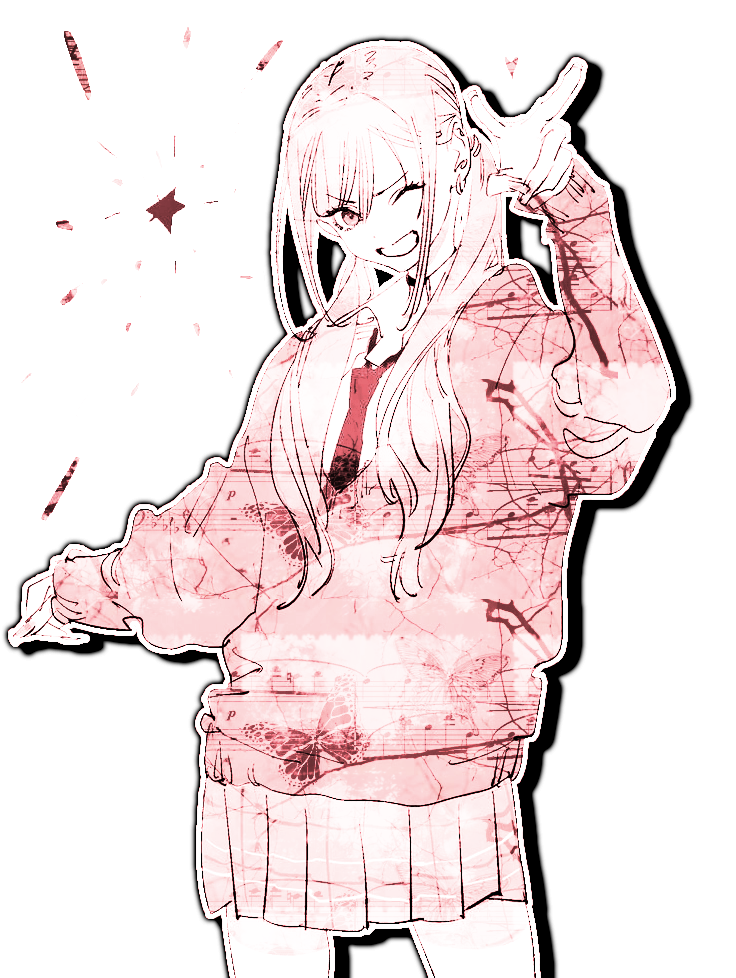
BWOOM !! Now the complete recolour method gives us alot of opportunities for example , we can do gradients !
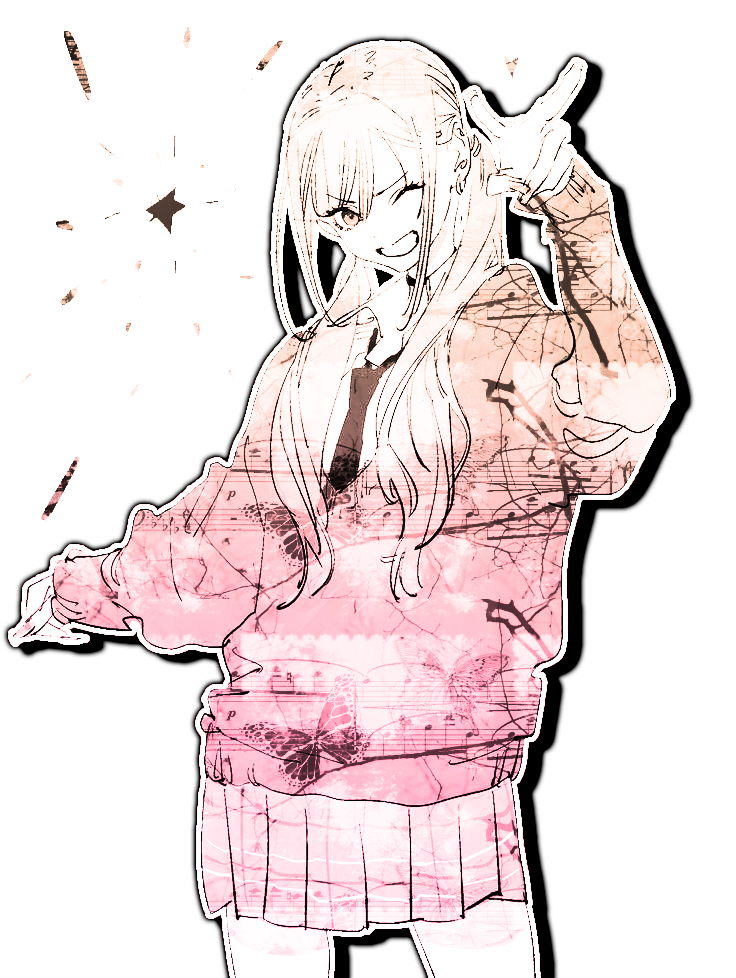
Or even strategically place colour for example , marins pink hair and eyes are her iconic features and i can make those stand out more like this:
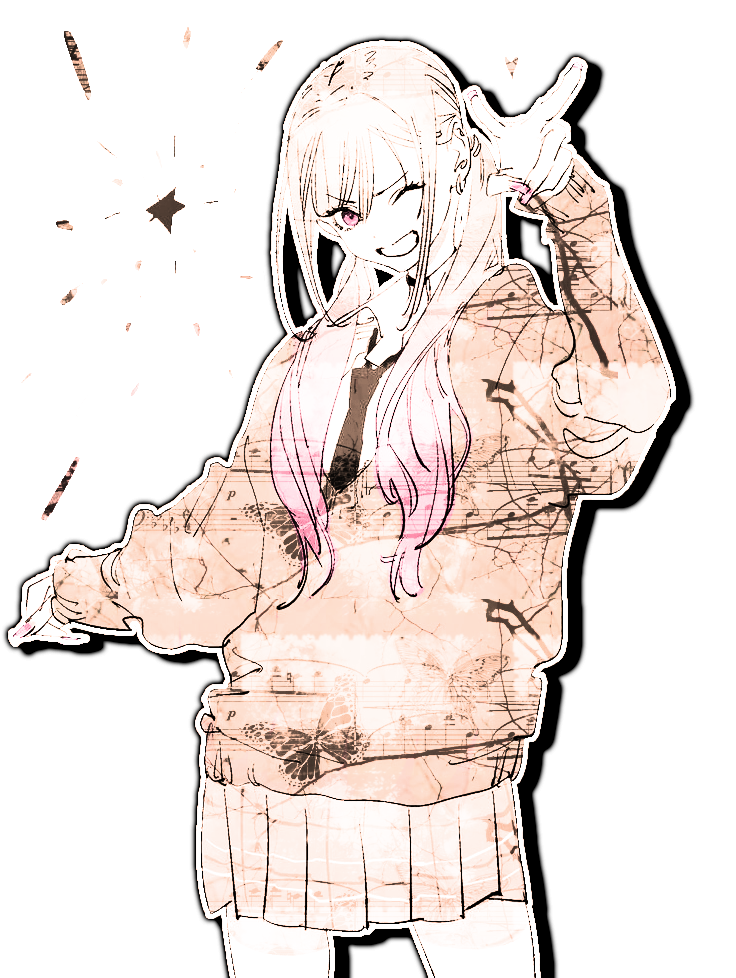
Its all about how and where you place the different colours !
please remember to credit me if you use this colouring !! Thats all !! I hope this was useful !! :3
Feel free to show me if you used mai tutorial ➯ here