➯ go back ?
How to colour a gif , No photopea/shop and mobile friendly !! ദ്ദി◝ ⩊ ◜.ᐟ
( request by Kori ) Make a req ➯ here
Resources i use: ezgif.com , ibispaintx
- ibispaintx is not necessary i only use it to get my hex codes ... LOLZ
First make sure your disired gif is downloaded for the tut ill use this:

- you can colour anything that is a gif with this method even a divider , favicon ect .
Now get the HEX code you wish to make the gif ( i copy and paste from ibispaintx colour wheel ) I'll use this lilac #E4C8F8
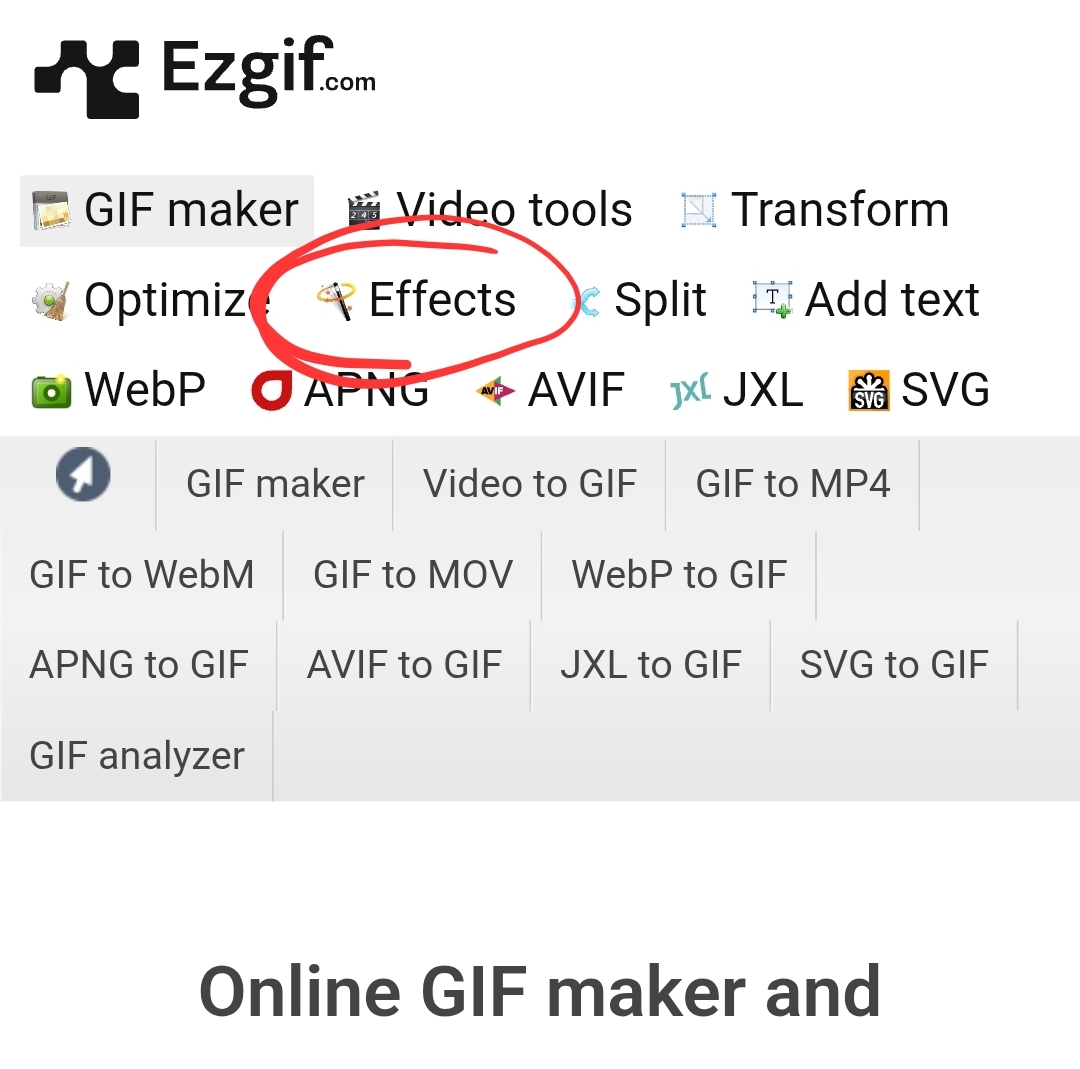
Now go to ezgif.com and go to the effects section then upload your gif
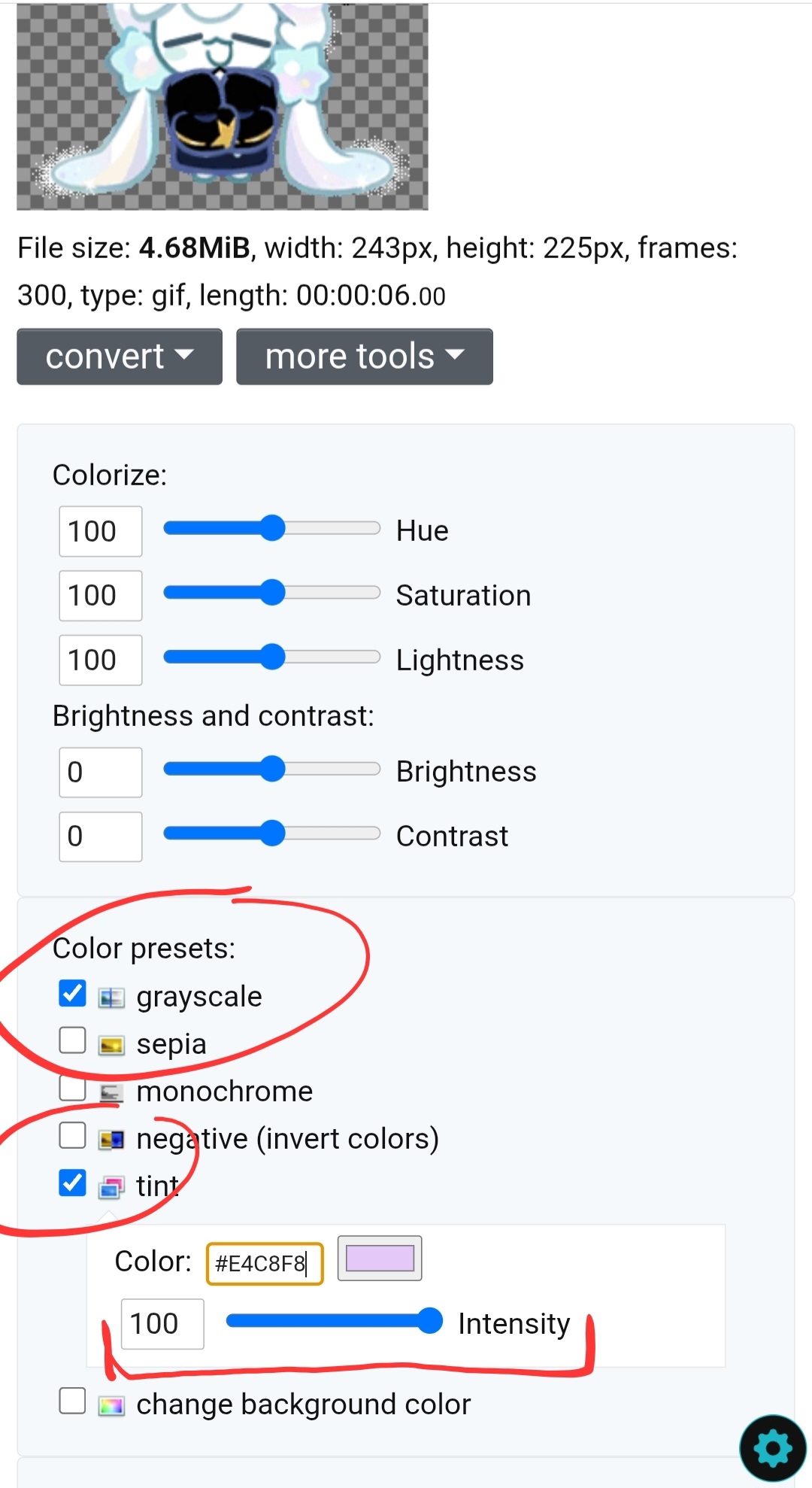
Then go to colour presests and turn on greyscale , after this turn on tint and drag the slider too 100 . There is a section to add you hexcode !
Now apply selected and see how the gif turns out !
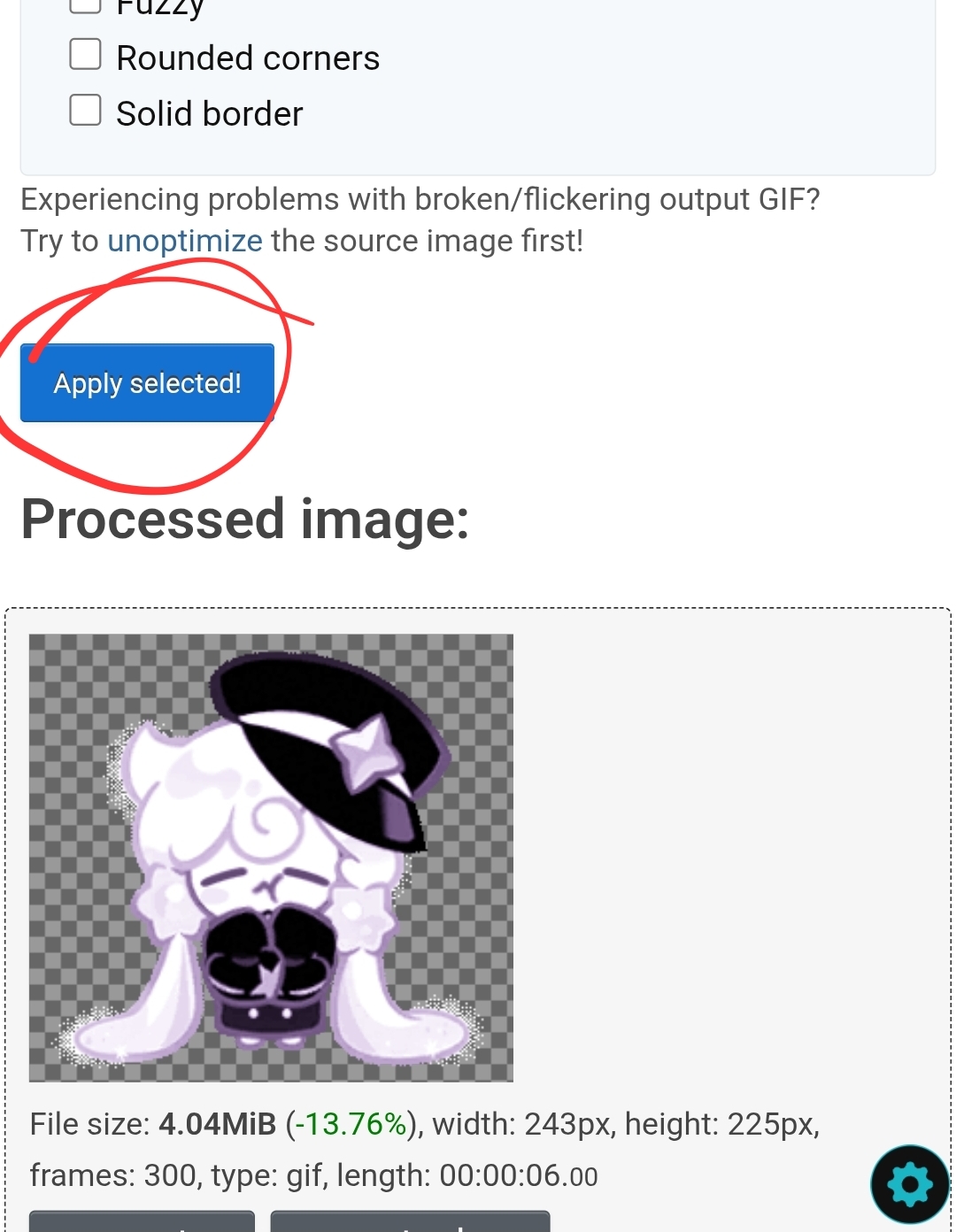
Alot of the time the colour is too light or dark but for some reason it wasn't this time .. LOL
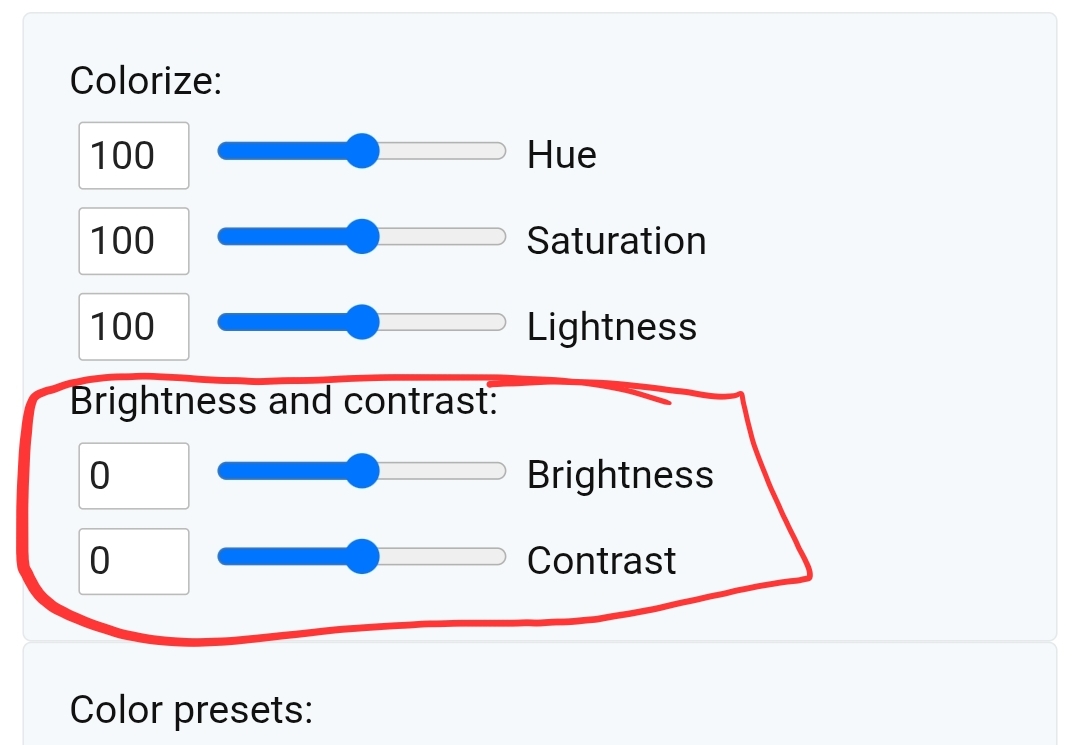
but in the event the gif is too light/dark scroll back up and adjust the brightness and contrast , instead of using the sliders i tend to type in the box to change the % applied and usually change it by 10% at a time , reloading the gif until i am happy with the result .

Anyways heres the result ^ hope dis is helpful to someone
I hope this was easy to understand !! Feel free to show me if you used mai tutorial ➯ here i love seeing people use my tutorials 🥹🥹💖