!!this is the standalone markdown cheatsheet!! below this is just what i use on a basic level there's also metadata-how which explains how they work. you can view these on the same rentry you're working on by clicking the tabs under metadata+!
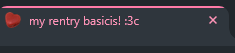
PAGE_TITLE = Welcome to my Rentry!
◟this changes the title of the rentry on the tab
PAGE_ICON = https://rentry.co/static/raccoon.webp
◟page favicon, above is default, the left heart (img above) is the current one

SHARE_DESCRIPTION = My Rentry page and everything about me
◟is the rentry description when you share it, above is default
SHARE_IMAGE = https://rentry.co/static/icons/512.png
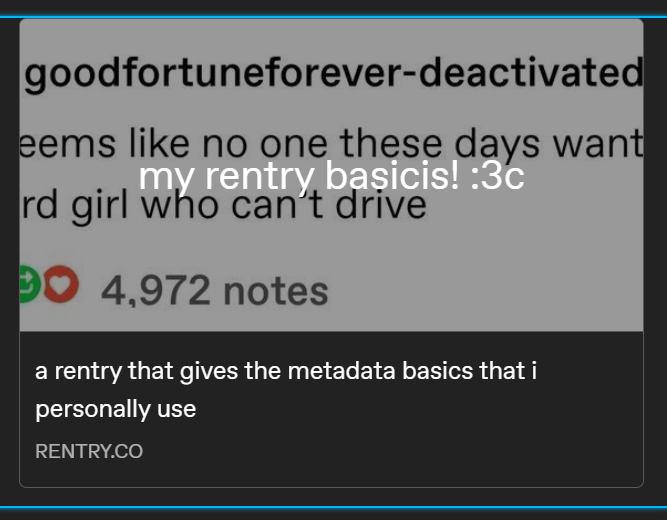
◟the preview image when you share it! below is the current one, lol


this image is what it looks like when i share it on tumblr.
OPTION_DISABLE_VIEWS = true
◟this disables the view counter for everyone, including you
OPTION_DISABLE_SEARCH_ENGINE = true
◟this removes it from search engines so if others google things they wont get your rentry in the results
ACCESS_RECOMMENDED_THEME = dark
◟what the rentry color defaults too; there's only dark and light.
ACCESS_EASY_READ = /example
◟easy to read, good for complex rentry's. you could use this for other things though too
CONTENT_TEXT_SIZE = 16px 1rem 2.5rem 0 0 0 0 0 1rem 1.5rem 1rem 0.8rem
◟this changes the text size! good for fonts that're small by default, lol. the entire slop above is default, i suggest actually reading the markdown sheet for what the numbers mean, but the only one you really need to focus on is "16px" as it's the entire text size. this current rentry doesn't have it active.
CONTENT_TEXT_ALIGN = justify
◟aligns text left, right, center, or justify. i usually use justify; it's default.
CONTAINER_BORDER_RADIUS = 3px
◟changes the border edges to be round, above is default, what's currently in place is 15px.
CONTENT_FONT = Caveat Edu_Australia_VIC_WA_NT_Hand_Dots
◟changes the font. the font used in this rentry is arial, the font above is the default. go to google fonts to get the name and replace any spaces in the font name with underscores (_)
CONTENT_TEXT_COLOR = grey white
◟entire rentry's text color, above is default. if you change this, if you go into a different color mode, it'll stay the same. keep this in mind. i suggest only using this if you want a specific color; light or dark.
CONTENT_LINK_COLOR = blue aqua
◟link colors, above is default.
CONTENT_BULLET_COLOR = green red
◟bullet colors, above is default.
CONTENT_LINK_BEHAVIOR = same same
◟how links work when you click on them. above is default. i usually do new new for all of them. it opens all links in a new tab.