Public WiFi Safety: Combining VPNs with Browser Settings for Ultimate Protection
In today's digitally connected world, accessing the internet via public WiFi has become a commonplace practice. Whether it's at a coffee shop, airport, or library, the convenience of free WiFi comes with significant risks to your online privacy. With multiple devices such as phones, tablets, and computers constantly exchanging data, users often unwittingly expose themselves to various threats, including browser tracking and network monitoring. As the lure of public WiFi continues to attract many, it is crucial to understand how to safeguard your personal information in these vulnerable environments.
One effective way to enhance your online security is by using a Virtual Private Network, or VPN. A VPN adds an essential layer of protection when navigating public WiFi networks, shielding your online activities from prying eyes. When combined with optimized browser settings, you can significantly reduce tracking attempts and bolster your privacy. This article explores practical strategies to stop browser tracking, highlighting how a VPN can work in tandem with browser privacy settings to provide a comprehensive defense against unwanted surveillance. Whether you are browsing on your phone, tablet, or computer, understanding these protective measures is vital for anyone looking to maintain their privacy in an increasingly interconnected world.
Understanding Public WiFi Risks
Public WiFi networks can be incredibly convenient, offering easy internet access in cafes, libraries, and airports. However, they also pose significant risks to your online security and privacy. When you connect to a public WiFi network, your data can be intercepted by hackers who might be on the same network, using various techniques such as packet sniffing. This means that sensitive information, like passwords or credit card numbers, could be exposed to malicious actors.
Additionally, many public WiFi networks do not implement strong security measures. Unlike private networks that can be protected with robust passwords and encryption, public WiFi often relies on minimal protections, allowing attackers to access unencrypted data more easily. Even users who believe they are safe may inadvertently expose their personal information, making it crucial to understand the risks involved.
Finally, the lack of control over a public network's environment makes it difficult to ensure that your connection is secure. Even if you trust the source of the public WiFi, you cannot control who else is connected to it or what measures are in place to protect your data. This unpredictability underlines the importance of using additional protective tools, such as VPNs, to safeguard your online activities while using public WiFi.
The Role of VPNs in Online Security
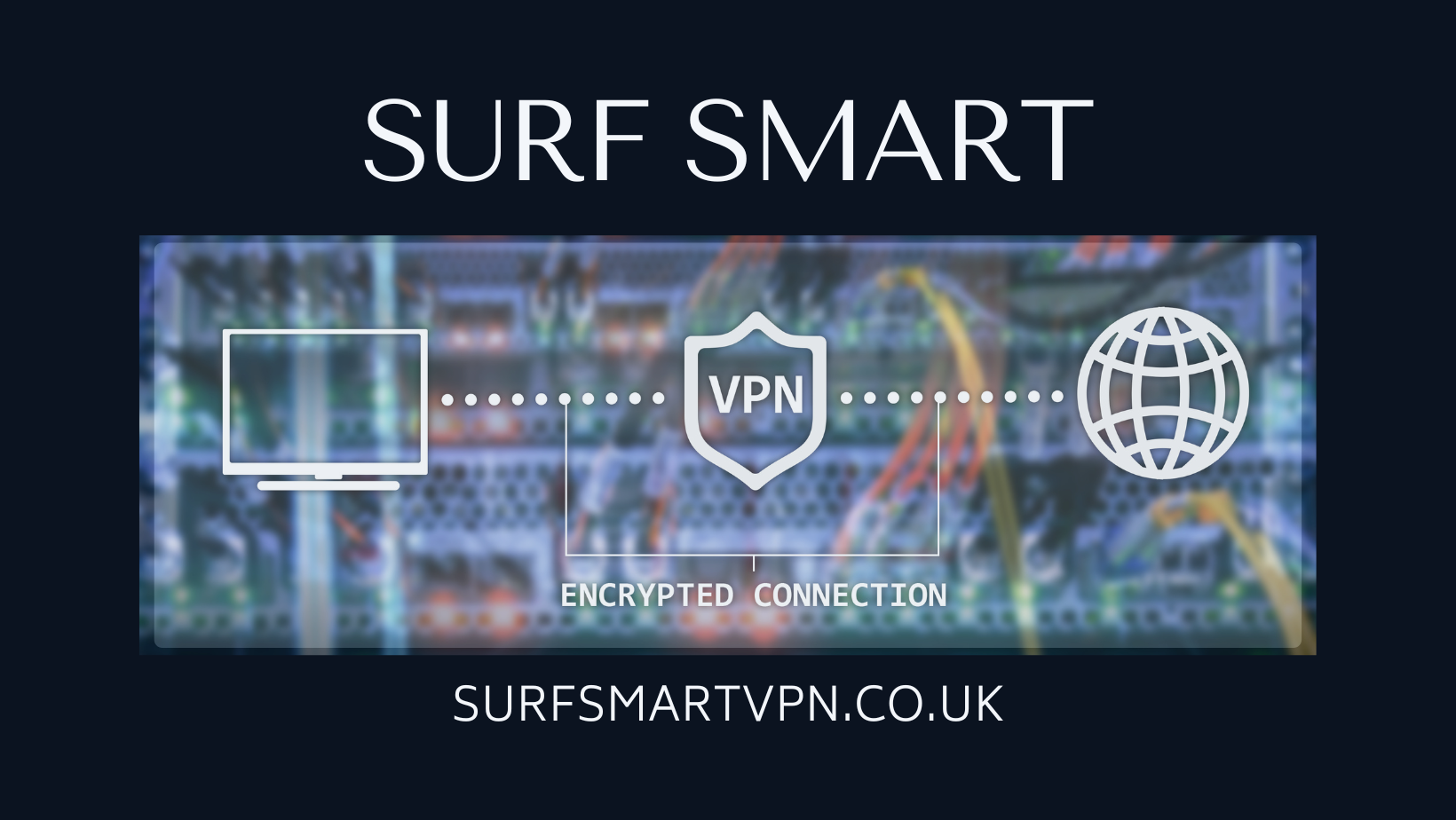
VPNs, or Virtual Private Networks, play a crucial role in enhancing online security, especially when using public WiFi. They create an encrypted connection between your device and the internet, effectively shielding your data from unauthorized access. This is particularly important in public settings where networks may be vulnerable to cyber threats. By masking your IP address and routing your internet traffic through secure servers, a VPN helps safeguard your personal information from potential hackers.
In addition to securing data, VPNs provide an extra layer of protection against online tracking. Many websites and apps collect user data to build profiles for targeted advertising. When connected to a VPN, your online activities become significantly more difficult to trace back to you, limiting the effectiveness of tracking methods deployed by advertisers and other third parties. This anonymity is essential for individuals who value their privacy, particularly in an era where data breaches are increasingly common.
Moreover, using a VPN in tandem with secure browser settings can create a robust defense against surveillance. While a VPN encrypts your internet connection, adjusting your browser settings can prevent websites from tracking your behavior through cookies and other methods. Together, these tools empower users to take control of their online presence, ensuring a safer and more private browsing experience, especially on unsecured networks like public WiFi.
Browser Tracking: What You Need to Know
Browser tracking involves the collection of data about your online activities, which can be used to create detailed profiles of your behavior and preferences. Companies use various tracking techniques, such as cookies and tracking pixels, to monitor your interactions across the internet. This data can lead to targeted advertising but also raises significant privacy concerns, especially when using public WiFi networks where security is often compromised.
When using public WiFi, your connection is more vulnerable to interception by cybercriminals. Anyone on the same network can potentially access sensitive information, making it crucial to understand how tracking works. By being aware of the methods used for tracking, such as third-party cookies, fingerprinting, and web bugs, you can take proactive steps to minimize your exposure and protect your personal information while online.
Combining the use of a VPN with knowledge of tracking techniques can greatly enhance your privacy. a VPN adds protection encrypts your internet connection, making it significantly more difficult for trackers to access your data. Additionally, adjusting your browser settings to limit tracking can further shield your online activities. Together, these strategies can create a robust defense against unwanted surveillance and help you maintain greater control over your digital footprint.
Adjusting Browser Settings for Privacy
To enhance your online privacy, it is essential to optimize your browser settings. Start by disabling third-party cookies, which are often used for tracking your browsing habits across different websites. Navigate to your browser's privacy settings and select the option to block third-party cookies. This simple change can significantly reduce the amount of data that advertisers collect about you while you browse.
Another effective way to improve your privacy is to enable "Do Not Track" features available in most modern browsers. While not all websites honor this request, it signals your preference for privacy and can help deter some tracking efforts. Additionally, consider using browser extensions that focus on blocking trackers, such as ad blockers or privacy-focused plugins, which can further enhance your browsing security.
Finally, regularly clearing your browsing history and cached data can help minimize the traces of your online activity. Set your browser to clear this data automatically upon closing or use a secure browsing mode like incognito or private mode. By combining these adjustments with a VPN, you can create a robust defense against online tracking while using public WiFi networks.
Choosing the Right VPN Service
When selecting a VPN service to enhance your online privacy, it's essential to consider a few key factors. Look for a provider that has a strong reputation for security and privacy. Check for features such as end-to-end encryption, a strict no-logs policy, and strong protocols like OpenVPN or WireGuard. User reviews and independent security audits can provide insights into the reliability and transparency of the service.
Another important aspect is the range of devices the VPN supports. Ensure that it is compatible with phones, tablets, and computers, allowing you to protect all your devices with a single subscription. Some VPNs offer intuitive apps for all major operating systems, which can simplify the process of securing your internet connection. It is beneficial if the VPN allows simultaneous connections on multiple devices, so you can safeguard your entire household or several gadgets without hassle.
Lastly, consider the VPN's performance, including connection speeds and server locations. A good VPN should not significantly slow down your internet experience. Look for a provider that has a large network of servers in various countries, which not only helps with speed but also provides options for accessing geo-restricted content. Evaluating these factors will help you choose a VPN that best fits your needs for protecting your online activities, especially when using public WiFi.
Using VPNs on Different Devices
Using a VPN on your devices is crucial for maintaining your online privacy, especially when using public WiFi networks. On smartphones, installing a VPN app is straightforward. Most reputable VPN providers offer easy-to-use applications for both Android and iOS. Once installed, a simple toggle can connect you to secure servers, encrypting your internet traffic and masking your IP address, which helps in reducing the chances of browser tracking.
Tablets, being similar to smartphones in their operating systems, follow the same installation process. Users should ensure that they select a VPN that is optimized for mobile devices, as this ensures that the app runs efficiently without draining battery life or affecting performance. In addition to connecting to a VPN, users should also configure their browser settings to block third-party cookies and trackers, further enhancing their overall privacy.
For computers, whether they are running Windows, macOS, or Linux, using a VPN is equally beneficial. Desktop VPN applications tend to offer more features and settings than their mobile counterparts, allowing for more control over data protection. In addition, setting browser privacy settings to block trackers and using privacy-focused browsers can significantly reduce online tracking while connected to public WiFi. Combining a solid VPN service with thoroughly configured browser settings creates a robust defense against tracking on all devices.
Best Practices for Public WiFi Usage
When using public WiFi, it is crucial to remain vigilant to protect your sensitive information. Avoid accessing personal accounts or conducting financial transactions on unsecured networks. Instead, wait until you are on a secure connection to handle such tasks. This simple practice can significantly reduce your risk of exposing personal details to potential threats.
Always connect to a VPN before accessing any public WiFi. A VPN adds an extra layer of encryption to your internet traffic, making it much harder for hackers or snoopers to track your online activities. This is particularly important in public spaces where malicious actors may attempt to intercept your data. Ensure your VPN is running before you log into the network.
Additionally, adjust your device's settings to enhance privacy further. Disable file sharing, turn off automatic connection to available networks, and use browser privacy features. Regularly clearing cookies and browsing history can also help minimize tracking. By combining these measures with a VPN, you maximize your protection against the risks associated with public WiFi usage.
Combining VPNs with Browser Tools
Integrating VPNs with browser tools significantly enhances your online privacy, especially when connected to public WiFi. A VPN encrypts your internet traffic and masks your IP address, making it difficult for third parties to monitor your online activities. When combined with robust browser settings—such as disabling third-party cookies, using privacy-focused search engines, and employing ad blockers—you create a powerful defense against tracking and surveillance. This dual approach provides a layered security model that offers greater protection against malicious actors.
Moreover, many browsers now come with built-in features to improve privacy. For instance, using incognito or private browsing modes alongside a VPN can limit the amount of data stored during your sessions. Additionally, configuring your browser to block tracking scripts and disabling location services can further reduce your digital footprint. These proactive measures, when used in conjunction with a VPN, ensure that your personal information remains concealed, even on unsecured networks.
Ultimately, the combination of a VPN and careful browser configuration allows you to maintain more control over your online presence. By adopting these strategies on your phones, tablets, and computers, you can significantly minimize tracking risks. Making small adjustments to your browsing habits while utilizing a VPN creates an environment where privacy thrives, even in the less secure zones of public WiFi.
Regularly Updating Security Settings
One of the most effective ways to enhance your online privacy is by regularly updating your security settings. This includes your browser settings, VPN configurations, and software applications. Many browsers offer frequent updates that not only improve performance but also address security vulnerabilities that could be exploited by trackers. Ensuring that your browser is up to date minimizes the risk of having your data collected without your knowledge.
In addition to browser updates, make sure your VPN is configured correctly and updated to the latest version. A VPN adds protection by encrypting your internet traffic, but outdated versions might have security flaws that leave your data vulnerable. Review the privacy settings of your VPN regularly, ensuring you’re using the strongest protocols available. This not only helps in protecting your internet activity but also in blocking potential tracking attempts.
Lastly, don't forget about the applications you use on your phones and tablets. Many mobile apps collect data on users, sometimes even when they are not actively in use. Periodically check the privacy settings of these apps, opting out of data collection where possible. By combining robust security settings on your devices with the protective layer of a VPN, you can significantly reduce browser tracking and enhance your overall online privacy.
Conclusion: Staying Safe Online
In today's digital landscape, staying safe online, especially when using public WiFi, is more important than ever. The convenience of connecting to free networks comes with significant risks, including browser tracking and network monitoring. By combining the use of a VPN with smart browser settings, you can enhance your online privacy and significantly reduce the chances of your data being intercepted or misused. It is essential to be proactive in safeguarding your personal information.
Using a VPN adds an extra layer of protection against online tracking by encrypting your internet connection, making it difficult for anyone to snoop on your activity. Furthermore, adjusting your browser settings to limit tracking, such as disabling cookies and using incognito mode, can further enhance your privacy. Remember, your online habits play a crucial role in your safety; being mindful of what you share and where you share it can help protect your digital footprint.
Ultimately, taking these steps on your phones, tablets, and computers allows you to enjoy the benefits of public WiFi without compromising your privacy. Implementing a robust combination of VPN protection and careful browser configurations is key to thwarting unwanted tracking and ensuring a safer online experience. Always stay informed and vigilant to keep your personal data secure while navigating the internet.