THE NECROMANCER: cemetery / spirits themed css template by Mauve07
Updated 7/07/2026 to fix issue of username not showing on mobile!
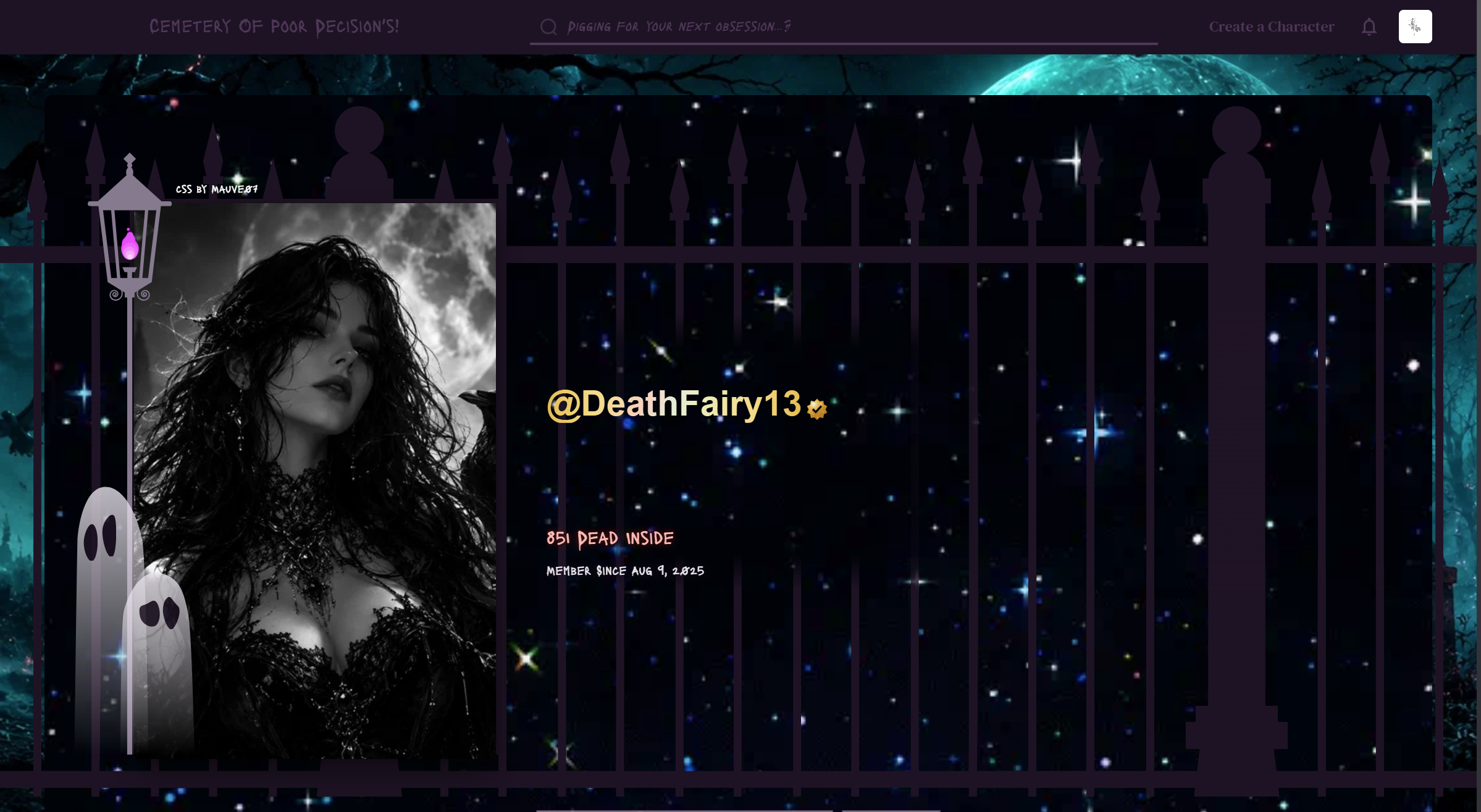
This template was requested by @DeathFairy13 ♡ Hello darlings! Here is the guide to my necromancer css template!
Gentle reminder: Please don't remove the credit box. It's very rude and I'm pretty sure it's against the janitor ai rules 😔.
Special elements:
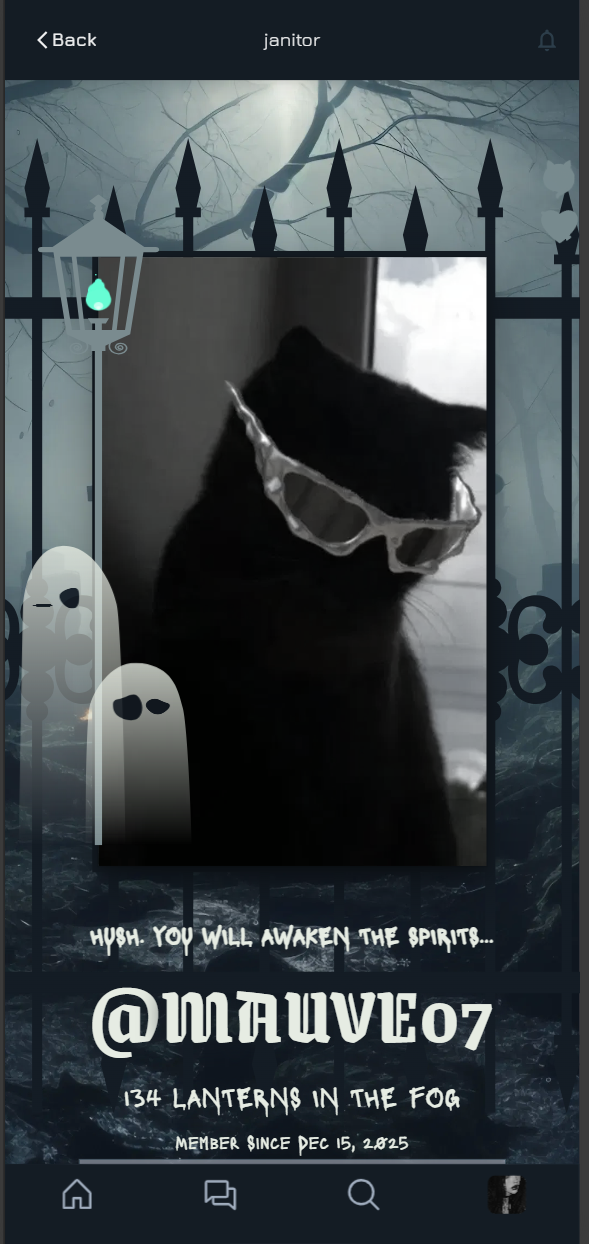
𔓎 Little green animated flames! It's created through a simple particle effect. Visit the live preview to check it out!
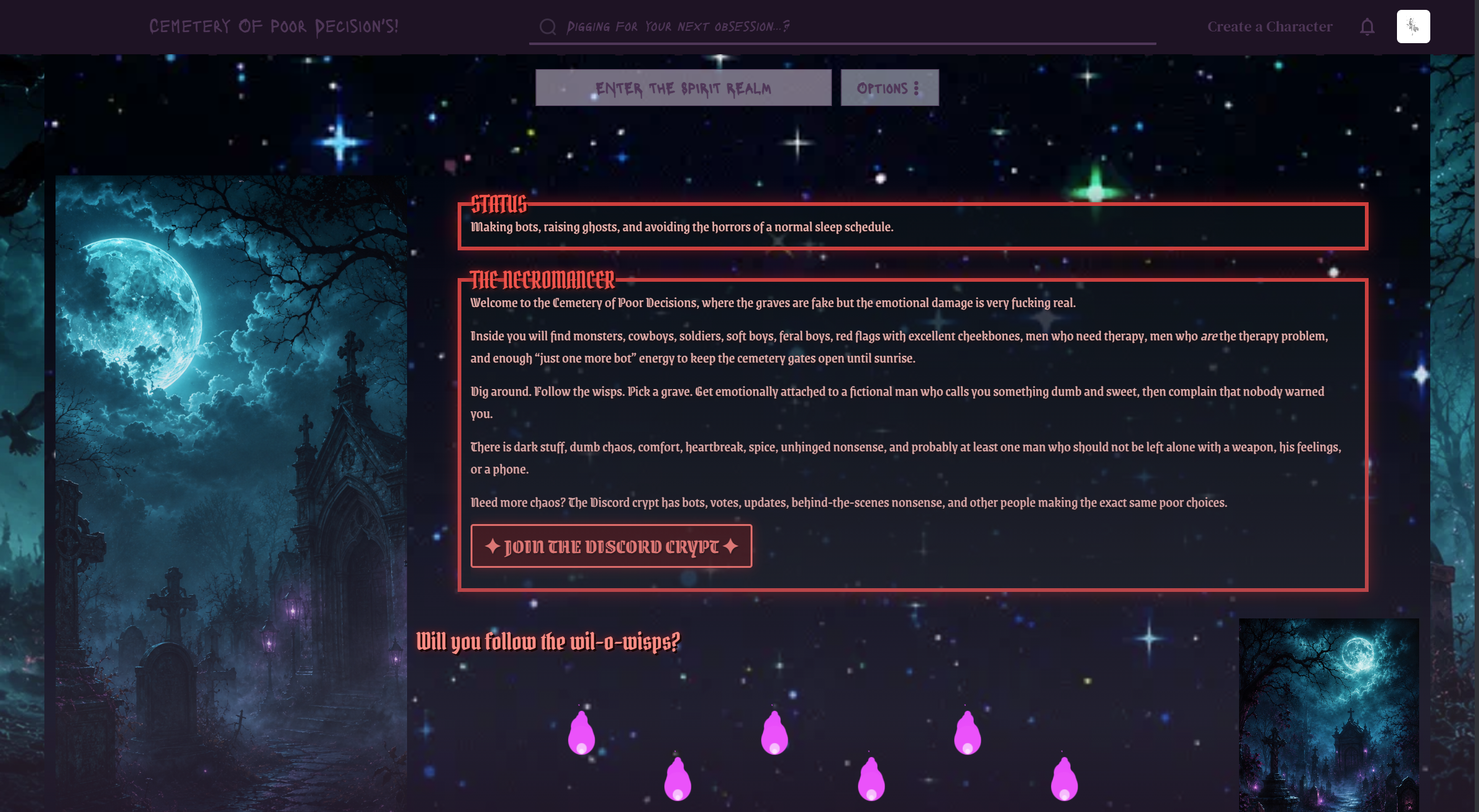
🕸 𓉸 ♱ 𔓎 DESKTOP PREVIEW 𔓎 ♱ 𓉸 🕸
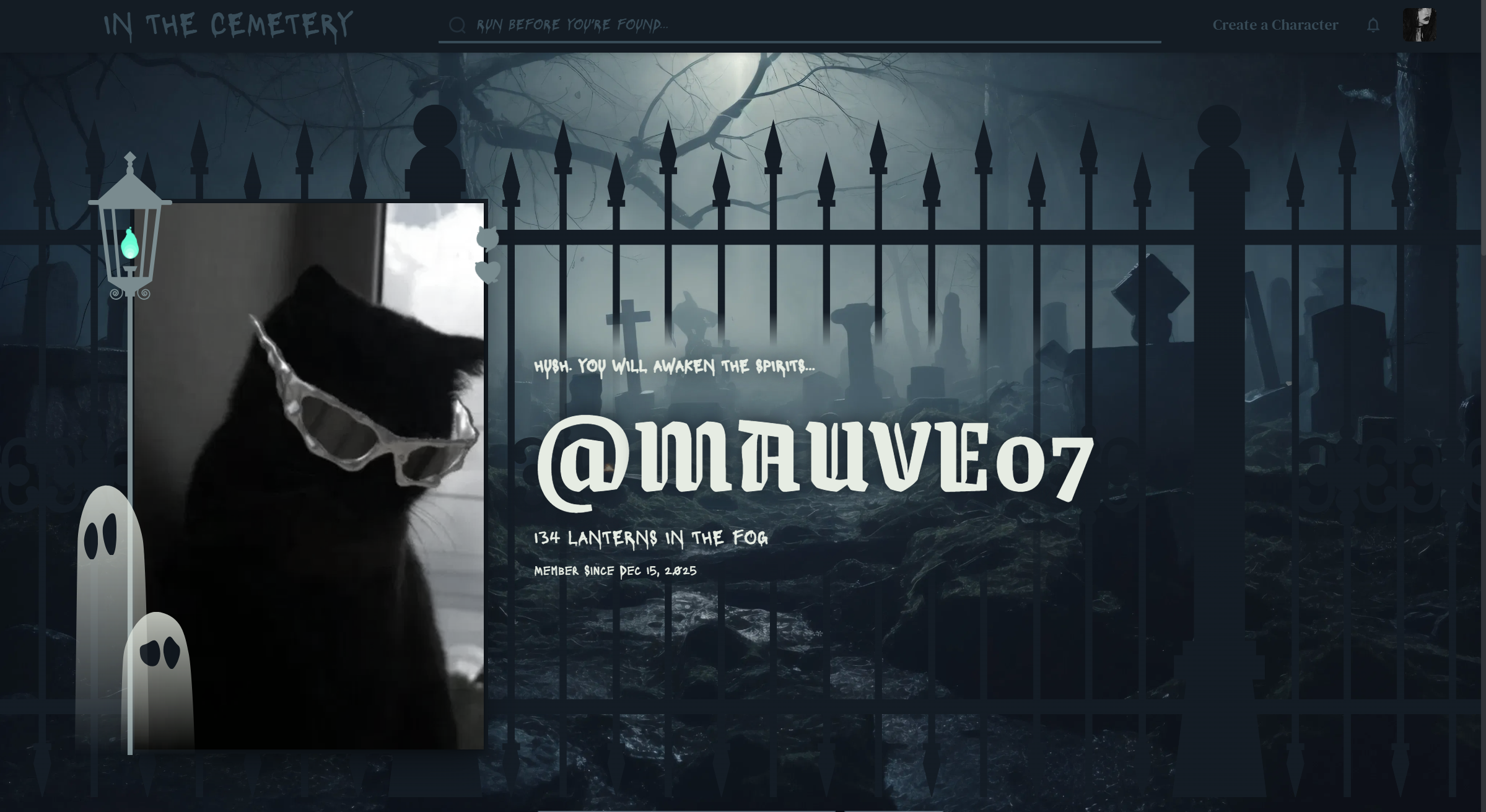
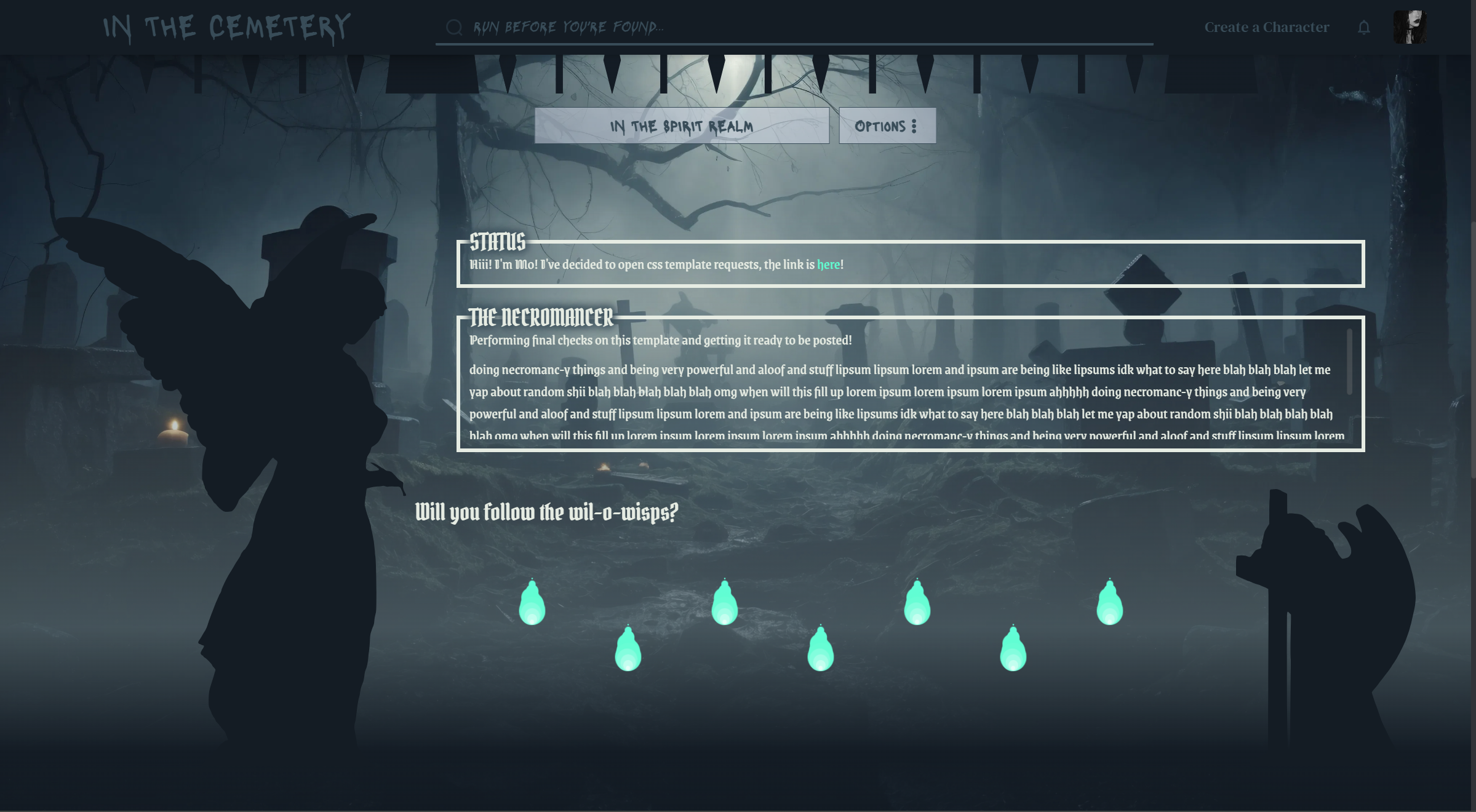
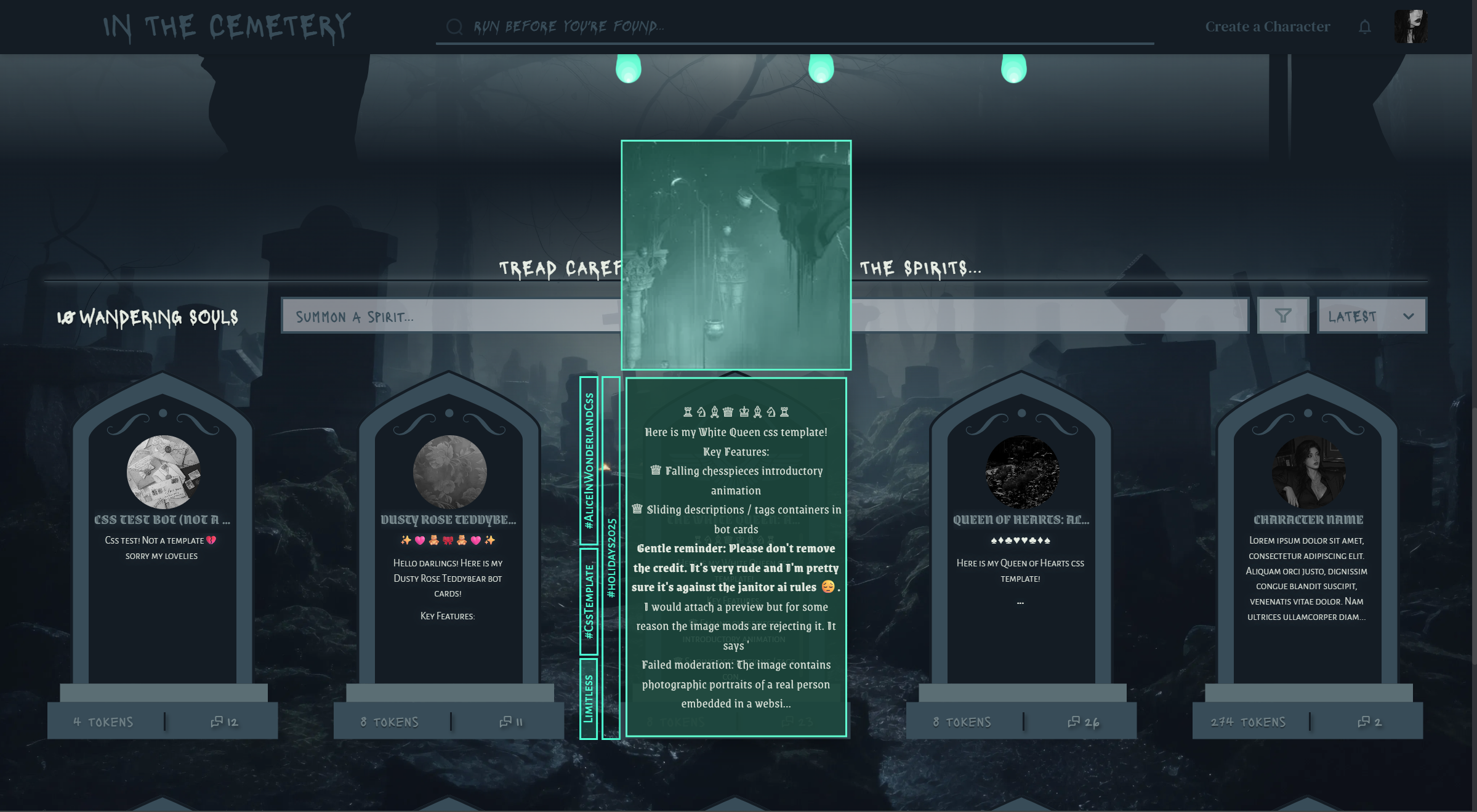
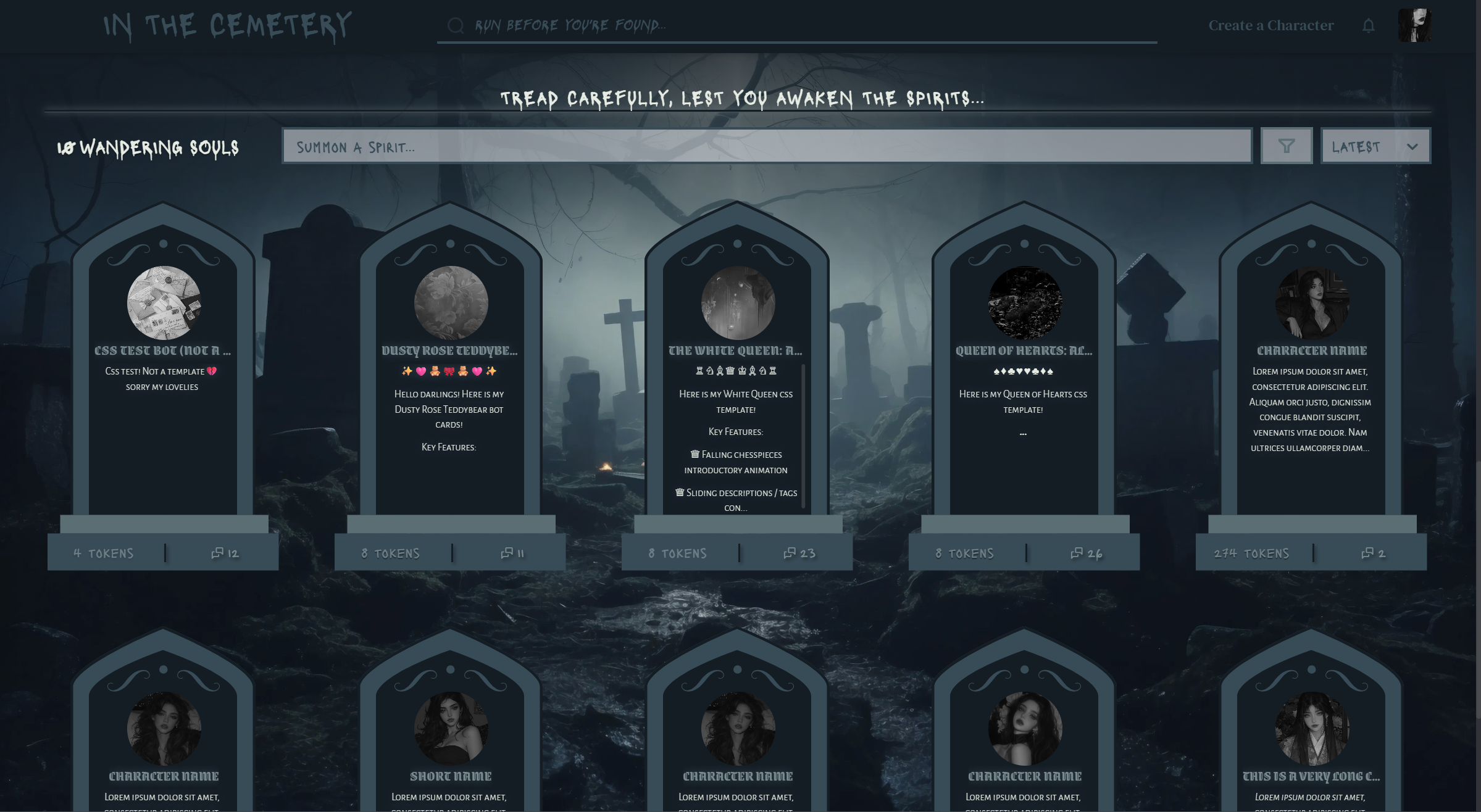
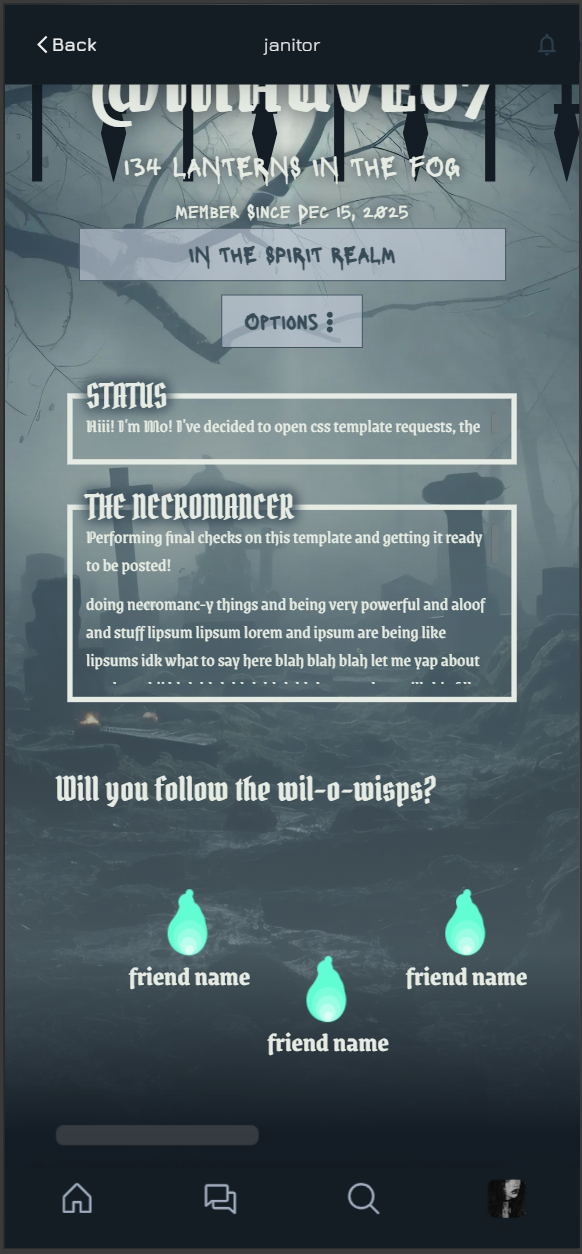
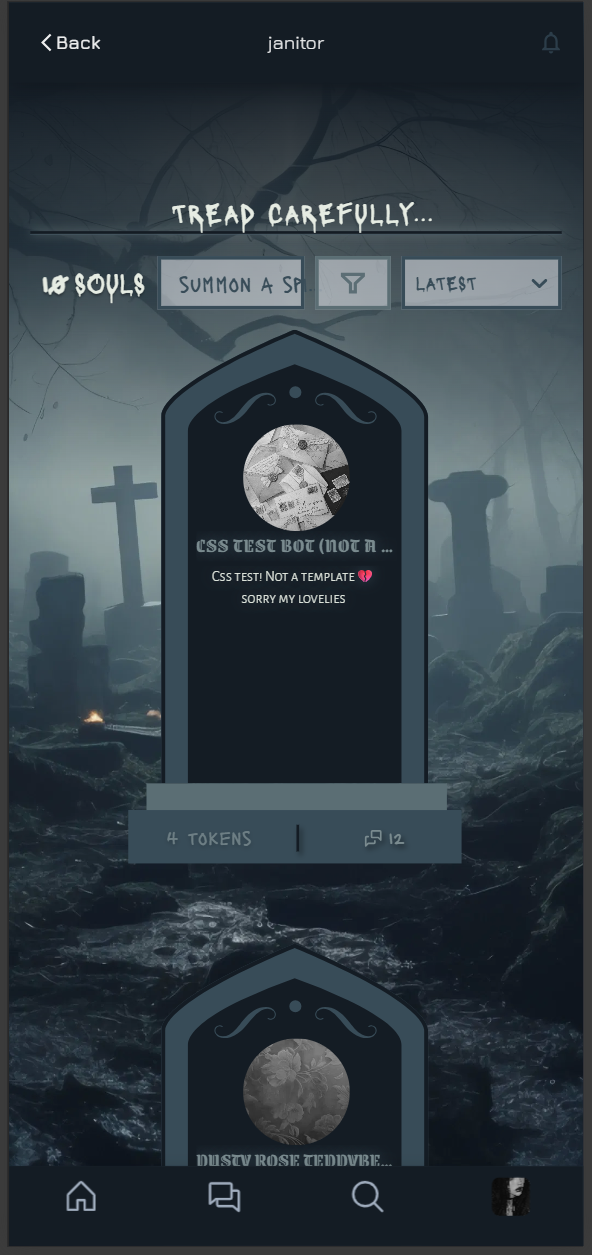
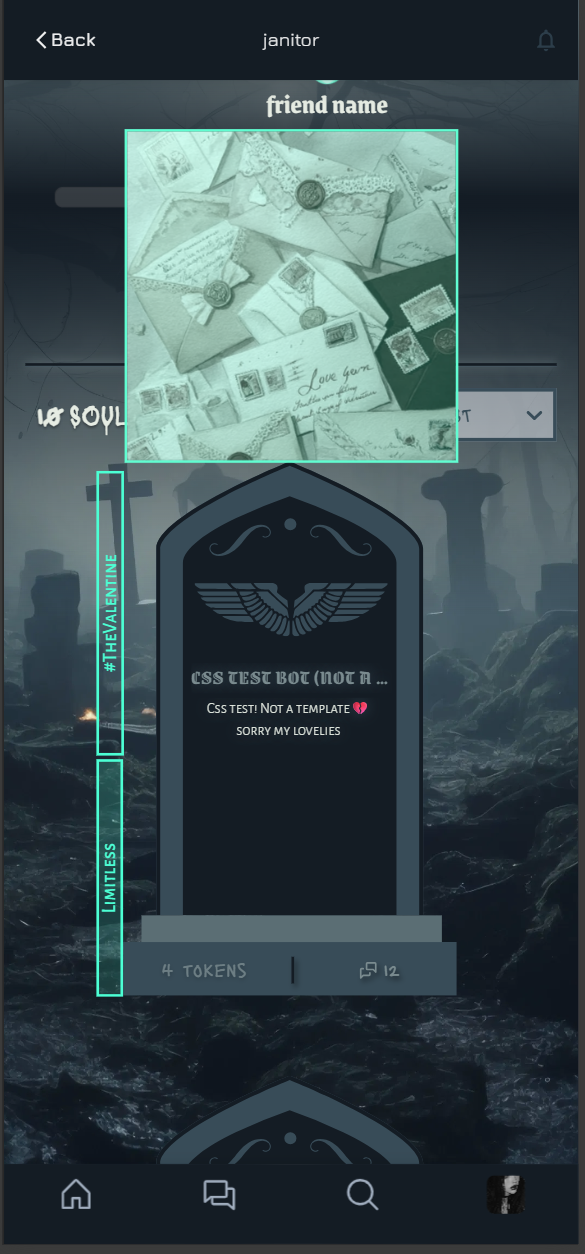
🕸 𓉸 ♱ 𔓎 MOBILE PREVIEW 𔓎 ♱ 𓉸 🕸
🕸 𓉸 ♱ 𔓎 RECOLOUR BY DEATH 𔓎 ♱ 𓉸 🕸
CREDITS WHERE THEY ARE DUE (clickable links)
NOTIFICATIONS DROPDOWN MENU: By @Tigerdropped! Here is the link
BACKGROUND IMAGE: freepik
FENCE SVG: freepik
LAMP SVG: freepik
ANGEL STATUE 1 SVG: SVG Silh
ANGEL STATUE 2 SVG: SVG Silh
FIRE ANIMATION: This website provided good insight! I used a part of the code provided to assist with creating a particle effect to make the fire look more alive!
STATUE TOP DECORATION SVG: freepik
STATUE WINGS IMG SVG: SVG Silh
(phew, that was a lot. Hopefully I didn't miss anything!)
Everything else (code, svg images) were written and drawn by me!
Table of Contents:
LINK TO BOT ANNOUNCEMENT
LINK TO CSS ONLY FILE (THIS IS STEP 6!)
Alright, now onto the template:
You are very welcome to modify this code however you like! Feel free to leave a comment under my janitor announcement bot so I can check it out (I'm super curious to see what you do! Just don't remove the credit box.)
STEP 1: Background Image
Go to your profile and change the background image.

(click the image/open it in a new tab! Then right click and save!)
The stats I used is Opacity: 100% and Blur: 0%, but feel free to do whatever you want!
STEP 2: Set up
- Press your profile picture on the top right and press 'Settings'
- In the 'Account' section (default), scroll down past your pfp and username to your 'About Me' section.
- Press the 'show editor' button. Make sure it is empty.
STEP 3: Copy the HTML
Copy and paste all of the code into the janitor editor you just opened.
1 2 3 4 5 6 7 8 9 10 11 12 13 14 15 16 17 18 19 20 21 22 23 24 25 26 27 28 29 30 31 32 33 34 35 36 37 38 39 40 41 42 43 44 45 46 47 48 49 50 51 52 53 54 55 56 57 58 59 60 61 62 63 64 65 66 67 68 69 70 71 72 73 74 75 76 77 78 79 80 81 82 83 84 85 86 87 88 89 90 91 92 93 94 95 96 97 98 99 100 101 102 103 104 105 106 107 108 109 110 111 112 113 114 115 116 117 118 119 120 121 122 123 124 125 126 127 128 129 130 131 132 133 134 135 136 137 138 139 140 141 142 143 144 145 146 147 148 149 150 151 152 153 154 155 156 157 158 159 160 161 162 163 164 165 166 167 168 169 170 171 172 173 174 175 176 177 178 179 180 181 182 183 184 185 186 187 188 189 190 | <div class="fence-wrap">
<div class="fence"></div>
</div>
<div class="front-decor">
<p class="CreditBox">css by <a
href="https://janitorai.com/profiles/82cedff5-aced-42bc-bd83-f2b73e380d74_profile-of-mauve-07">Mauve07</a></p>
<div class="lamp"></div>
<div class="fire">
<div class="flame1"></div>
<div class="flame2"></div>
<div class="flame3"></div>
<div class="flame4"></div>
<div class="flame5"></div>
<div class="flame6"></div>
<div class="flame7"></div>
<div class="flame8"></div>
<div class="flame9"></div>
<div class="flame10"></div>
</div>
<div class="ghost1"></div>
<div class="ghost2"></div>
</div>
<div class="abt-me-section">
<div class="statue1"></div>
<div class="largecont">
<div class="abt-me">
<div class="status">
<!-- STATUS -->
<h1>STATUS</h1>
<div class="status-content">
<p>doing stuff blah blah blah doing necromanc-y things and being very powerful and aloof and stuff </p>
</div>
</div>
<div class="text">
<!-- ABOUT YOU -->
<h1>THE NECROMANCER</h1>
<div class="text-content">
<p>doing necromanc-y things and being very powerful and aloof and stuff lipsum lipsum lorem and ipsum are
being like lipsums idk what to say here blah blah blah let me yap about random shii blah blah blah blah blah
omg when will this fill up lorem ipsum lorem ipsum lorem ipsum ahhhhh doing necromanc-y things and being
very powerful and aloof and stuff lipsum lipsum lorem and ipsum are being like lipsums idk what to say here
blah blah blah let me yap about random shii blah blah blah blah blah omg when will this fill up lorem ipsum
lorem ipsum lorem ipsum ahhhhh doing necromanc-y things and being very powerful and aloof and stuff lipsum
lipsum lorem and ipsum are being like lipsums idk what to say here blah blah blah let me yap about random
shii blah blah blah blah blah omg when will this fill up lorem ipsum lorem ipsum lorem ipsum ahhhhh doing
necromanc-y things and being very powerful and aloof and stuff lipsum lipsum lorem and ipsum are being like
lipsums idk what to say here blah blah blah let me yap about random shii blah blah blah blah blah omg when
will this fill up lorem ipsum lorem ipsum lorem ipsum ahhhhh</p>
</div>
</div>
</div>
<div class="smallcont">
<!-- FRIENDS SECTION -->
<div class="friends">
<h2>Will you follow the wil-o-wisps?</h2>
<div class="friend-wrap">
<!-- FRIEND 1 -->
<a href="friend.com">
<div class="friend">
<div class="fire">
<div class="flame1"></div>
<div class="flame2"></div>
<div class="flame3"></div>
<div class="flame4"></div>
<div class="flame5"></div>
<div class="flame6"></div>
<div class="flame7"></div>
<div class="flame8"></div>
<div class="flame9"></div>
<div class="flame10"></div>
</div>
<h3>friend name</h3>
</div>
</a>
<!-- FRIEND 2 -->
<a href="friend.com">
<div class="friend">
<div class="fire">
<div class="flame1"></div>
<div class="flame2"></div>
<div class="flame3"></div>
<div class="flame4"></div>
<div class="flame5"></div>
<div class="flame6"></div>
<div class="flame7"></div>
<div class="flame8"></div>
<div class="flame9"></div>
<div class="flame10"></div>
</div>
<h3>friend name</h3>
</div>
</a>
<!-- FRIEND 3 -->
<a href="friend.com">
<div class="friend">
<div class="fire">
<div class="flame1"></div>
<div class="flame2"></div>
<div class="flame3"></div>
<div class="flame4"></div>
<div class="flame5"></div>
<div class="flame6"></div>
<div class="flame7"></div>
<div class="flame8"></div>
<div class="flame9"></div>
<div class="flame10"></div>
</div>
<h3>friend name</h3>
</div>
</a>
<!-- FRIEND 4 -->
<a href="friend.com">
<div class="friend">
<div class="fire">
<div class="flame1"></div>
<div class="flame2"></div>
<div class="flame3"></div>
<div class="flame4"></div>
<div class="flame5"></div>
<div class="flame6"></div>
<div class="flame7"></div>
<div class="flame8"></div>
<div class="flame9"></div>
<div class="flame10"></div>
</div>
<h3>friend name</h3>
</div>
</a>
<!-- FRIEND 5 -->
<a href="friend.com">
<div class="friend">
<div class="fire">
<div class="flame1"></div>
<div class="flame2"></div>
<div class="flame3"></div>
<div class="flame4"></div>
<div class="flame5"></div>
<div class="flame6"></div>
<div class="flame7"></div>
<div class="flame8"></div>
<div class="flame9"></div>
<div class="flame10"></div>
</div>
<h3>friend name</h3>
</div>
</a>
<!-- FRIEND 6 -->
<a href="friend.com">
<div class="friend">
<div class="fire">
<div class="flame1"></div>
<div class="flame2"></div>
<div class="flame3"></div>
<div class="flame4"></div>
<div class="flame5"></div>
<div class="flame6"></div>
<div class="flame7"></div>
<div class="flame8"></div>
<div class="flame9"></div>
<div class="flame10"></div>
</div>
<h3>friend name</h3>
</div>
</a>
<!-- FRIEND 7 -->
<a href="friend.com">
<div class="friend">
<div class="fire">
<div class="flame1"></div>
<div class="flame2"></div>
<div class="flame3"></div>
<div class="flame4"></div>
<div class="flame5"></div>
<div class="flame6"></div>
<div class="flame7"></div>
<div class="flame8"></div>
<div class="flame9"></div>
<div class="flame10"></div>
</div>
<h3>friend name</h3>
</div>
</a>
<!-- ADD MORE FRIENDS HERE -->
</div>
</div>
<div class="statue2"></div>
</div>
</div>
</div>
|
STEP 4: CUSTOMISE YOUR PROFILE
This is slightly less annoying than the red queen version. There are 4 main parts you might want to edit (feel free to customise other parts too ofc).
STATUS SECTION
Scroll down a bit to the section commented <!-- STATUS -->. Inside, there are some <p></p> tags with placeholder text. Edit within the <p></p> tags like <p>this!! heellaurr write stuff hereee</p>! Be careful not to delete the triangular bracket things. Add more <p></p> tags if you need more paragraphs!
ABOUT YOU SECTION
Scroll down a bit more to the section commented <!-- ABOUT YOU -->. It's basically the same process as the previous one, except there's more space here 😁
FRIENDS SECTION
Scroll down a bit moree to the section commented <!-- FRIENDS SECTION -->. There are little groups within the <a href="friend.com"></a> tags, one for each friend. Replace the placeholder values with links to the profiles of your friends, and delete any extra ones! If you need more, copy this code:
and paste it directly under the <!-- ADD MORE FRIENDS HERE --> comment.
STEP 5: REMOVE THE COMMENTS AND LINE BREAKS
I dunno why but if there are gaps in the code, sometimes the css won't work. Delete all the comments (they are in <!--comment--> tags) and all of the line breaks, so it is one giant block of code with no double line spacing.
STEP 6: Paste the CSS
The css can be found here:
Paste it directly below your last </div>
(BTW it's okay to leave the comments in the css.
STEP 7: PRESS SAVE!!!!!
Scroll to the very bottom of the page, then scroll up a little bit. There should be a purple 'save changes' button above the 'enable NSFW on Mobile' toggle. HIT THAT BUTTON! MAKE SURE IT SAVES! If it worked, there should be a green popup saying 'profile updated'.
That's it, lovelies! I hope you like this css template. If you have any questions, feel free to ask directly in the janitor announcement bot right here.
Love,
Mo