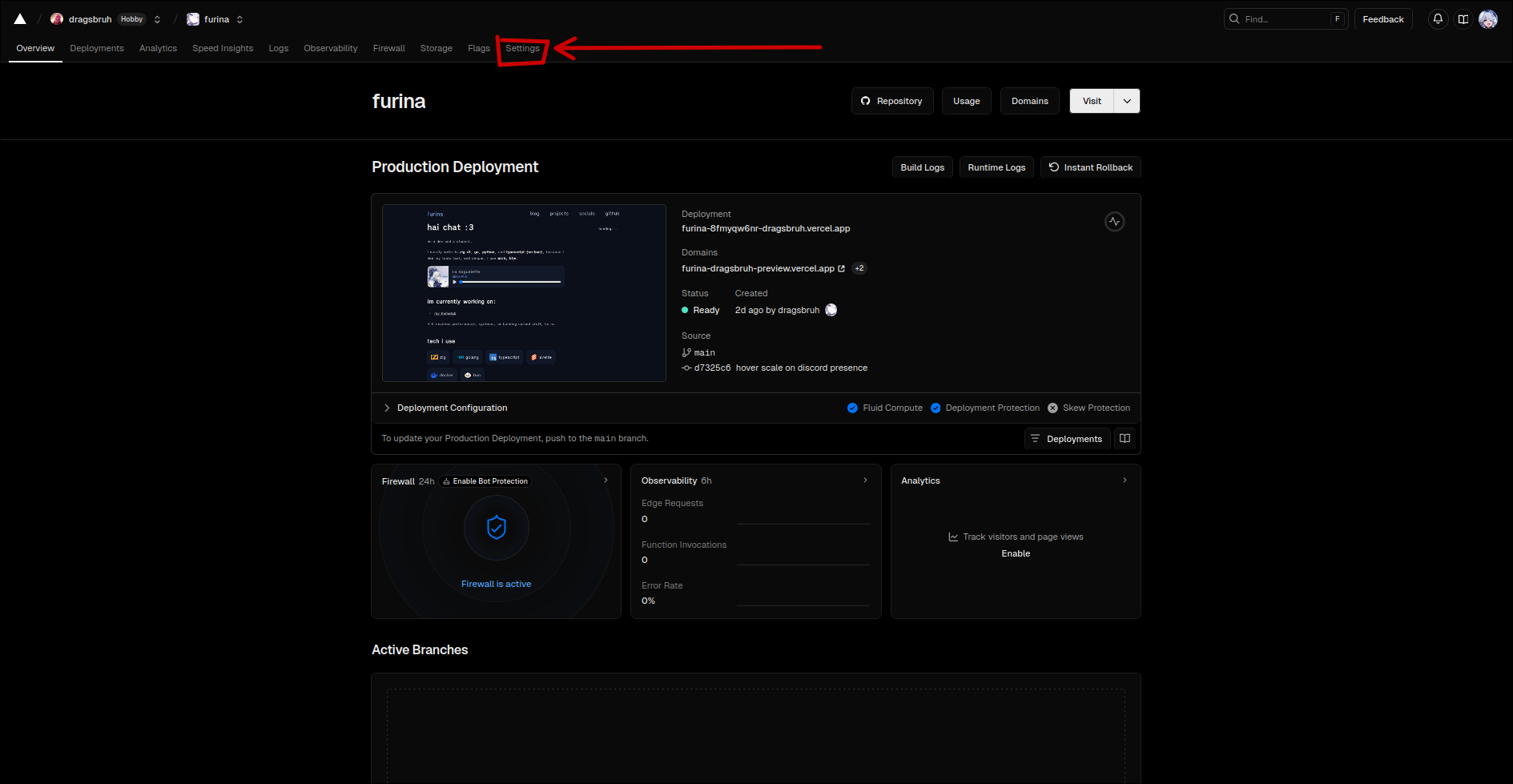
step 1: open your vercel project dashboard and click on settings
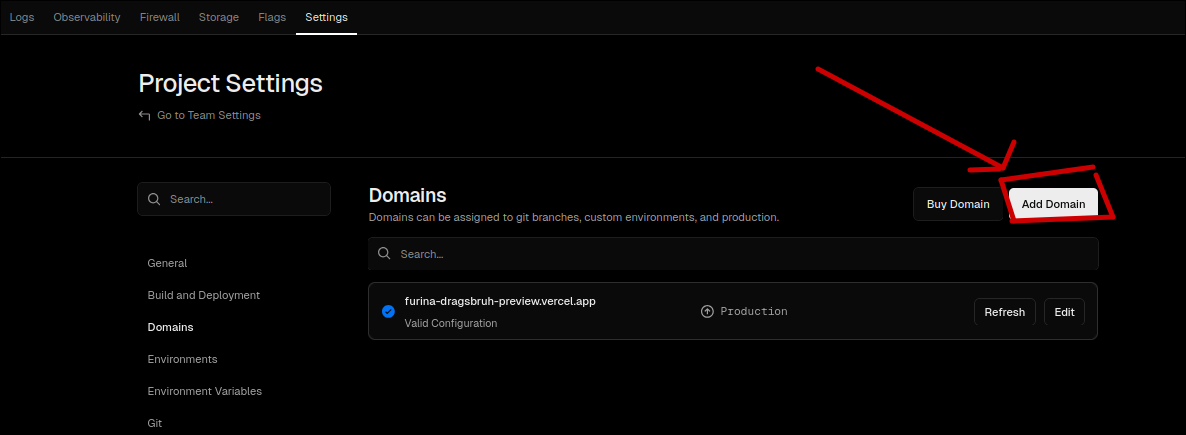
step 2: click on add domain
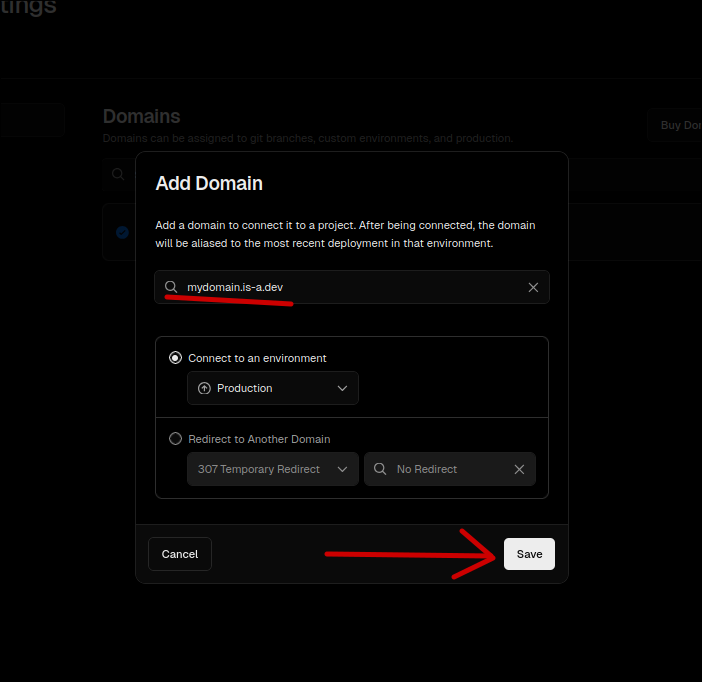
step 3: enter your domain (it should be <name>.is-a.dev). then click save
step 4: expand the section for the domain you entered. click on the copy button as shown in the screenshot below:
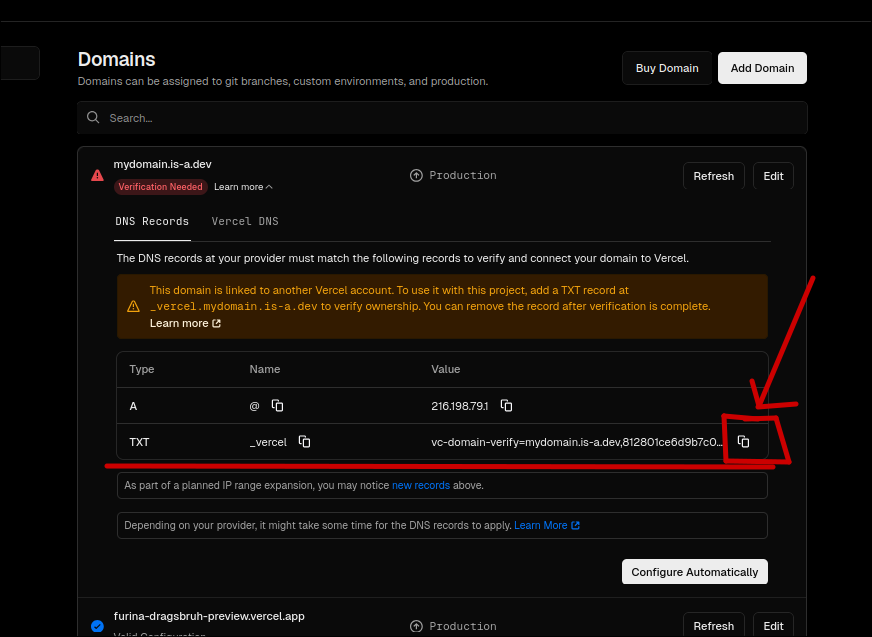
you have now obtained your vercel verification TXT record. you may now use it as shown in the documentation