Wan 3.0 Prompt Filters & Studio Settings FAQ Guide
When a structured cinematography prompt renders like flat stock footage—or a stylized portrait fails pre-check before frame one—the issue rarely lies inside the video diffusion model. In Wan 3.0 cloud pipelines, unexpected rejections, washed-out shadows, and blocked stills trace back to host input/output content guardrails rather than neural engine limits.
Built as a fast-lookup manual for directors and pipeline engineers, this reference leads with a diagnostic FAQ troubleshooting false-positive prompt blocks and silent LLM prompt rewriters, then covers gateway architecture, hosting matrices, genre benchmarks, studio parameters, local hardware tradeoffs, and compliance.
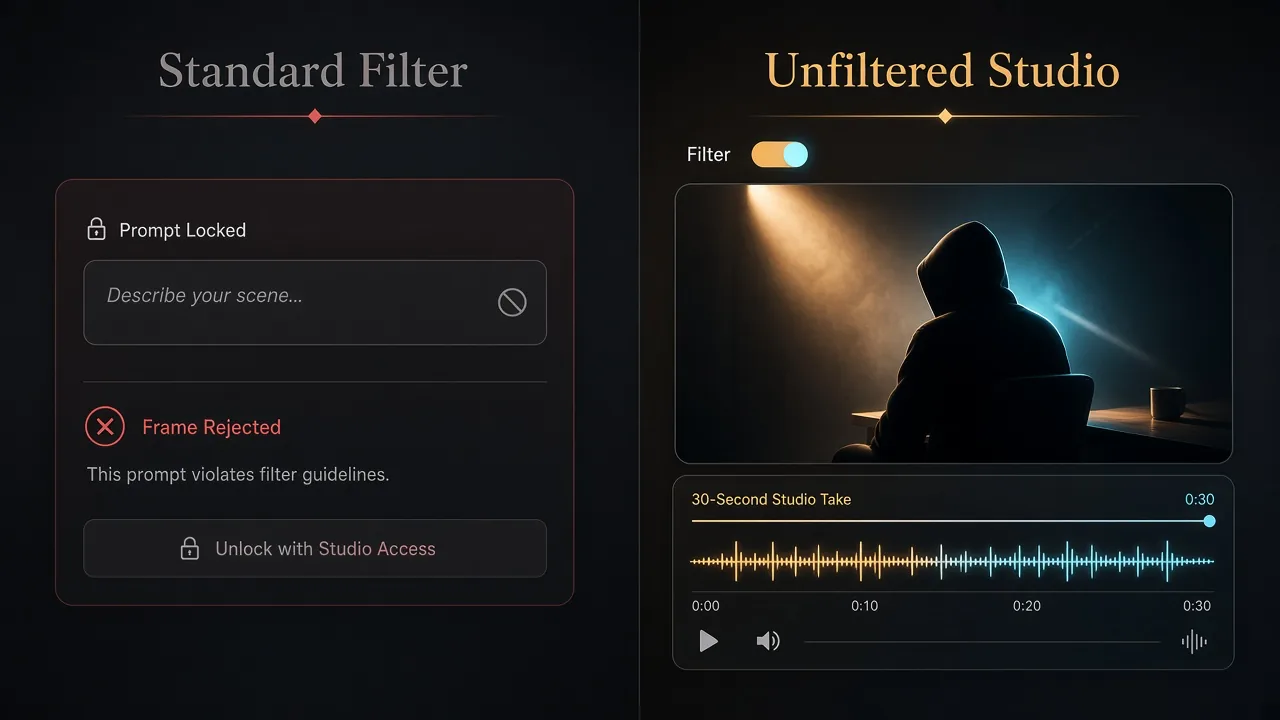
Standard API pre-filter gateways versus an unfiltered Wan 3.0 studio pipeline with 30-second timelines and native audio (Illustration generated with AI)
Quick Reference Summary
- Gatekeeping vs. Weights: Spicy Mode or an unfiltered creative workflow adjusts API moderation thresholds on prompts and stills; it never alters Wan 3.0 neural weights.
- Full Engine Parity: Resolutions (480p, 720p, 1080p), durations (5 seconds up to 30 seconds), Text-to-Video, Image-to-Video, Multi-Reference inputs, and native synchronized audio stay identical.
- Local Ceiling: Wan 3.0 has no official downloadable local weights; local ComfyUI stops at Wan 2.1 and Wan 2.2 (16 GB–24 GB+ VRAM NVIDIA GPUs).
- Compliance: Relaxed thresholds support legitimate fine art, dark genre cinema, and fashion editorials with fictional characters—never illegal material, minors, or non-consensual likenesses.
1. Rapid Diagnostic FAQ: Prompt Rejections, Silent Rewrites & Studio Controls
Q1: Why did my thriller or chiaroscuro prompt render as a bland, brightly lit clip?
- Symptom: Prompts submit cleanly and spend credits, yet crimson rim shadows, alley tension, and contrast flatten into an evenly lit street walk.
- Root Cause: Standard wrappers run silent LLM prompt rewriters ahead of Wan 3.0, paraphrasing suspense, confrontation, or dark shadow terms into neutral prose before inference.
- Fix: Use a dedicated creative studio with a studio-grade moderation policy or Spicy Mode where hidden rewriters are disabled so verbatim camera and lighting tokens reach the model.
Q2: Why do classical figure stills or runway portraits fail on Image-to-Video upload?
- Symptom: Uploading a reference still triggers an immediate refusal—even on classical oil-painting drapery, sculptural lighting, or avant-garde tailoring.
- Root Cause: Consumer gateways run vision classifiers with hair-trigger skin-tone ratio limits, flagging warm tungsten highlights, sheer silk layers, or Caravaggio shadow falloff as false positives.
- Fix: Switch to an unfiltered Image-to-Video or Multi-Reference pipeline whose upload scanner enforces legal red lines without penalizing artistic framing or warm lighting.
Q3: Does Spicy Mode or relaxed moderation reduce 1080p sharpness or motion physics?
- Symptom: Teams worry unrestricted prompt handling routes jobs to a quantized or altered checkpoint.
- Root Cause: Confusing cloud API gateway toggles with third-party local LoRA finetunes.
- Fix: Zero visual penalty exists. Adjusting moderation thresholds only controls whether the gateway blocks or rewrites input; neutral 1080p shots render with identical sharpness, cloth physics, and native audio sync.
Q4: Are there official offline Wan 3.0 unfiltered weights for local ComfyUI rigs?
- Symptom: Forums advertise "offline Wan 3.0 installers" or "local unrestricted Wan 3.0 packs."
- Root Cause: Deceptive repackaging or malware archives exploiting search demand.
- Fix: Avoid unofficial Wan 3.0 archives. Wan 3.0 has no official downloadable local weights. Genuine local ComfyUI stops at Wan 2.1 and Wan 2.2 (16 GB–24 GB+ VRAM NVIDIA GPUs). Use a reputable browser studio for authentic 30-second Wan 3.0 coherence and native audio.
Q5: Does an unfiltered studio policy treat Text-to-Video and Multi-Reference inputs equally?
- Symptom: Written prompts pass moderation on a host while matching character stills fail in Reference Mode.
- Root Cause: Mismatched sensitivity between text blocklists and vision upload filters on consumer wrappers.
- Fix: Dedicated creative studios align thresholds across Text-to-Video, Image-to-Video, and Multi-Reference modes so written cues and character frames pass together.
Q6: Will enabling Spicy Mode risk account bans or void commercial rights?
- Symptom: Creators hesitate to toggle studio controls on client storyboards or indie film accounts.
- Root Cause: Conflating authorized studio settings with terms-of-service violations.
- Fix: Built-in studio toggles for fictional fine art, horror storyboards, or fashion motion comply fully with account standing and commercial terms. Bans only occur when crossing legal red lines—such as non-consensual real-person photos or unlawful material.
2. Gateway Architecture: What Moderation Thresholds Actually Control
Troubleshooting starts by separating the API moderation gateway from the neural diffusion core. On consumer wrappers, four automated checkpoints inspect submissions before or after GPU compute:
- Static Keyword Blocklists: Reject terms tied to thriller conflict, horror tension, sculpture anatomy, or bold runway silhouettes.
- Silent LLM Prompt Sanitization: Paraphrases high-contrast artistic descriptions into mild prose, erasing lighting and suspense cues unannounced.
- Pre-Flight Vision Scanners: Reject uploaded stills featuring warm chiaroscuro skin tones, swimwear tailoring, or classical drapery prior to inference.
- Post-Render Frame Audits: Abort clip delivery if crimson lighting or shadow-heavy portrait framing crosses conservative limits mid-render.
In an unfiltered creative workflow, arbitrary aesthetic filters and silent rewriters step aside while core legal safeguards stay active, passing your exact lens, lighting, motion, and reference stills to Wan 3.0 intact. See the Wan 3.0 technical documentation hub for broader multi-modal architecture specs.
3. Hosting Environment Matrix: Where Studio Policies Diverge
Because Wan 3.0 runs strictly on cloud clusters, identical prompts behave differently depending on the host's gateway:
| Hosting Category | Spicy / Relaxed Option? | Prompt & Upload Behavior | Best Operational Fit |
|---|---|---|---|
| Dedicated Creative Studios | Yes (Studio policy) | Passes verbatim prompts and stylized stills without blocklists or silent rewriting; supports 5s–30s clips up to 1080p with native audio | Fine-art figure studies, neon noir & horror storyboards, fashion motion, fictional drama |
| Mainstream Cloud Wrappers | No (Strict guardrails) | Enforces lexical filters, vision upload blocks, and silent prompt dilution on dramatic or shadow-heavy scenes | Corporate SaaS explainers, neutral product demos, commercial B-roll |
| Public Showcase Demos | No (Fixed limits) | Conservative public ceilings, zero toggles, shorter duration caps, and queue throttling | Quick capability previews with neutral landscape or object prompts |
| Hugging Face Spaces | No (Shared filters) | Enforces public safety checkers and hosts older open weights (Wan 2.1 / Wan 2.2) rather than Wan 3.0 | Inspecting legacy open-weight node graphs and community demos |
Our complete side-by-side Wan 3.0 filter test notes show how identical camera and lighting tokens respond once pre-generation sanitizers are turned off.
4. Three Cinematography Benchmarks: Filtered vs. Unfiltered Studio Runs
We benchmarked three safe-for-work, high-craft genres using identical prompts and stills across a filtered wrapper and an unfiltered Wan 3.0 studio.
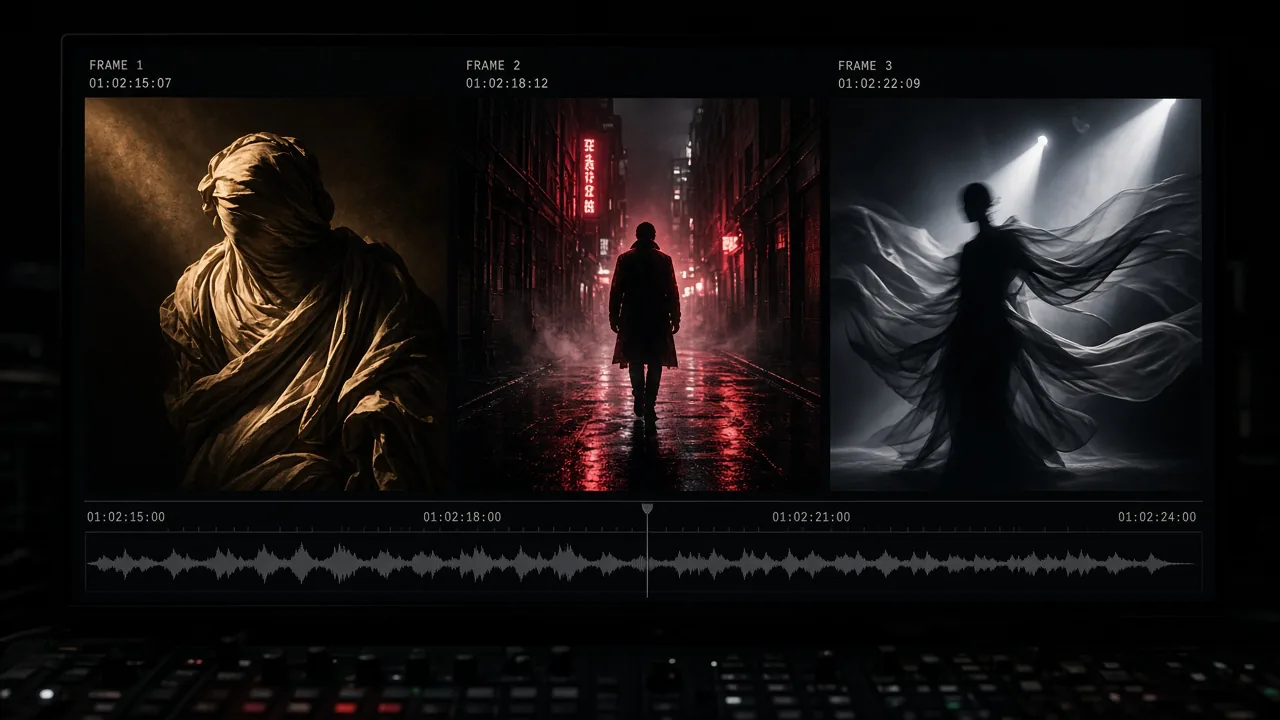
Three Wan 3.0 benchmarks evaluating chiaroscuro sculpture lighting, neon noir suspense, and runway silk physics (Illustration generated with AI)
Benchmark 1: Classical Chiaroscuro Figure & Sculpture Study
- Setup: Image-to-Video (1080p, 10-second clip). Oil-painting aesthetic figure draped in ivory silk under warm Caravaggio side lighting, slow dolly-in on an 85mm shallow depth of field lens.
- Filtered Wrapper: Intermittent upload blocks; wide shots passed twice, while tighter crops with warm skin highlights triggered pre-check refusals.
- Unfiltered Studio: Cleared upload on pass one, preserving brushwork texture, breathing cadence, silk fold weight, and smooth shadow falloff.
- Takeaway: Raw rendering quality matches whenever mild prompts clear both hosts; relaxed thresholds stop unpredictable upload blocks on classical lighting ratios.
Benchmark 2: Psychological Horror & Rain-Soaked Neon Noir
- Setup: Text-to-Video (1080p, 15-second clip, native audio). Tense rain-soaked alley confrontation, crimson rim lighting, wet asphalt reflections, handheld close-up, splashing footsteps, and suspense drone audio.
- Filtered Wrapper: Flagged confrontation terms; once softened, the silent rewriter flattened crimson contrast into a calm walk down an evenly lit street.
- Unfiltered Studio: Rendered verbatim with crimson edge highlights, urgent pacing, wet coat sheen, and synchronized footsteps over tense ambient sound.
- Takeaway: Horror, neo-noir, and thriller storyboards rely on unfiltered delivery so hidden wrappers do not erase mood and audio tension.
Benchmark 3: Avant-Garde Runway & High-Fashion Editorial Motion
- Setup: Multi-Reference Image-to-Video (1080p, 15-second slow-motion walk) featuring sculptural couture and flowing translucent silk under studio spotlights with fabric rustle acoustics.
- Filtered Wrapper: Blocked immediately at upload before spending credits, as scanners misread spotlight silhouettes and sheer runway layering.
- Unfiltered Studio: Accepted all stills cleanly, locking facial identity, garment structure, and smooth silk physics across the full walk.
- Takeaway: Reference-driven fashion pipelines gain the biggest reliability boost because strict vision bots routinely block stylized portraits at upload.
5. Production Triage: When Unfiltered Thresholds Matter vs. Standard APIs
Workloads Requiring Unfiltered Studio Thresholds
- Fine Art & Sculptural Studies: Museum lighting tests, choreography, and figure compositions where high skin-to-shadow contrast trips naive upload bots.
- Horror, Noir & Speculative Cinema: Animatics, alley chases, creature design, and suspense shots needing faithful shadow contrast and eerie soundscapes.
- High-Fashion Editorial & Runway Reels: Avant-garde couture lookbooks, swimwear campaigns, and flowing silk physics studies prone to false-positive blocks.
- Fictional Character Drama: Multi-shot storytelling around original adult AI personas across 15-second to 30-second takes.
Workloads Where Standard Endpoints Suffice
- Corporate SaaS & Product Demos: Software explainers, hardware turntables, architectural walkthroughs, and clean commercial B-roll.
- Paid Social Ad Assets: Clips built directly for Meta, TikTok, or YouTube ad managers, which enforce strict downstream ad-review rules regardless of generation host.
- General Brand Content: All-ages marketing videos well inside conservative margins.
6. Four-Step Studio Configuration & Cinematographic Prompt Checklist
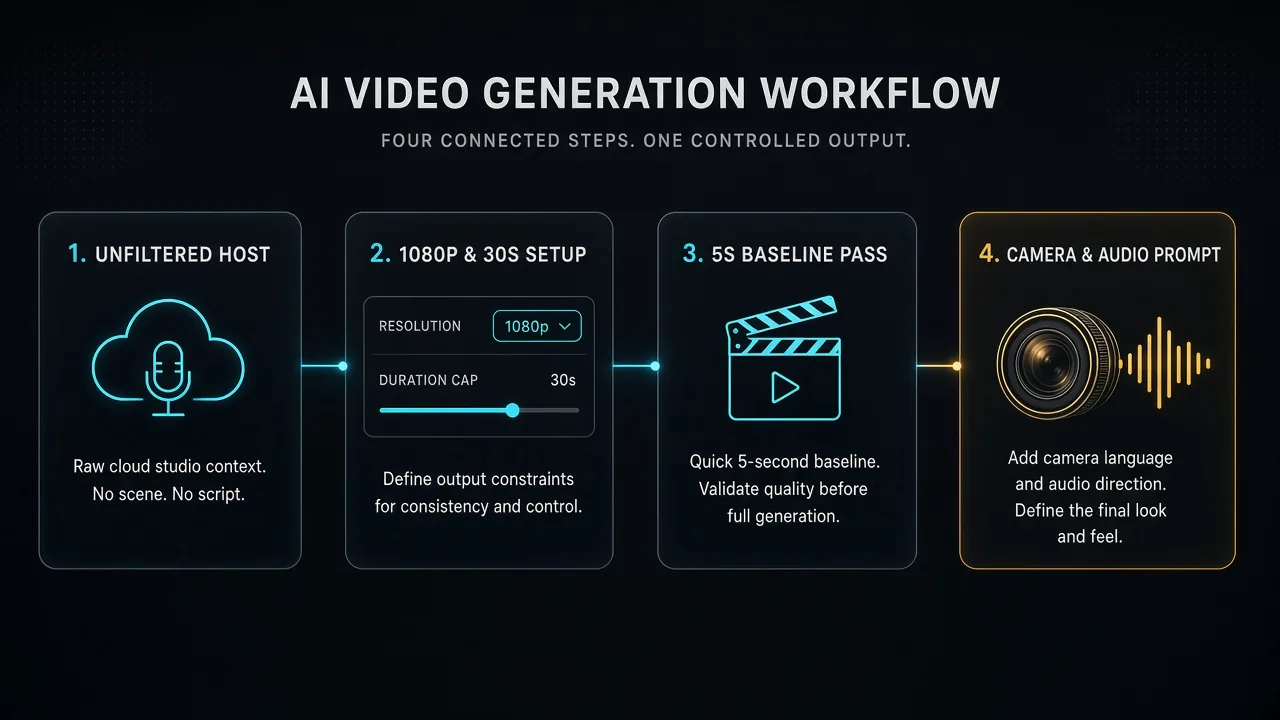
Four-step Wan 3.0 studio checklist covering workspace selection, 480p-to-1080p parameter tuning, 5-second baseline passes, and cinematographic prompt engineering (Illustration generated with AI)
Step 1: Select a Studio Without Silent Prompt Rewriters
Open a creative cloud workspace supporting a studio-grade moderation policy with upfront credit previews and raw prompt pass-through.
Step 2: Configure Mode, Resolution & Clip Duration
- Model & Policy Toggle: Select Wan 3.0 and enable Spicy Mode or relaxed creative thresholds.
- Input Pipeline: Choose Text-to-Video for concept blocking, Image-to-Video for locked keyframes, or Multi-Reference to preserve face, outfit, and lighting across shots.
- Resolution & Timeline: Pick 480p or 720p for layout tests and 1080p for finals, setting durations from 5 seconds up to 30 seconds with native audio enabled.
Step 3: Validate With a 5-Second Baseline Pass First
Before spending credits on a 15-second or 30-second 1080p render, run a 5-second baseline pass at 480p or 720p to verify framing, lighting mood, garment stability, and audio pacing cheaply.
Step 4: Direct With Concrete Optics, Lighting & Audio Cues
Structure every prompt across four concrete pillars rather than vague adjectives:
- Camera & Lens Optics: Specify 85mm shallow depth of field, slow dolly-in, locked-off tripod medium shot, or handheld shoulder tracking.
- Lighting & Texture: Call out warm tungsten key light, crimson rim backlight, wet pavement reflections, and subtle 35mm film grain.
- Sequential Motion Beats: Write actions chronologically (turns toward the window, exhales softly, silk collar shifts in the breeze) instead of stacking conflicting movements.
- Synchronized Audio Cues: Add Foley terms—silk fabric rustle, footsteps on wet stone, or low ambient room tone—so native audio locks to screen events.
7. Cloud Unfiltered Wan 3.0 vs. Local Open-Weight ComfyUI Pipelines
Engineers often compare cloud unfiltered Wan 3.0 workspaces against local ComfyUI setups:
| Dimension | Cloud Unfiltered Wan 3.0 Studio | Local Open-Weight Setup (Wan 2.1 / Wan 2.2 + LoRAs) |
|---|---|---|
| Mechanism | Relaxes API gateway thresholds ahead of Wan 3.0 weights | Runs earlier open weights locally with third-party LoRA adapters |
| Capabilities | Full Wan 3.0 set: 480p/720p/1080p, 5s–30s clips, Multi-Reference, native audio | Capped at Wan 2.1 and Wan 2.2; shorter clip limits and separate audio tools |
| Hardware | Zero local GPU needed; runs in any modern browser | Demands 16 GB–24 GB+ VRAM NVIDIA GPU, Python setup, and ComfyUI maintenance |
| Fidelity | Flagship temporal coherence with zero adapter degradation | Variable; poorly tuned LoRAs often cause facial drift or flicker |
| Security | Managed browser studio; zero untrusted local binaries | Safe with verified Hugging Face weights, high risk on fake "offline installers" |
Offline Wan 2.1 and Wan 2.2 rigs suit teams needing air-gapped storage and custom ComfyUI nodes. When projects require Wan 3.0's 30-second continuity, native audio sync, and 1080p polish without false-positive blocks, a cloud studio is the authentic route—as detailed in our documented Wan 3.0 studio moderation benchmark.
8. Compliance Boundaries, Legal Guardrails & Asset Hygiene
An unfiltered creative workflow lifts overbroad aesthetic filters—never legal or ethical accountability. Every legitimate studio enforces strict red lines:
- Fictional Adult Characters Only: Restrict relaxed workflows to original fictional adult personas or authorized assets. Zero tolerance applies to any depiction involving minors or underage-appearing subjects.
- No Non-Consensual Real-Person Likenesses: Uploading photos or generating depictions of real, identifiable individuals without documented consent violates platform terms and US TAKE IT DOWN Act principles.
- Zero Unlawful Material: Harassment, defamation, non-consensual harm, unlawful violence, and copyright infringement remain strictly prohibited.
- Local Backup & Distribution Hygiene: Archive approved 1080p masters locally after each session in case cloud retention windows change, and verify downstream disclosure and ad-network standards before publishing.