Hello! I'm RAXXER, commonly knows as Razer or Crazer. This rentry will explain some extra little neat things you can do for your voicebanks
before going further it's highly recommended to follow the Voicebank creation guide document in #tools-and-utilities
despite the circumstances, this document will not disappear, if you really need help contact me at razer_rhela on discord
EpR Estimation
EpR stands for Excitation Plus Resonances or Estimated Pitch Range, we are going with the latter, if you're familiar with RVC, it could be compared with Index file. While not needed, it DOES ad a significant amount of extra quality to your voicebanks
I'm not that well-versed with the actual science behind EpR, I can tell you how to set it up!
here are first some examples between a voicebank without and with EpR estimation template
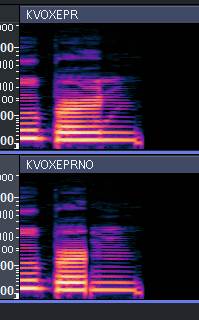
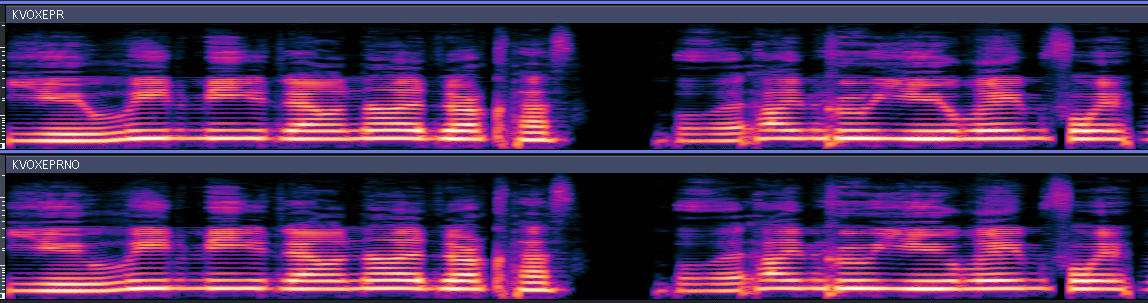
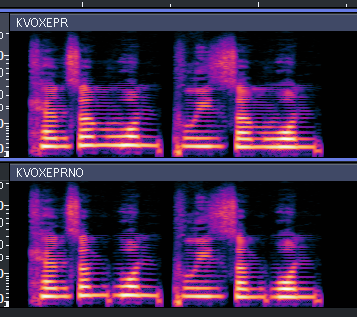
convinced yet? it's most notable on sibilant sounds, transitions are also more supported by it
erm so what now?
Did you already start making a voicebank? well good! now you can throw most of that away!
haha, just kidding, if you haven't done much editing outside the initial segmentation, you can just restart with a new folder, keeping all your original segs, if you have...I'm sorry for your loss
if you are using DaisyAnnotationTool to segment your voicebanks, you can make the rest but then make the stationaries in VocaloidDBTool3 instead
Dictionary
before remaking your voicebank folder, you gotta make sure you have the EpR templates at the end of your dictionary, they look something like this;
add this at the very top of the chain
replacing * with your vowels... it could look something like this
ect ect ect...
make sure it starts with default_epr_resonances_templates
default numbers in the dictionary itself can be left alone, if you want to add your own do so in Custom filled EpR template, it's separate from the dictionary
Setting up STA
To take full effect of the EpR, we must string the stationary recordings together. this same behavior was seen in one of the Spanish documentations of the toolkit
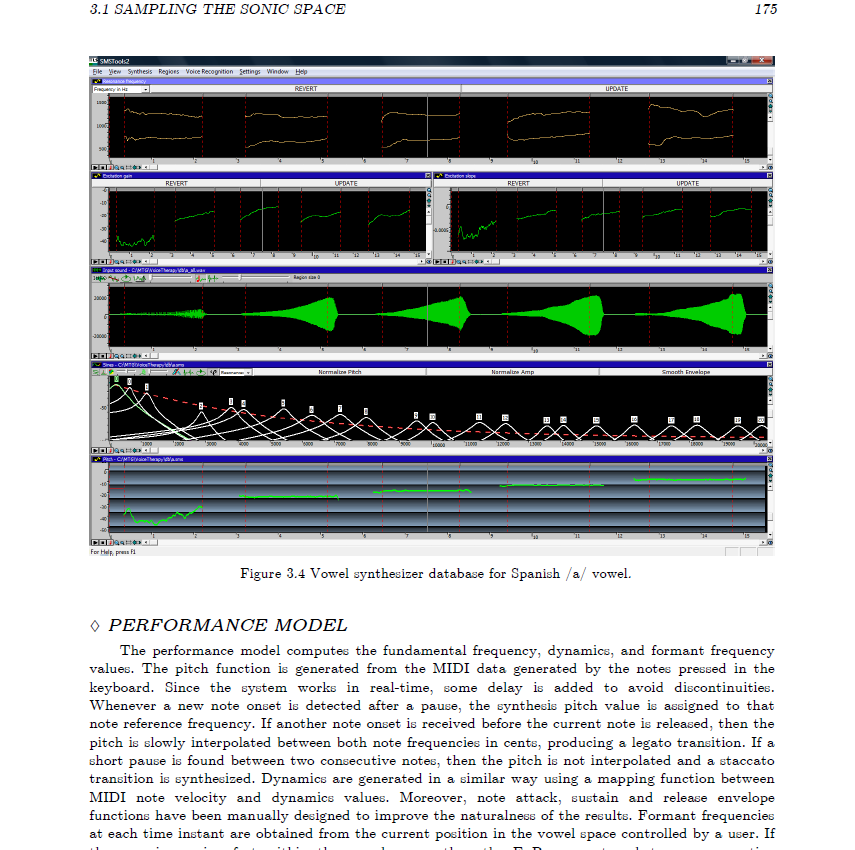
You basically take all the stationary pitches of one vowel, and string them from lowest pitch to highest pitch*
*I'm actually unsure if order matters, but it's the cleanest

↓

these are for [a], you should do this wit the rest of your stationaries too. EpR estimated for consonants are estimated based on your regular configs (so far i know)
segmenting
now is the easiest part, if you already made a voicebank before, and want to add EpR templates, simply take the .wav .seg and .trans files, make sure to not include the old stationaries. make blank .trans files for your stationaries
make a new singer database folder, choosing the dictionary you added your EpR templates in, and open Automatic Segmentation
for a cleaner workspace, I separate my STA wav folder, you don't have to do this
click on Edit Transcription and add the correct amount of phonemes for the amount of pitches you stringed together, in my case, 5
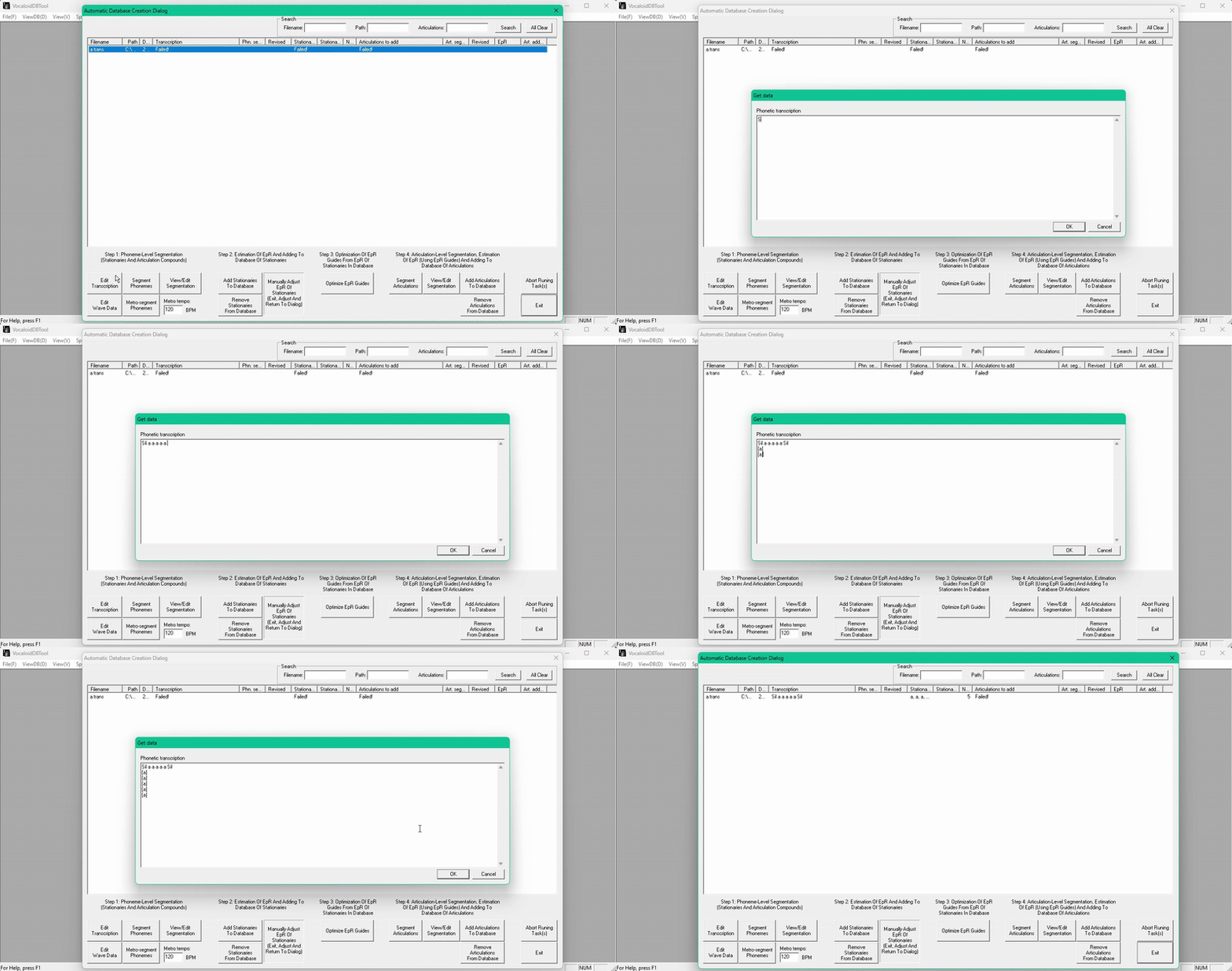
and configure your stationaries like normal!
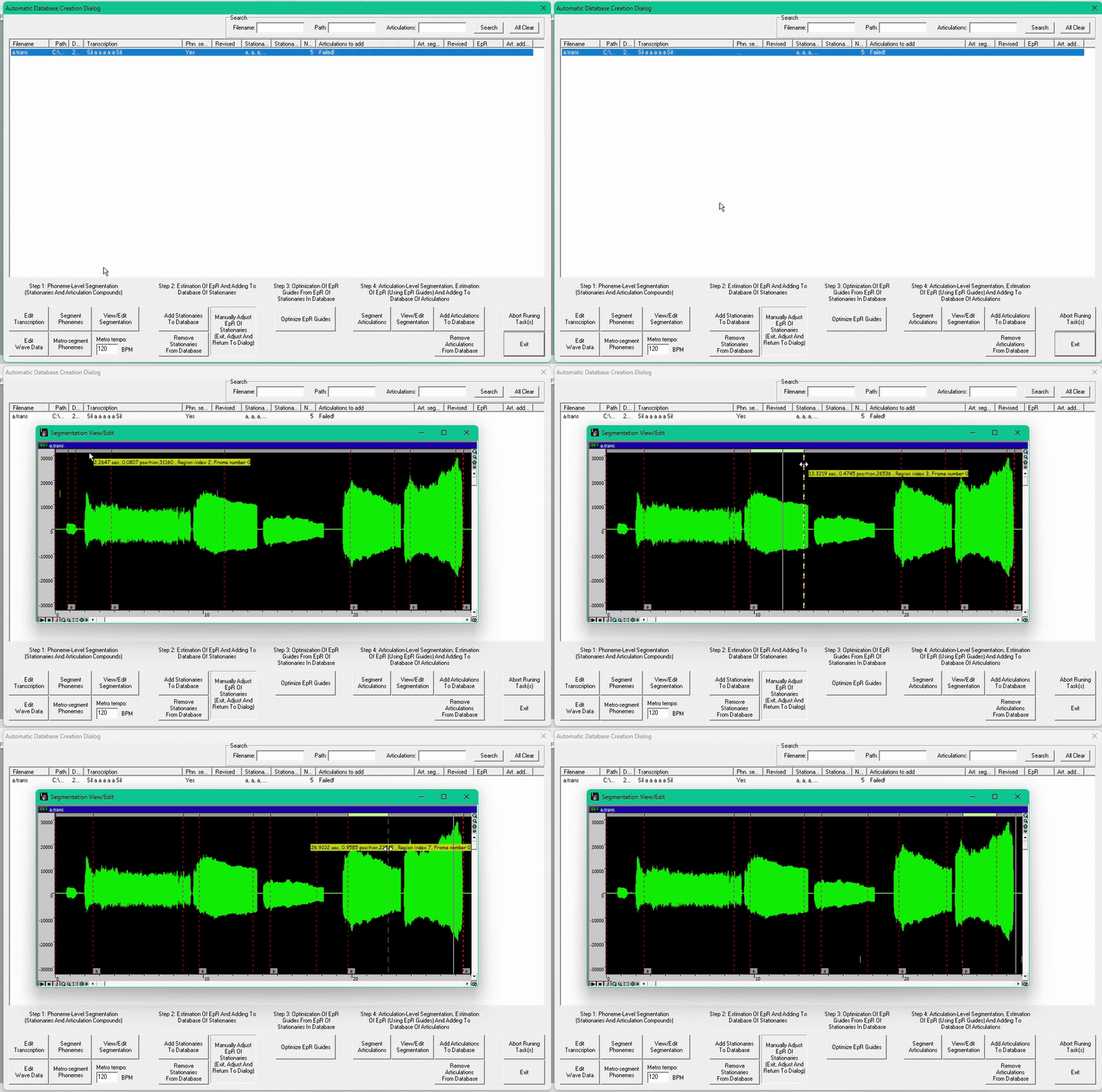
add the stationaries to the data base like normal, could take a bit longer than usual
(OPTIONAL) If you wanna specify the EpR guide yourself, please go to Custom filled EpR template, you can skip the rest of this section if you decide to do so.
then click on Optimize EpR Guides ............Magic happens here!!!!!!!!! (not really)
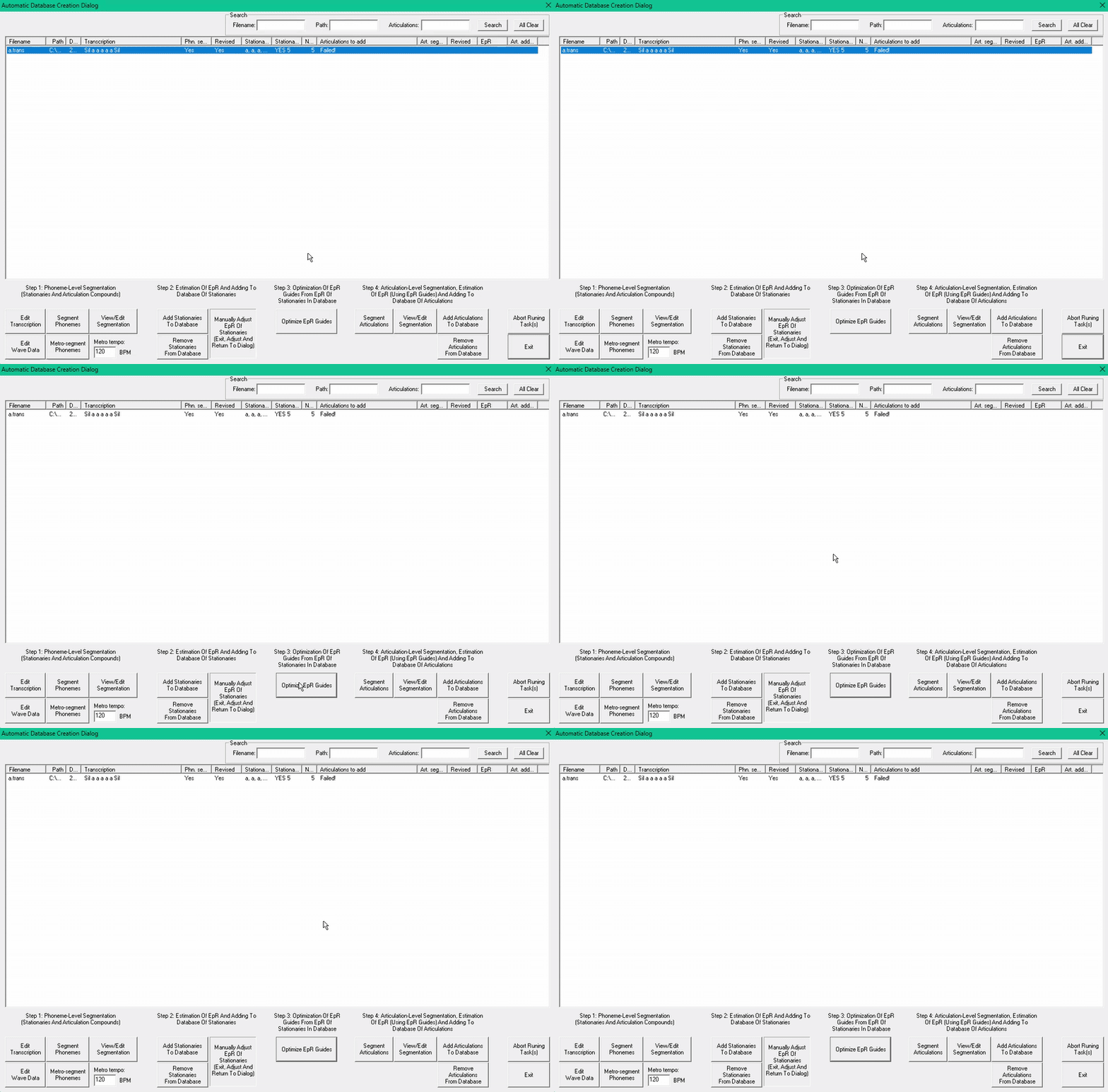
it did... nothing? Would you be surprised that this is a good thing?
if you have more than one stationary configured, it will pull up a loading bar
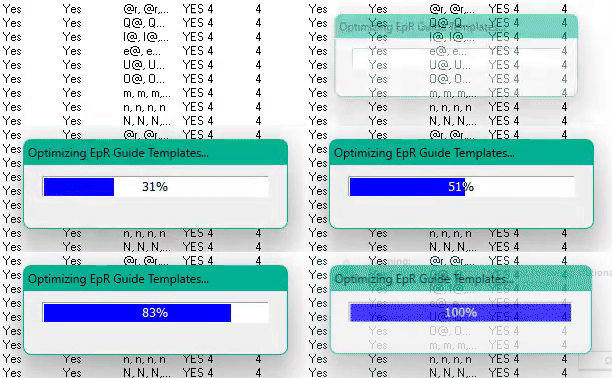
making sure it actually made anything
if you go to the location you made your voice folder in, you can see a file named epr_templates.txt, it should have entries filled out
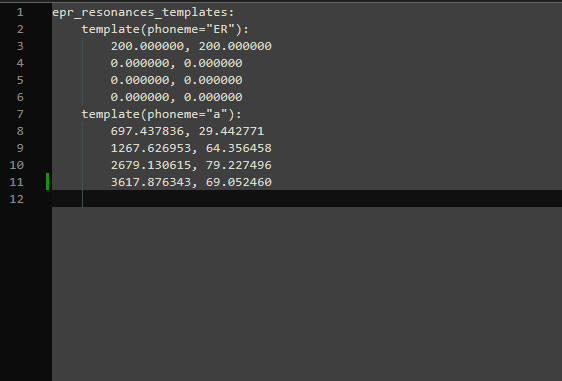
thats it lol, add the rest of the voicebank back, segment articulations, and there you have it, your very own EpR for your stinky vocaloid and everyone will pat your back becus ir such a good boy!
Errors
Failed to estimate EpR for first and/or last frame
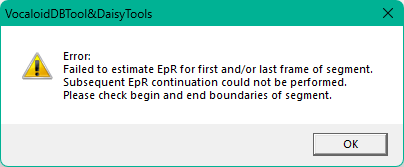
->your placements are too close to each other or you have a tabulation character (usually generated by pressing TAB) just before/on top the EpR string
The manually estimated EpR of the following stationaries might not be consistent across all pitches
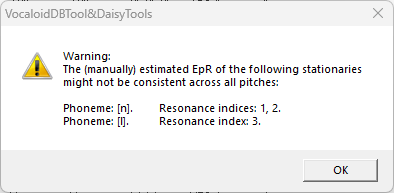
it wasn't able to read the pitch line, not that harmful
Custom filled EpR template
customising the default numbers using PRAAT
You may have noticed this text next to the stationary step 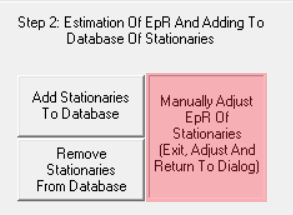
Well be doing this in this step, it's recommended to have PRAAT installed for this, unless you have a different program that can give you formants and bands. close automatic segmentation
there should be a file called epr_templates.txt with the defaults numbers that came with the dictionary inside
Open it, and keep it to the side, next is to open Praat
open your previously stringed stationary via Open>Read from File or Open>Open Long Sound File, this should open a window showing your wavfile
select the one you want to view, then select on View and Edit this opens a new window showing your wav, make sure you're zoomed in enough to see the bottom part of the window
now, select the stationary, any, from my testing, it doesn't matter what pitch you chose, but for my own workflow i take the pitch that sits the most naturally in the VB
drag the selection over the stationary, make sure to not deselect it
then view the tabs in formants , press Show formants a bit further down, you should notice that you can view formants for 4 points, along side their bands, we need these
pressing the shortcut F1, of clicking manually, pulls up a new window, showing the numbers, our attention will be brought back to the epr_templates.txt file, an entry should look like this
before the comma, are the Formants, after the comma are the Bands, with this information we can fill out the epr_templates.txt file, for example, the first Formants are 1095.4409956453749 and the given bands are 105.60436272944551, you only really need the numbers before the dot, filling out the template like this
do this with the rest of the formants and bands, resulting in something like this
repeat these steps with the rest of your stationaries, after you're done with that, go back into automatic segmentation, and press Optimize EpR Guides in Step 3
your original epr_templates.txt should now be replaced, and optimized based on your initial numbers, continue with regular dev after this
Does it actually make a difference compared to going in without customizing them?
slightly, this is actually something that needs more testing
LSF (Line Spectral Frequencies)
pressing Compute LSF (remake EpR) breaks multiple parameter settings
pressing Compute LSF (Keep EpR) breaks v4dev, and crashes when compiled
Stable Marks (Loop Region)
you can actually change at what point it loops the CV, determining when it sets the stationary in the most stable part of the sample, CV's are not actually extended by stationaries, but they help formant the sample (iirc) WIP
phn_seg.py
Phn_seg.py is used by the devkit to estimate the placements of the phonems, It's the original file called whilst clicking Segment phonems. it estimates the placements based on volume. it's not really needed if you are using DaisyAnnotationTool
you could find the file by searching on it in the server, somewhere
if you followed the original docs file, you should have Python 3.10 already installed
in the location you have your VocaloidDBTool3.exe, make a new folder called scripts
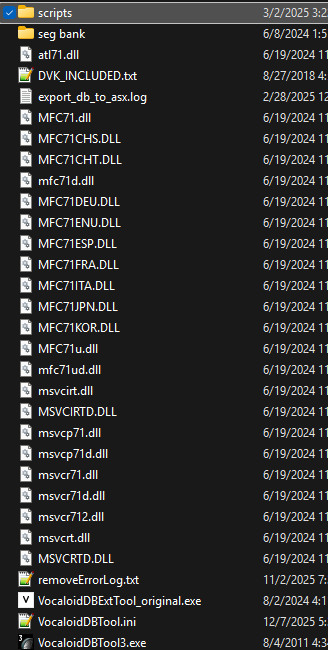
place your phn_seg.py in it
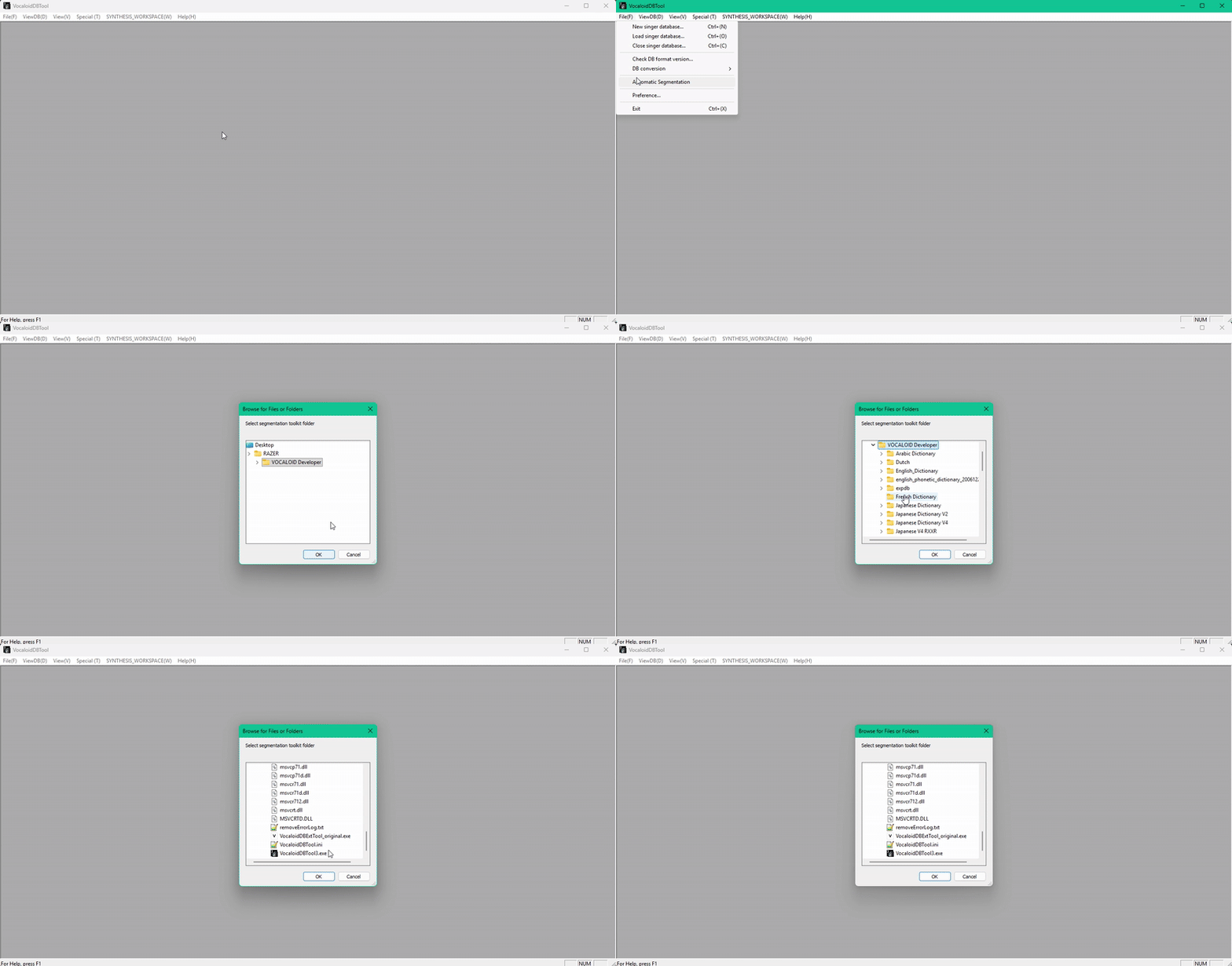
while opening segmentation, make sure to pick the folder where your VocaloidDBTool3.exe is, it should do it's thing after you press, segment phonemes
Being based on python, it does NOT like spaces in your voicebank location, please keep that in mind
be warned, it's placing these based on volume of your sample.... won't be the most accurate thing alive, but quite neat
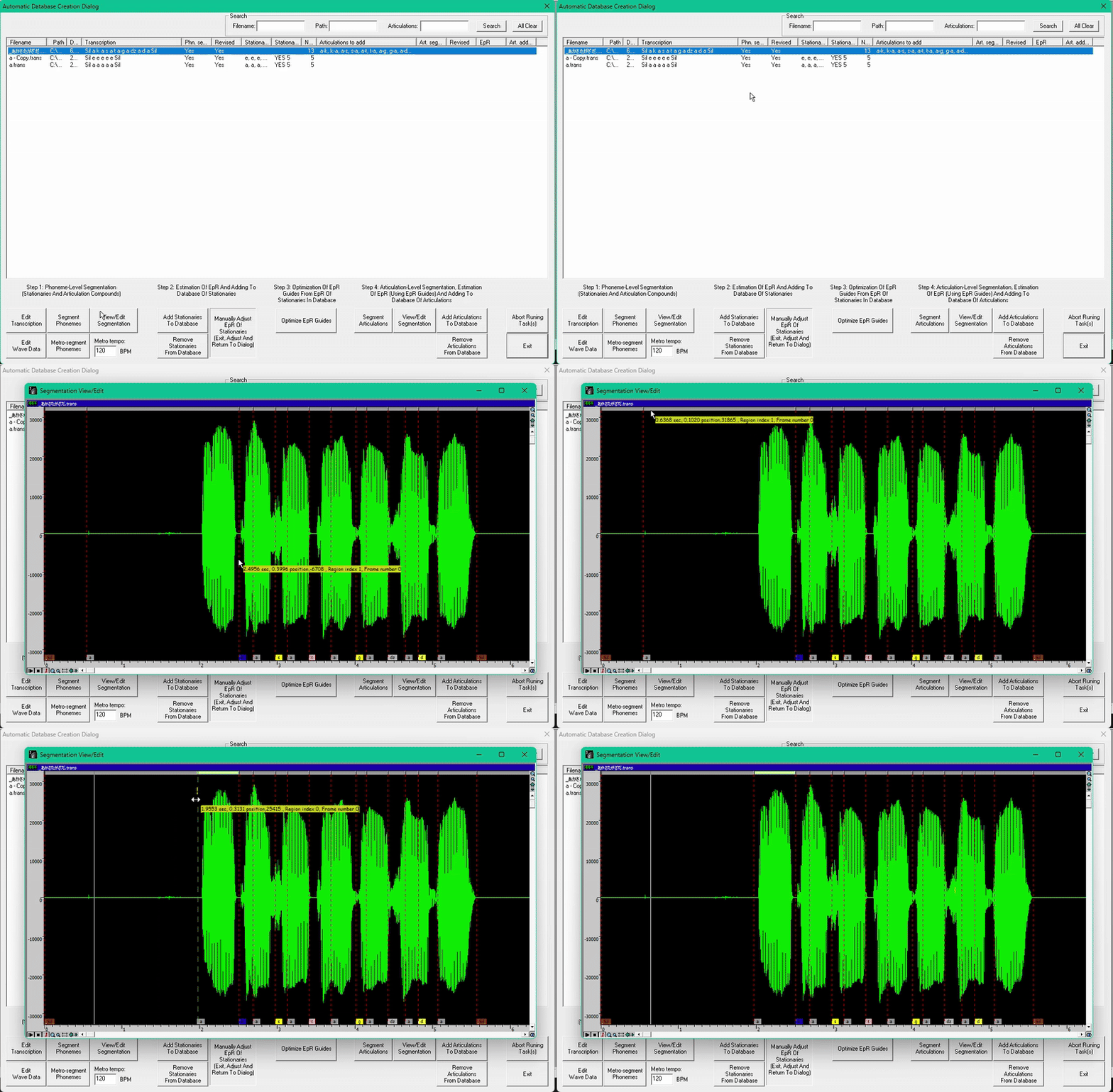
devkit mentions of being able to metro-segment phonems, in theory another .py file, but we don't have that one, :[
PLEASE USE KVOX THIS IS PROPAGANDA