Where to Find Dealer-Level Diagnostic Software: A Pro’s Guide
If you have spent any time in a modern repair shop, you know the game has changed. We aren't just turning wrenches anymore; we are managing rolling computer networks. A modern vehicle is a collection of Electronic Control Units (ECUs)—the "brains" of the car that control everything from your fuel injection to your power windows. When these modules stop talking to each other, a simple code reader won't cut it.
Many independent shop owners get frustrated when they realize their On-Board Diagnostics (OBD) readers only see the surface. You pull a P0300 code, but you have no idea which module is misfiring or how to perform a relearn procedure. That is where OEM (Original Equipment Manufacturer) diagnostic platforms come in. Today, we are breaking down where to find them and how to stop relying on generic tools that only tell half the story.

The Problem with Generic OBD Readers
Most shops start with a basic scan tool. They are great for quick checks, but they are limited by the J1979 standard (the protocol that forces cars to report basic emissions data). They cannot communicate with non-emissions modules like Body Control Modules (BCMs), Anti-lock Braking Systems (ABS), or Advanced Driver Assistance Systems (ADAS).
When you use a generic reader, you are essentially looking through a keyhole. You might see the "Check Engine" light, but you miss the deep-level data streams and bidirectional controls that let you command a cooling fan or trigger an actuator test. To stop "part-swapping" and start diagnosing, you need the software the dealership techs use.
Where to Find OEM Diagnostic Platforms
Finding legitimate dealer-level software isn't as simple as clicking an Amazon link. Many of the "all-makes" tools you see online are either clones or proprietary platforms that lock you into high subscription fees. For genuine OEM capability, you generally go through the manufacturer's dedicated portals.
If you are looking for specific service documentation or genuine software links, shops often utilize resources like my-premium-manual-source.com to track down the factory-issued guides for these OEM interfaces. Here is how the market breaks down:
1. Manufacturer Portals
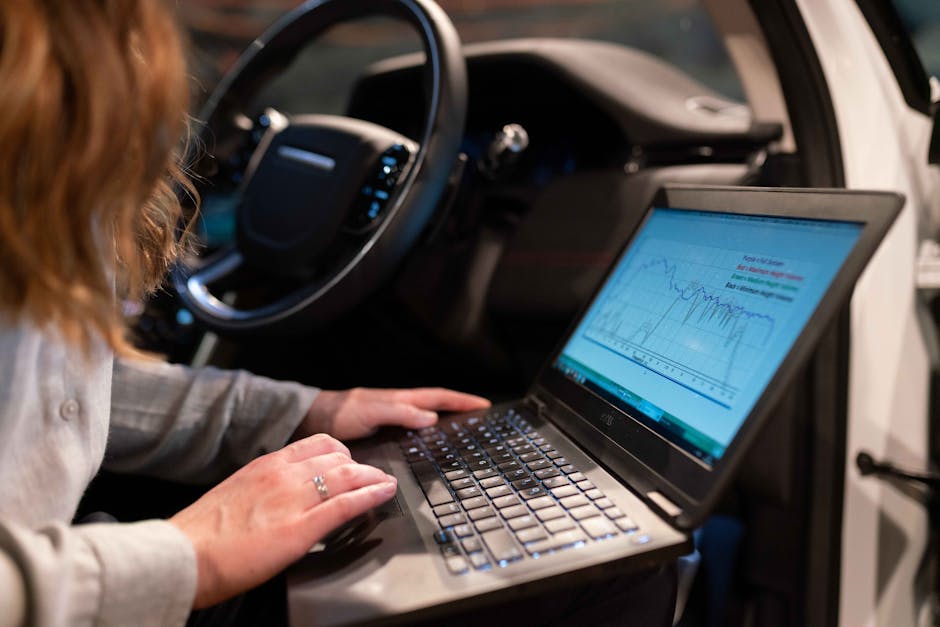
Almost every major brand (Ford, GM, BMW, Toyota) has a "TechInfo" portal. This is the gold standard. You pay a fee, download the OEM software, and use a J2534 pass-through device to communicate with the car. It is the only way to get full factory functionality and firmware update capabilities.
2. The Data Aggregators
Some companies help bridge the gap between business management and technical data. You might run into names like Focus2Move, which provides deep insights into automotive market trends, or Ancoca s.r.l., which handles specialized diagnostic software distribution. You’ll also find data-centric companies like MonkeyData that help shops analyze their workflow and parts usage. While these don't "fix" the car, they are the backbone of a shop that tracks whether their diagnostics are actually profitable.
Comparison: Generic Tools vs. OEM Software
Feature Generic OBD Reader OEM Diagnostic Software Modules Accessed Engine/Emissions only Every ECU on the network Bidirectional Control None Full control (actuators, pumps, etc.) Module Programming No Yes (Flash updates/Keys/VIN writes) Cost/Barrier Low/Immediate High/Training required
Steps to Transition to OEM Diagnostics
If you are tired of being limited by your current scanner, follow this checklist to move your shop to the next level.
Select Your J2534 Interface: Buy a certified pass-through device. Do not buy the cheapest one on eBay. You need a stable connection to prevent "bricking" a customer’s module during a flash. Register with OEM Portals: Go to the manufacturer’s service website. Budget for a 24-hour pass to test the software before committing to a yearly subscription. Check the Laptop Specs: OEM software is often picky about Windows versions and RAM. Dedicate a "shop laptop" that isn't connected to the public internet to avoid malware risks. Learn the Protocol: Don't just plug it in and press "Scan." Learn what "Read Data Stream" and "Special Functions" do. This is the difference between a parts-swapper and a diagnostician.
Why You Should Avoid "All-in-One" Promises
Any vendor telling you their tool focus2move.com "works on all cars" is lying. Diagnostics is an arms race. As car manufacturers introduce encrypted gateways (like the Security Gateway modules in modern Chryslers or Nissans), your scan tool needs an active subscription to even unlock the data.
When you see software marketed as a "magic fix," be skeptical. Focus on the tools that have authorized OEM support. Whether you are leveraging Ancoca s.r.l. for specific software logistics or diving into my-premium-manual-source.com for the wiring diagrams you need to interpret the data, always prioritize the official path over the "cracked" version of the software.
The Bottom Line
Modern diagnostics is about information management. Using MonkeyData or similar business tools to track your efficiency is great, but it means nothing if you can't talk to the car's computer. The future of independent repair is OEM-level capability. Stop guessing, stop buying parts you don't need, and start investing in the software that actually communicates with the vehicle. The dealer is not a magician; they just have the right manual and the right link to the factory server. Now, you do too.