iOS Sideloading guide
FAQs:
- Q: What is sideloading?
- tldr: You can't just download a IPA file (Apple's version of APKs) and just install it on the spot. Instead, you need to transfer that IPA to your phone through an external tool, or sideloading. These tools come in various forms, each with their own pros and cons. This guide aims to be as straightforward and concise as possible to help you choose the best one for your purposes.
- Q: Is it safe? Do I need to jailbreak my iDevice? Will I risk voiding my warranty?
- A: The sideloading tools in this guide are free of any harm and will not modify your stock iOS system nor mess up any warranty. However, you need to be wary of where you source your IPAs, recommended sources will be provided here.
A few disclaimers about sideloading:
- Notifcations won't work with sideloaded apps due to how the notification service works on iOS. (except for TrollStore and some paid certs)
- Some bank apps may not work with dev mode ON.
Choose your preferred method:
| Method name | Description | Pros | Cons |
|---|---|---|---|
| TrollStore | The holy grail of iOS sideloading. | Ability to sideload unlimited apps with no revoke, native JIT support, has almost every entitlement (notifications, Game Center, CarPlay,...) | Only supports iOS 14.0 - 17.0 or 16.7 RC (20H18). (Note: iOS 16.7.x is not supported.) |
| Sideloadly | A simple method for beginners if you don't care about the bells and whistles. | Simple and intuitive UI, advanced options (injecting dylibs, exporting IPAs, removing restrictions), Wi-Fi re-signing (still requires a PC), doesn't take up an app slot | On a free developer account, you are limited to 3 apps only and you have to re-sign them every 7 days, requires a PC to setup and re-sign. |
| PlumeImpactor | New kid on the block. | Open-source app, user-friendly UI while being packed with useful features. | Newly released so still not fully polished yet. |
| SideStore + LiveContainer | Probably the best free method for modern iOS version. | Untethered re-signing experience (being able to re-sign on device), | |
| Revoked certs | Confusing but rewarding. | Ability to sideload unlimited apps with no 7-day limit, being able to add app repos, setup without a PC. | Blacklisting, you can't really use a normal VPN (it needs to support a custom DNS) |
| Paid options | For peace-of-mind usage. | Sideload apps without any limits, has a variety of entitlements (depending on where you get your certs), JIT support. | $$$ |
| Sideloader & Legacy-iOS-Kit | For Linux users or advanced users. | Reliable as a backup plan when PlumeImpactor doesn't work. | Could be quite complicated. |
| TestFlight? | For other apps | There are devs who publish apps on TestFlight for easy installation. | A TestFlight app has a limited number of available slots. |
Things to avoid (in my opinion):
- Scarlet: It's not malicious, but its certs get revoked like every two days because it's signed with a public cert. The revoked certs method I recommended will be more stable and reliable
- WSF method: This is a bit of a mixed bag, but the owner of WSF has been accused of being a fraud and he has been causing somewhat of a ruckus on r/sideloaded. Your choice on whether or not to trust him, but this guide will not include the WSF method.
- MySign: https://i.postimg.cc/KcNQ2bVp/IMG-7367.jpg
- Signulous: "advanced technology revocation protection" my ass
I. TrollStore
However, if you don't have a PC (for TrollInstallerX or TrollInstallerMDC), then you have two options:
- install through jailbreaks.app if it's signed (rarely) (signed as of 20/2/2026!)
- install using E-sign + revoked certs -> go to part and follow the instructions. After fully installing TrollStore, you can safely uninstall everything related to E-sign.
TrollApps, web version
This is used to add app sources and install them through TrollStore, just as you would on E-Sign or Feather.
II. Sideloadly:
A visual guide officially recommended by iOSGods themselves:
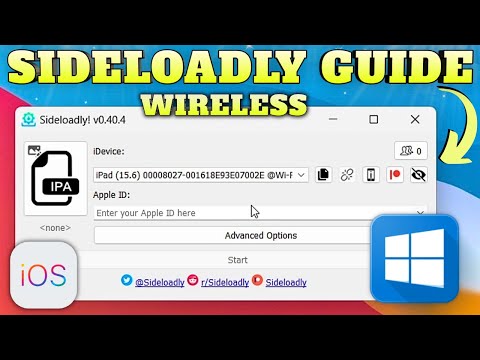
(The written steps will be done on macOS, you can still follow the guide if you have Windows)
Step 1: Download Sideloadly
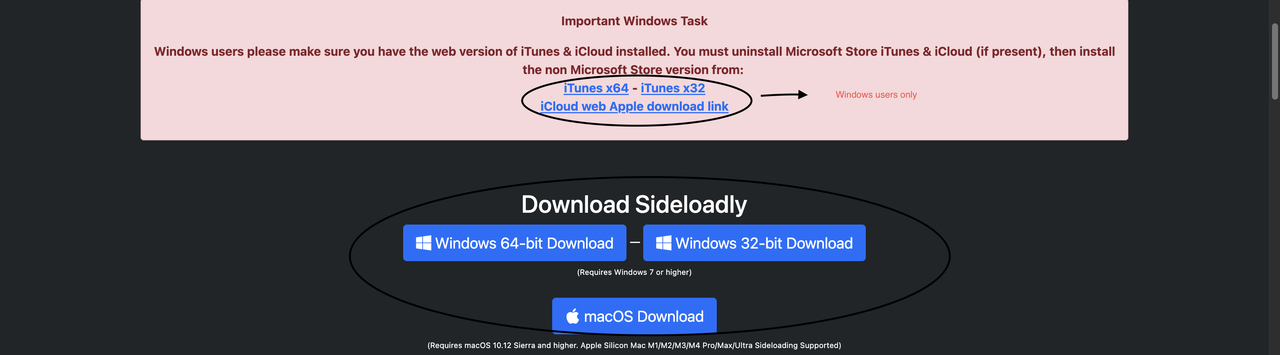
(OPTIONAL): Make a new Apple ID since some issues are resolved by using a fresh Apple ID.)
WINDOWS ONLY:
Download the linked iTunes and iCloud web version (NOT the Microsoft Store version). Install and launch iTunes with your iDevice plugged in. A popup will appear on your iDevice, asking to "Trust this computer". Click "Trust" and there should be a small phone icon on the top left corner of iTunes. If so, you are ready for the next step.
OPTIONAL: If you want to enable Wi-Fi sideloading (and automatic re-sideloading through Wi-Fi):
Make sure your computer & iOS device are connected to the same network, then follow these instructions according to your OS:
Windows: Open iTunes > Connected Device > Summary > Options > Enable "Sync with this iDevice over Wi-Fi" > Sync & Done.
Latest macOS: Finder > Select your iDevice under 'Locations' > General > Enable "Show this iDevice when on Wi-Fi" > Sync & Done.
Older macOS: Open iTunes > Connected Device > Summary > Options > Enable "Sync with this iDevice over Wi-Fi" > Sync & Done.
In some cases, if Sideloadly is not detecting your device wirelessly, you may need to open iTunes. You also need to have your iDevice screen on for it to be detected.
Afterwards, open Sideloadly and enable the AutoRefresh button (the lil' circle button on the bottom left corner). There should also be a "@Wi-FI" option in the drop down iDevice menu, in addition to the "@USB" option.
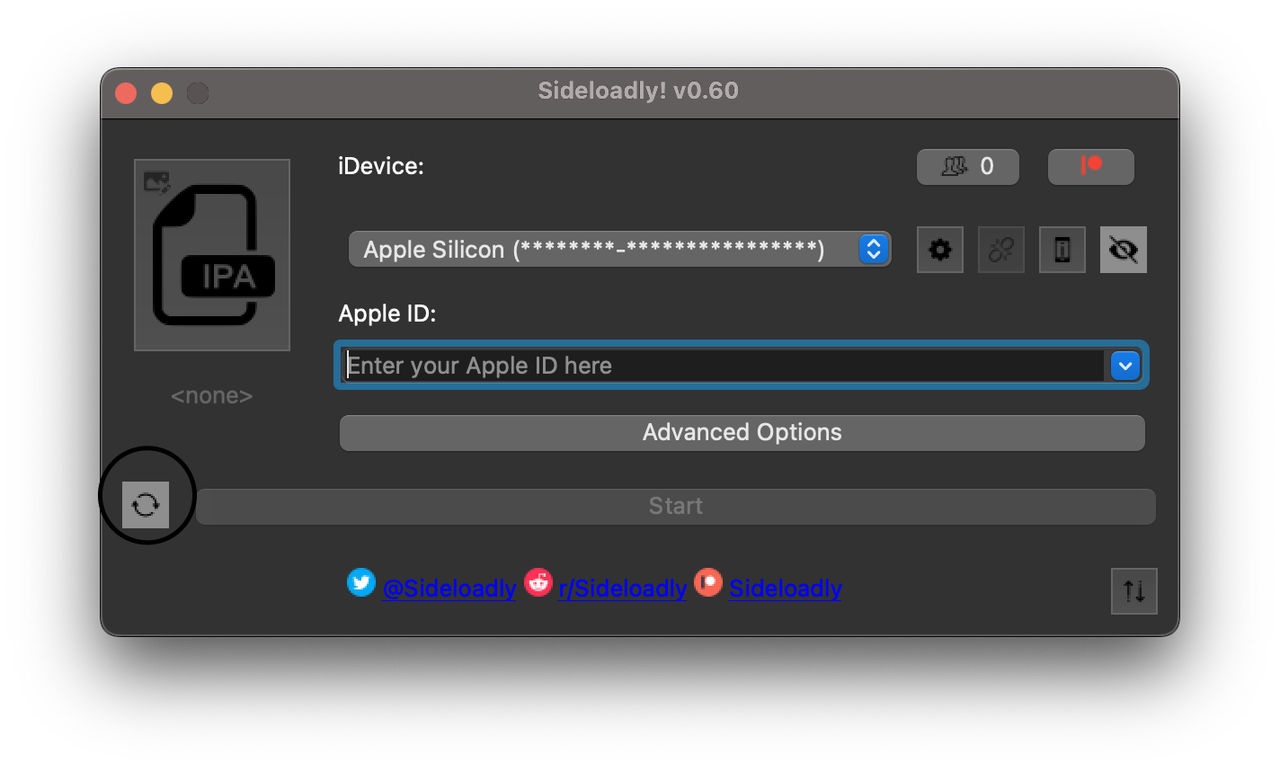
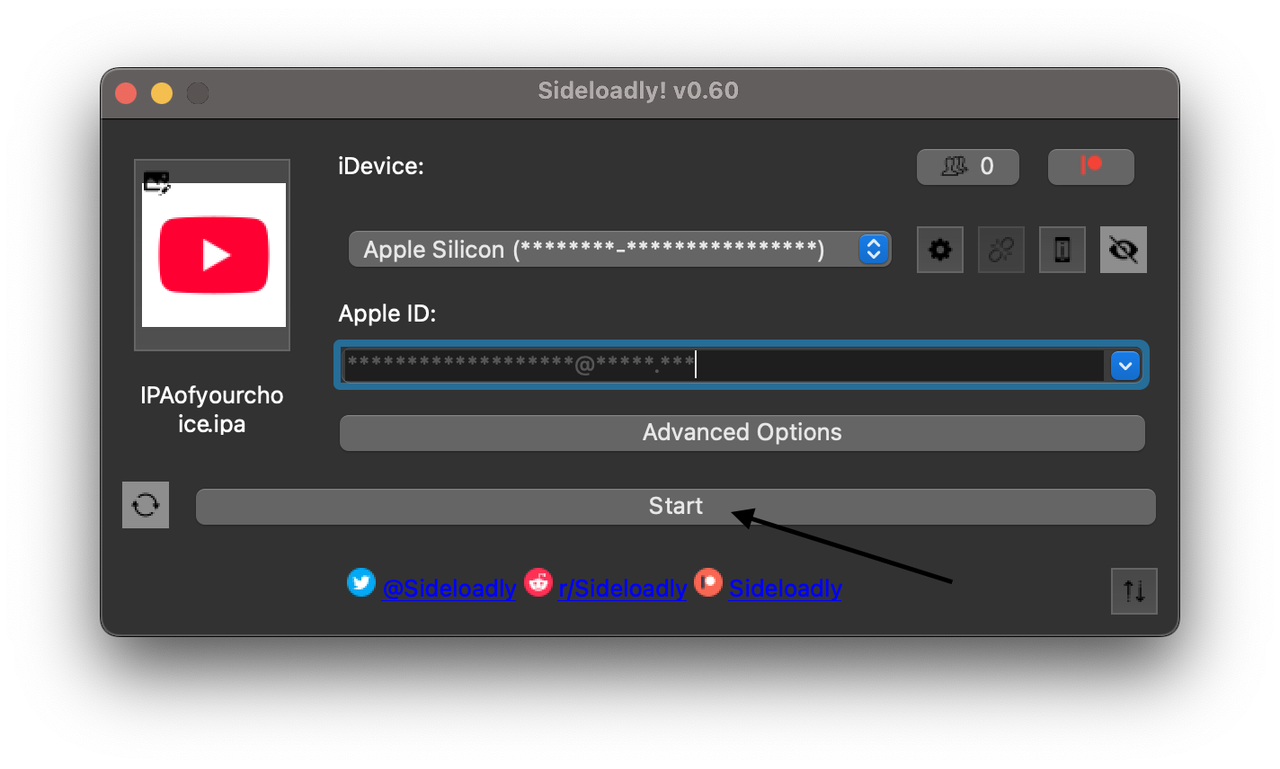
Step 2: Open Sideloadly, and enter your Apple ID. Drag and drop the IPA of your choice into the Sideloadly window.
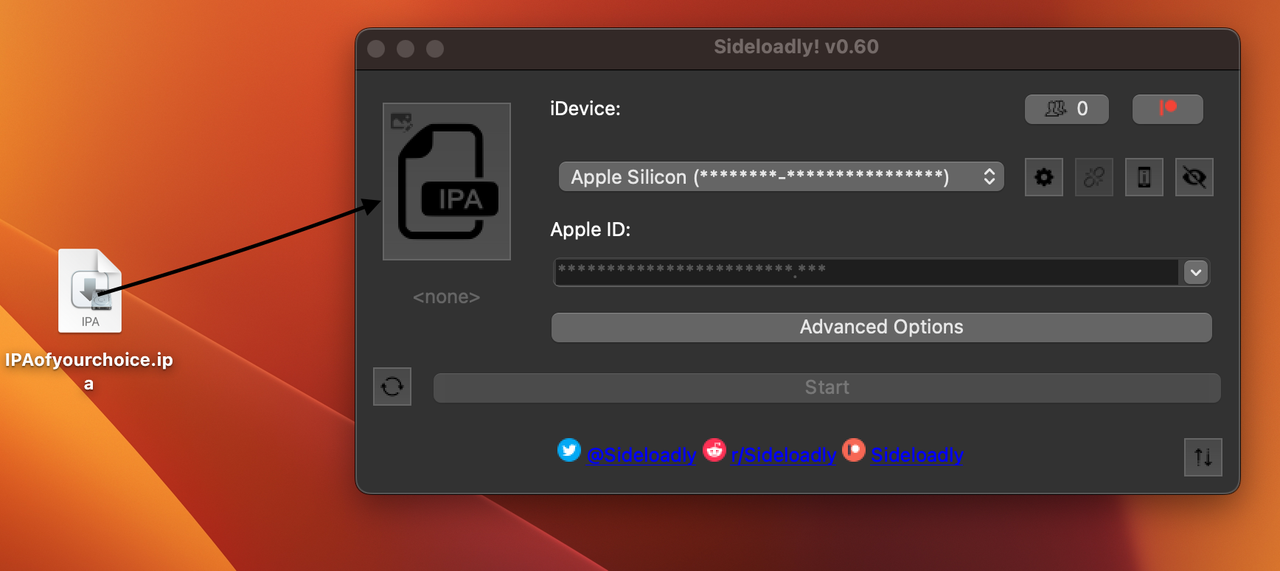
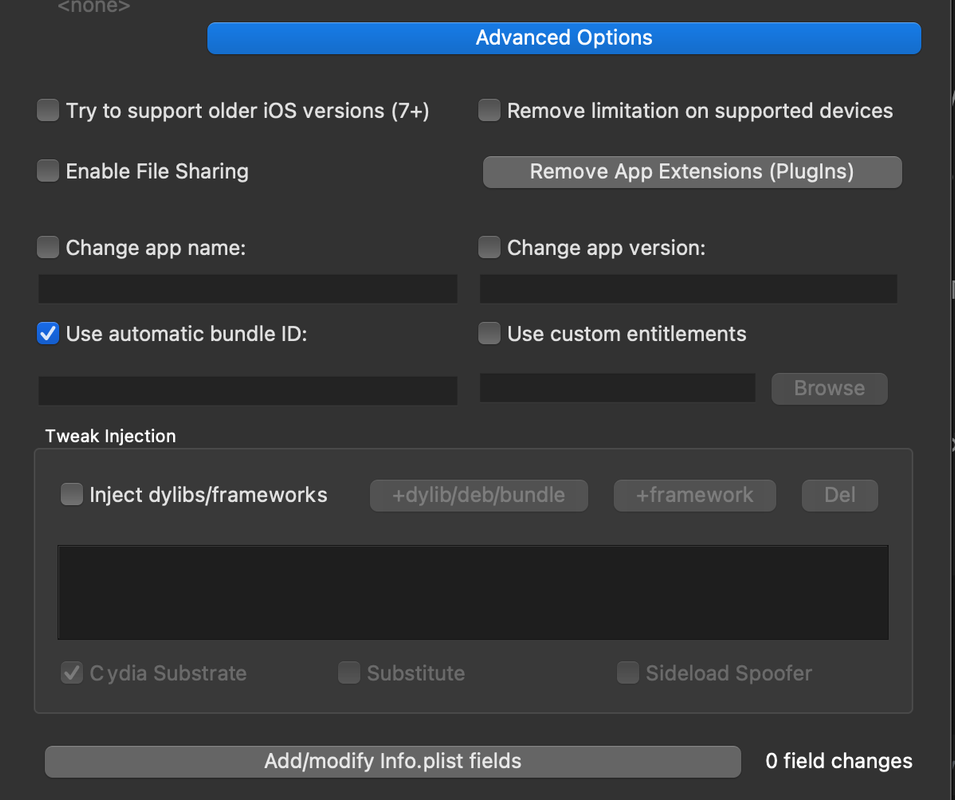
There's a Advanced Options button just down below, where you can make adjustments to the IPA. Hovering over the options should give you a clear idea of their purposes.
Step 3: Press Start. If you have 2FA setup on your Apple ID, have your iDevice or Mac ready and supply the 6-digit code to Sideloadly.
Step 4: Sideloadly will take some time to install. It will say “Done” once the process is complete.
Now go to your iDevice's Settings > General > VPN & Device Management > Trust Developer. (on iOS 16 and higher). It may also ask you to enable Developer Mode. Go to Settings > Privacy & Security. Scroll down to the Developer Mode list item and navigate into it and enable the developer mode switch.
Step 5: After 7 days, your app(s) will be unavailable. Repeat the steps above with the same IPA and Apple ID.
Do not delete the apps, just resign using Sideloadly or else you will lose your app data.
III. SideStore guide & AltStore Windows guide/AltStore macOS guide
You can also ask for support in SideStore's Discord server: https://discord.gg/RgpFBX3Q3k
Video guides for SideStore and AltStore (Windows & macOS) respectively:

III.1a. LiveContainer
You can use this to bypass the 3-app limit but app compability is a little hit-and-miss: https://github.com/LiveContainer/LiveContainer/labels/compatibility
If your app isn't on this list, then it's likely going run.
III.1b. SideStore + LiveContainer
LiveContainer but you save one extra app slot, works on iOS 26 as well.
IV. Revoked certs: The Khoindvn method
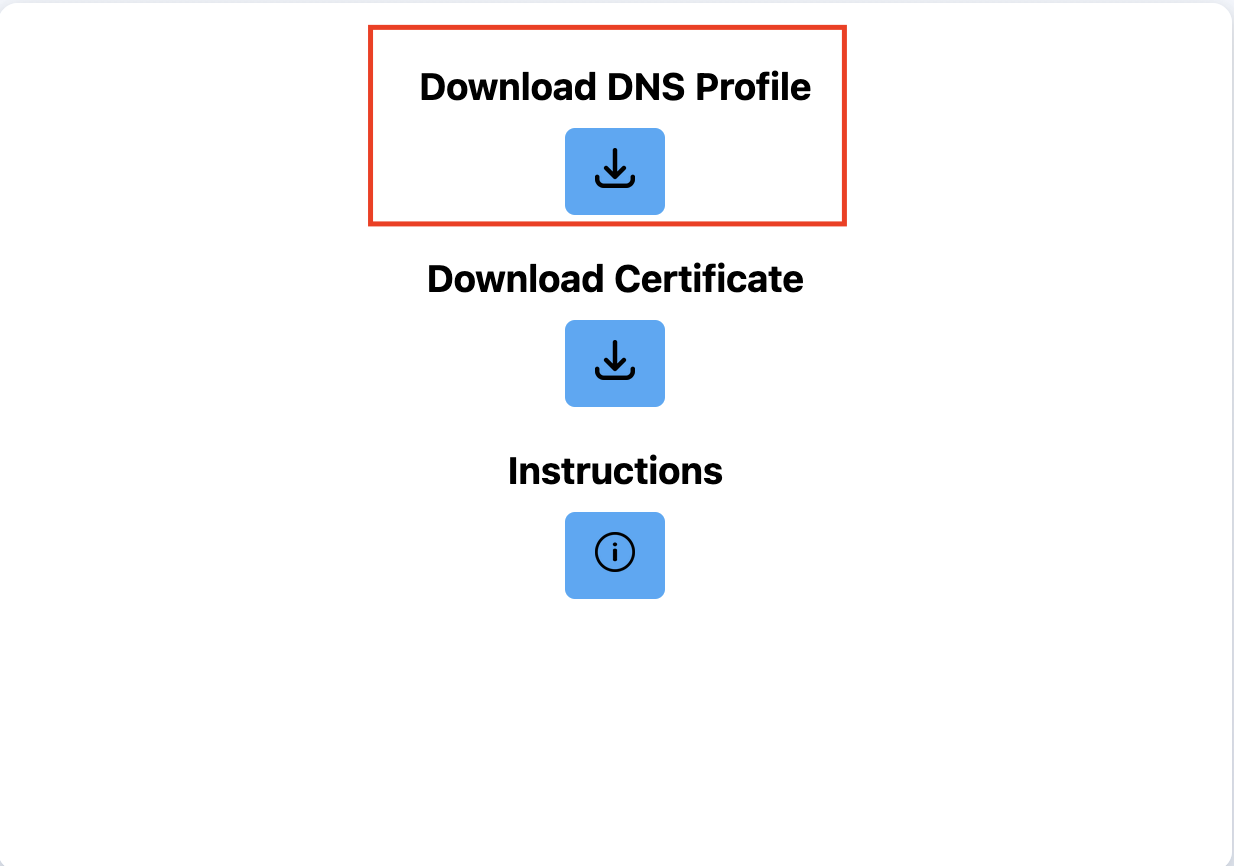
Step 1: Go to Khoindvn's site and download the DNS profile.
If you're on iOS 18+, due to a bug, the file will be downloaded as a .mobileconfig instead of prompting you to install the profile. To fix this, open the "Files" app on your phone and rename it to end with .mobileconfig, then tap on the file to install the profile.
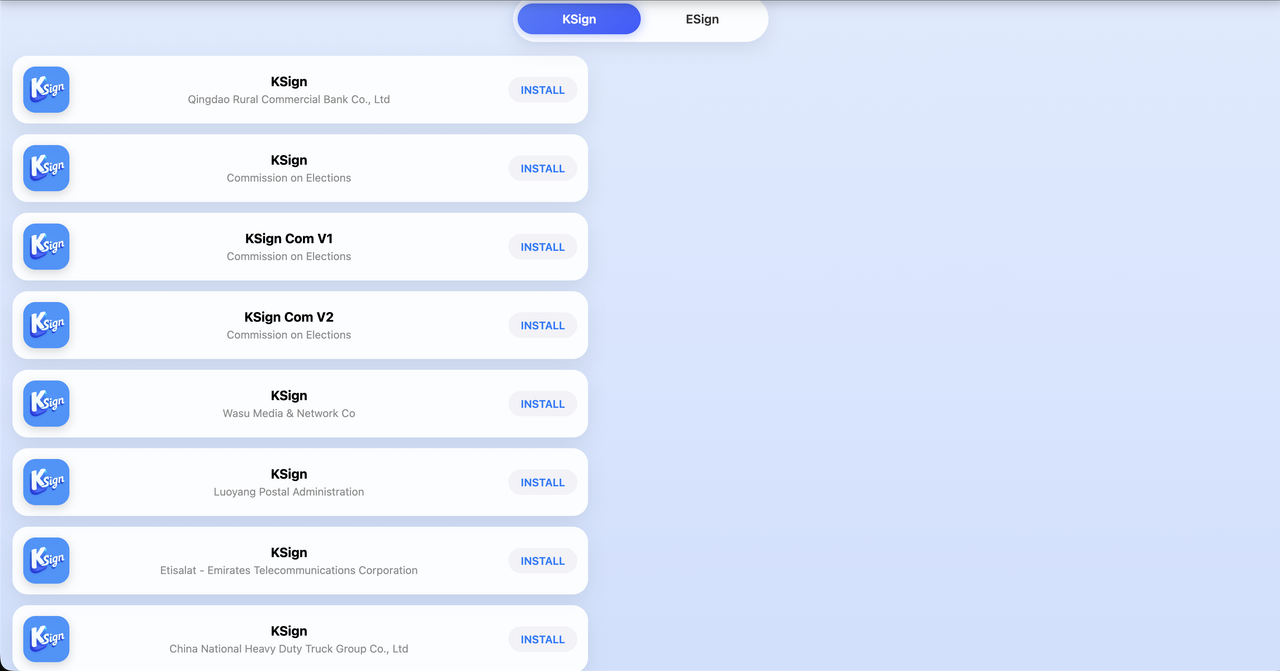
Step 2: Install your preferred version of Ksign (any of these will work the same, just personal preference). If one certificate doesn't work, then try another one.
Blacklisting:
These methods utilize something called Bypass Revoke, which utilizes a DNS config to block Apple from revoking apps signed by expired certificates. Therefore, if your DNS config stops working for some reason, these certificates will be revoked and lead to what's called blacklisting. If you try to sideload any new apps or open pre-existing ones, they will show up as unable to verify intergrity or install failure.
Only way to get whitelisted is by using BlacklistBeGone, which officially supports iOS 17.0 - iOS 18.0.1 (Avieshek claims older versions such as iOS 16 [but not higher] works as well) and requires a Windows or macOS device.
or by factory resetting or local restoring your iDevice (you should backup any critical data as well)
V. Paid certs or paid Apple Developer Account
For just $99/year, you could buy an Apple Developer Account and sideload as many apps as you want.
However, this is overkill if you just want to sideload apps. In which case, you could buy dev certs which are distributed by these Apple Developer Accounts. You can check out r/sideloaded for paid cert suggestions. The most popular options are KravaSign, khoindvn and the likes. They come in various prices with different perks and limitations, but in general they are worth the price if you're sideloading >3 apps or don't want to deal with the hassle of free methods.
The paid certs community is in a bit of chaos right now, I'd advise against buying certs right now.
VI. Legacy-iOS-Kit & Sideloader
VII. Testflight?
Testflight is usually used as a way to distribute apps easily without having to sideload them or testing out beta versions of an app.
https://github.com/pluwen/awesome-testflight-link
https://t.me/testflightlinks
https://docs.google.com/spreadsheets/d/1Uej3AQPxRcLRXnmthUXR-7oGkNV_GsMFgCoNnuPtSwI/
https://departures.to/
VIII. Recommended app sources
| Sites | Description |
|---|---|
| fmhy.net | "The largest collection of free stuff on the internet!". |
| ongkii's list | One of the most extensive lists featuring Telegram channels, reputable repos, websites, etc. |
Extra: macOS IPA sideloading (only on Apple Silicon Macs!)
You can sideload IPAs on your Macs, though be it with a varying degree of success with some apps.
Sideloadly: Open up Sideloadly and choose Apple Silicon as your device, then sideload as usual.
or